Download Free Your Desired App
Home » Softwares » Operating Systems » Windows 10 Pro X64 incl Office 2019 JUNE 2020 Free Download
Windows 10 Pro X64 incl Office 2019 JUNE 2020 Free Download
Windows 10 Pro X64 incl Office 2019 JUNE 2020 Free Download Latest OEM RTM version. Full Bootable ISO Image of Windows 10 incl Office 2019.
Windows 10 Pro X64 incl Office 2019 JUNE 2020 Overview
Windows 10 Pro is a very useful and imposing operating system that has been developed by Microsoft which is a very popular name all around the world because of it’s impressive security and stability. Windows operating system was first came into arena in mid 80s and since then it has become very famous and people are relying on this operating system for their official work. You can also download Windows 10 Pro X64 incl Office 2019 MAY 2020.

Windows 10 Pro X64 incl Office 2019 JUNE 2020 has been equipped with Office 2019 ProPlus VL 64Bit and also .NET Framework 3.5. It has also got Diagnostic and Recovery Toolset 10 which will improve the security to a great degree. It has also got Microsoft Edge which will improve the web browsing experience greatly. You can also download Windows 10 Pro Incl Office 2019 Updated Jan 2020.
Screenshots:


[ RELEASE INFO ]
- File: W10X64.PRO.OFF19.ENU.JUN2020.iso
- Size: 4,99GB
- Format: Bootable ISO
- CRC32: b36f95e2
- MD5 : a0728a18563dc997570f4ff7586ff202
- SHA-1: e70fbc1eec93240533f59398cb1afef92e53b843
[ CONTENTS ]
Integrated / Pre-installed:
- Office 2019 ProPlus VL 64bit
- Servicing Stack Update:
- KB4560366
- CumulativeUpdate:
- KB4557957
- .NET Framework 3.5
- Flash Player Security Update:
- KB4561600
SetupComplete / Post-install:
- Defender Updates
- LANGUAGE: ENGLISH US
[ EDITIONS INCLUDED ]
- Windows 10 Pro
- Office 2019 ProPlus
- Activators: HWID and Online KMS
[ FEATURES ]
- UEFI-ready
- (Use attached Rufus USB-tool to make UEFI-bootable)
- Diagnostics and Recovery Toolset 10.0 (Microsoft DaRT)
- install.wim compressed to recovery format (install.esd)
Features of Windows 10 Pro X64 incl Office 2019 JUNE 2020
Below are some noticeable features which you’ll experience after Windows 10 Pro X64 incl Office 2019 JUNE 2020 free download.
- An imposing operating system that has been developed by Microsoft.
- Become a very popular name all around the globe due to it’s stability and security.
- The operating system has been made more user friendly.
- Has been equipped with Diagnostics and Recovery Toolset 10.
- Has been equipped with Office 2019 ProPlus VL 64Bit.
- Got .NET Framework 3.5.
Windows 10 Pro X64 incl Office 2019 JUNE 2020 Technical Setup Details
- Software Full Name: Windows 10 Pro X64 incl Office 2019 JUNE 2020
- Setup File Name: W10X64.PRO.OFF19.ENU.JUN2020.iso
- Full Setup Size: 5 GB
- Setup Type: Offline Installer / Full Standalone Setup
- Compatibility Architecture: 64 Bit (x64)
- Latest Version Release Added On: 11th Jun 2020
- Developers: Windows
System Requirements For Windows 10 Pro X64 incl Office 2019 JUNE 2020
Before you start Windows 10 Pro X64 incl Office 2019 JUNE 2020 free download, make sure your PC meets minimum system requirements.
- Memory (RAM): 1 GB of RAM required.
- Hard Disk Space: 16 GB of free space required.
- Processor: 1 GHz Intel Pentium processor or later.
Windows 10 Pro X64 incl Office 2019 JUNE 2020 Free Download
Click on below button to start Windows 10 Pro X64 incl Office 2019 JUNE 2020 Free Download. This is complete offline installer and standalone setup for Windows 10 Pro X64 incl Office 2019 JUNE 2020. This would be compatible with 64 bit windows.
Related posts:
This Post was Last Updated On: September 14, 2023
-
-
#7 written by Zyrèx 6 years ago
-
-
-
#10 written by Arnav 6 years ago
-
-
#13 written by Kayser 6 years ago
-
-
How To ACTIVATE Windows 10 Pro X64 incl Office 2019 JUNE 2020
https://www.youtube.com/watch?v=qeDuqlElKSA -
How to Download Windows 10 and Create Bootable USB
https://www.youtube.com/watch?v=EAPhNWMdgoU -
-
#20 written by Shivnath Karmakar 6 years ago
-
-
-
-
-
-
#29 written by Mandeep Kaithalwala 6 years ago
-
-
#32 written by Nirmal Singh 6 years ago
-
-
-
#39 written by Ashish Paul 6 years ago
-
-
-
#45 written by Mandeep Kaithalwala 6 years ago
-
-
#47 written by GAK SPARO 6 years ago
-
#50 written by Kundan King 6 years ago
-
#52 written by Trevor Sutter 6 years ago
https://drive.google.com/file/d/1z1C2Yno7P7A30pczahsqA_lHJJxrWN1o/view
That is the download link to the installer. The password is byrohitbhure
I highly doubt it’s actually 10mb so DOWNLOAD AT YOUR OWN RISK I WOULD NOT RECOMMEND INSTALLING IT UNLESS YOU ARE TOTALLY SURE ITS SAFE
-
#60 written by AJAY KUMAR MAHATO 6 years ago
-
-
#63 written by Pratik Kumar 6 years ago
https://uploads.disquscdn.com/images/4b5a28ba9dc6fae9db32b04ff6e06706c421264ff823016eeb946672a62d80f2.png
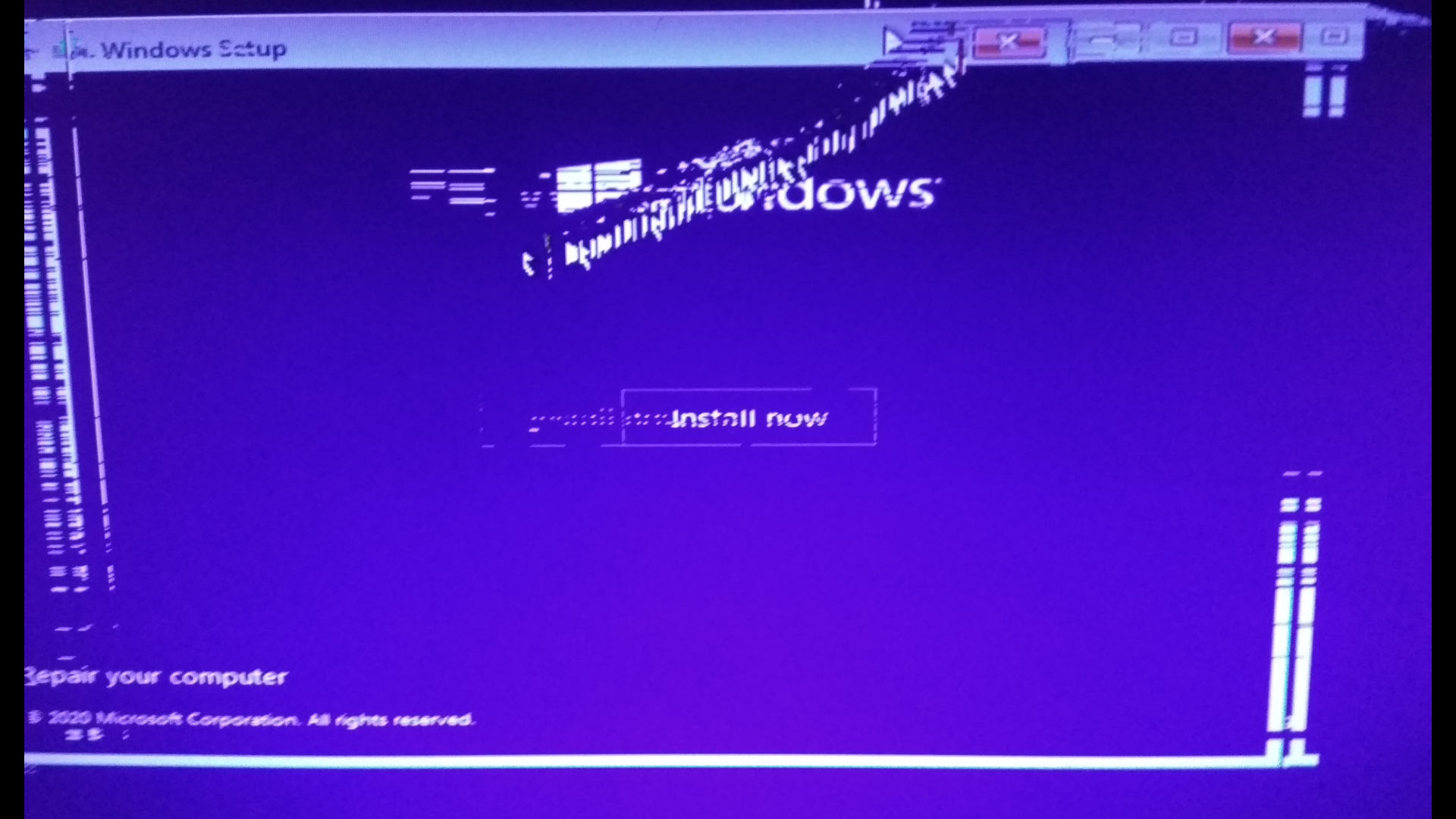
@adm@Admin_OFG_GIP:disqus Sir can u help me when i try to install Win 10 using my bootable USB drive, Graphic of Win 10 installer become glitchi (Image Uploaded) . Am not saying that there is problem with iso file bcz i insall Win 10 on my family member laptop with same bootable USB and it install successfully without any problem but this problem only happen with my PC.PC specs:-
Processor – AMD Athlon IIX2 250 3.00Ghz
motherboard – M68MT-S2
RAM – 6GB DDR3
GC – Zotac gt 730 2gb ddr5 -
-
#68 written by Jazzy 6 years ago
-
#71 written by Waqar Ahmad 6 years ago
-
-
#76 written by Jethro Albay 6 years ago
-
-
-
-
#81 written by Suhaib Farooq Sidiqui 6 years ago
-
#83 written by evil gamming 6 years ago
-
-
#86 written by ARPANENDU CHOWDHURY 6 years ago
can anyone tell me how to create a copy of my installed windows 10 pro? I have downloaded the 1903 version and updated it to 1909 using almost 6gb of internet, but i dont want to install the 1903 version and update it again. so tell me how can I MAKE AN UPDATED ISO FILE and install it again…..thanks in advance.
-
-
-
#90 written by Ks 6 years ago
-
-
#94 written by Tramline 6 years ago
Heres video. Credits goes to great guy named @windowssolutions:disqus
https://www.youtube.com/watch?v=itxtSnndODw&t=25s
-
-
#95 written by Takz Francisco 6 years ago
-
-
#97 written by Smith 9375 6 years ago
-
-
-
#99 written by sabirul 6 years ago
-
#100 written by Basil Benny 6 years ago
-
-
-
-
#109 written by Enrique Riddan 6 years ago
Facing a problem first time since using this website from 2014
every single image works but this iso is not working it restarts installation at point where getting files ready for installation is reaching 87% and suddenly jumps to install now page but never reaches to restart Now for further installation, please fix 🙂 -
#113 written by Sultan Salahuddin 6 years ago
-
#114 written by Tramline 6 years ago
Its not a virus. You must have read a fake site. svchost.exe is part of windows.
https://en.wikipedia.org/wiki/Svchost.exe
-
-
-
-
#117 written by Pixssassin 6 years ago
-
#118 written by Basil Benny 6 years ago
I had the same problem with another motherboard. Till now there have been no solutions for that problem. But here are few things you can try.
(1) Change the partion scheme to GTP (in rufus).
(2) Make sure you have a 64-bit processor.
(3) Make sure that your motherboard supports Direct x12.
(4) Turn off secure boot in the bios.
Hope any of these tips works. -
#120 written by Tramline 6 years ago
Use rufus to create USB.
Here is a tutorial by a great guy @windowssolutions:disqus
https://www.youtube.com/watch?v=Xq_6azQ8zXI&t=266s
-
-
-
-
#122 written by Mad Dog “Dragonspitfire” XYZ 6 years ago
-
#125 written by Mayank Kumar Sohanda 6 years ago
-
-
#136 written by Cntower Lasergun 6 years ago
-
#138 written by Basil Benny 6 years ago
-
-
#152 written by M Bilal HaSan 6 years ago
-
#155 written by chandan kumar 6 years ago
-
#156 written by Tramline 6 years ago
You used MBR partition table. You need to install with GPT partition table or convert to GPT with this tutorial https://docs.microsoft.com/en-us/windows/deployment/mbr-to-gpt?redirectedfrom=MSDN
-
-
#158 written by NAVEEN PRAKASH 6 years ago
-
#161 written by kaweesa 6 years ago
-
#164 written by claudeth coroza 6 years ago
-
-
#170 written by Mahfuj Khan 6 years ago
-
#171 written by Basil Benny 6 years ago
-
-
#172 written by Rupesh Mevawala 6 years ago
-
#175 written by F.Darlingboy Tellewoyan 6 years ago
-
-
#178 written by Md Kaif 6 years ago
-
-
#183 written by Amit Prasad 6 years ago
-
#185 written by BASHIR D WUSHISHI 6 years ago
-
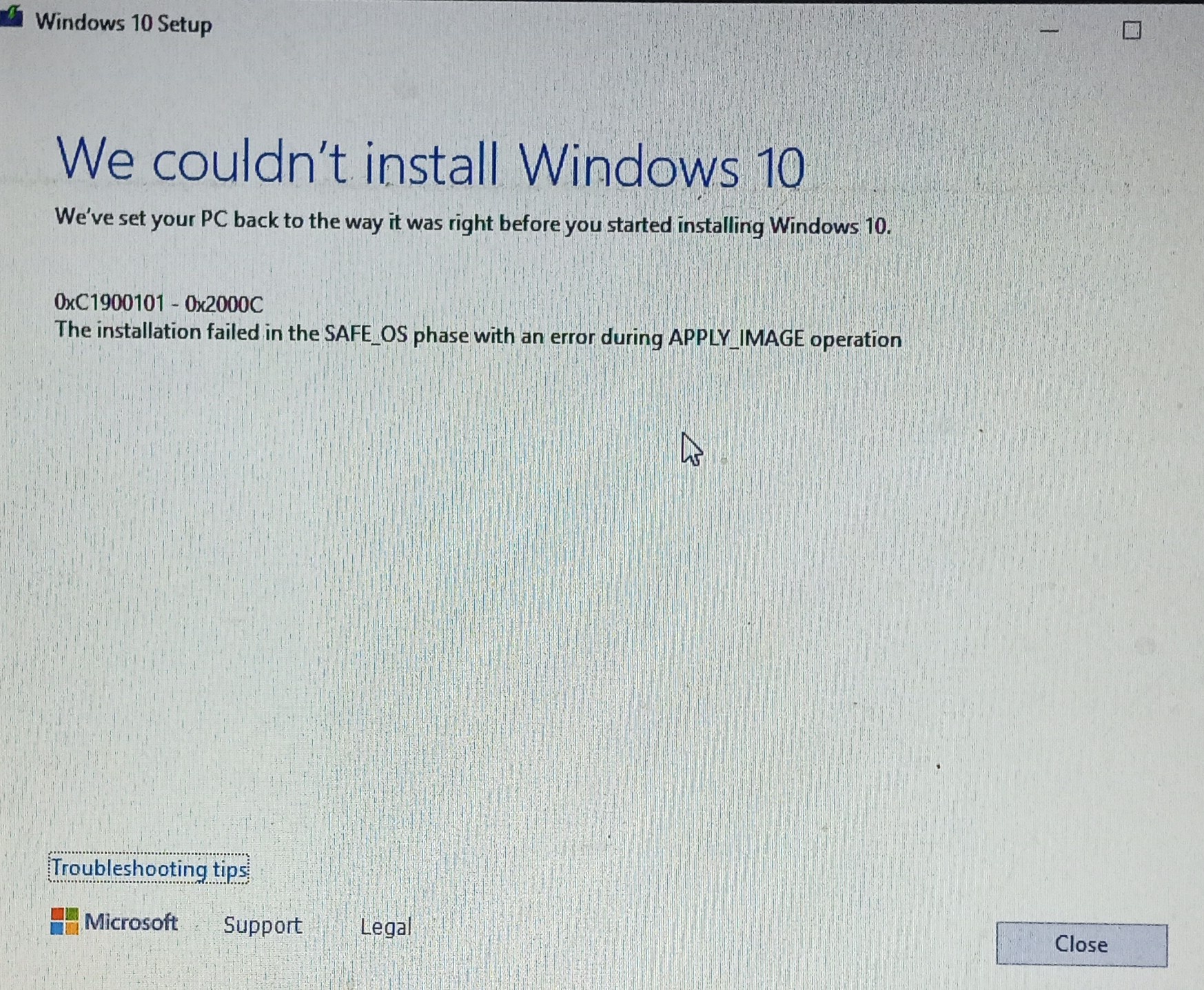
your running the iso file like normal application . windows iso file setup cannot be run like normal app , you need to boot them in pendrive and fire them to hard disk using bios .
follow
https://youtu.be/Xq_6azQ8zXI for booting your pendrive . if your pc is dead then borrow one pendrive by booting it in his /her pc then install on your pc .
during windows 7 Microsoft allow us to run the setup file directly like normal app . but that is dangerous ,without clean install your hard disk will occupied by junk folder named old.windows or windows old that is totally useless so they changed way of installing and named it as safe os phase (to safe your os from being get damaged)
-
#189 written by Ahmad 6 years ago
-
#190 written by Basil Benny 6 years ago
Compressing ISO files might corrupt it. So it’s better to download the ISO file itself. If you are having low data bandwith and daily data limit, then watch this video to find out how you can pause and download this file. I did this the same way and it worked. Hope it works for you to.
Video: https://www.youtube.com/watch?v=5uzN987XyN4
This method won’t damage your file.
-
-
#191 written by ujjval patel 6 years ago
-
-
#198 written by Ahmad 6 years ago
-
#199 written by Basil Benny 6 years ago
Compressing ISO files might corrupt the files. You have limited data then watch the video below. You can pause and download the file.
Video link: https://www.youtube.com/watch?v=5uzN987XyN4
-
-
#200 written by Smith 9375 6 years ago
-
#201 written by Raza Azam 6 years ago
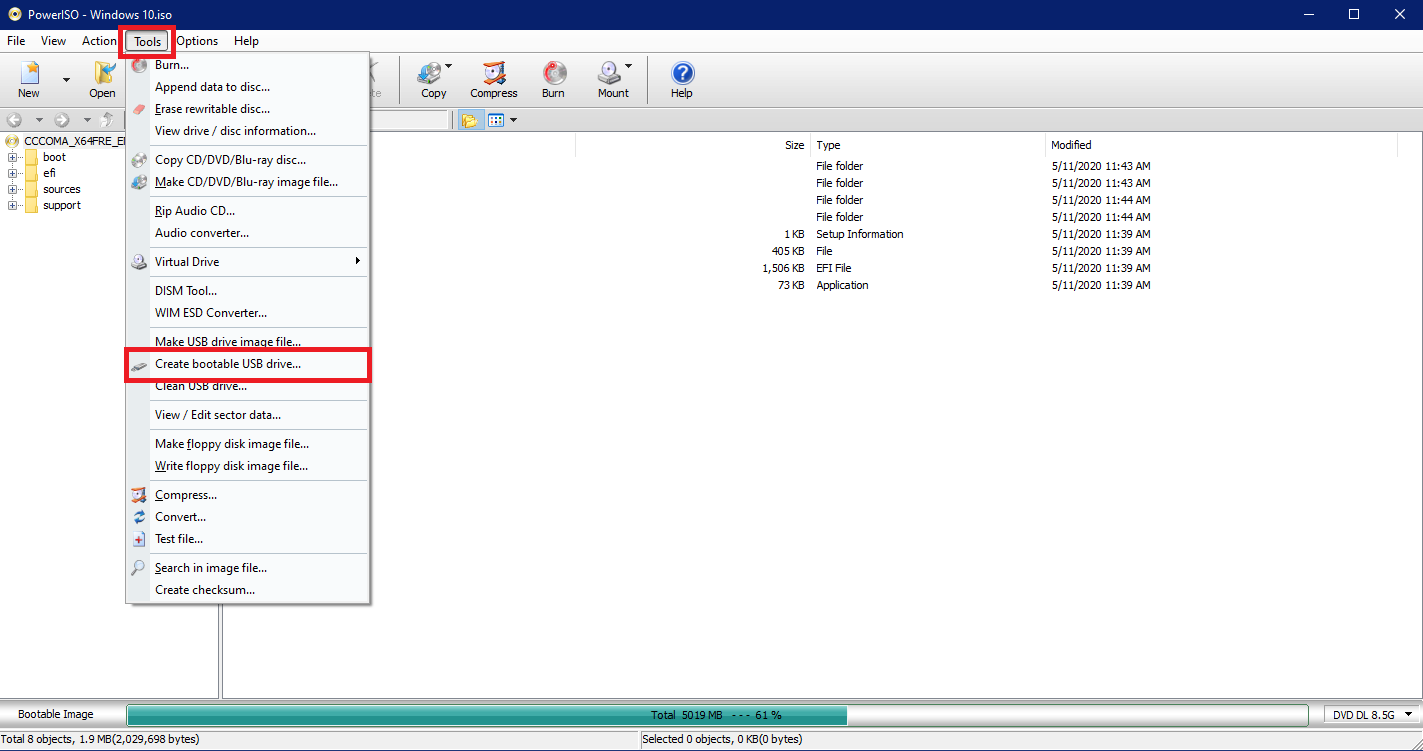
If you Need To Install Windows Via USB. You Need To Install PowerISO And Open Windows ISO File on PowerISO.
Go To Tools>Create Bootable USB Drive. https://uploads.disquscdn.com/images/a296786fc5281247e50f254a88482e0547c5b108d50089d2e7ad49f8c3a05c6f.png
PowerISO Downlaod Link:- https://getintopc.com/softwares/compression/poweriso-2020-free-download/ -
#203 written by Tramline 6 years ago
I am not admin, but usually you have to wait for an Admin to approve the comments.
Anyways, You have to use a tool to “burn” this image to the USB Drive. I suggest using Rufus. Here is a video by @windowssolutions:disqus on how to use it. Thanks Tech-savvy! Hope you get 1000 subs!
https://www.youtube.com/watch?v=Xq_6azQ8zXI&t=266s-
-
#205 written by Md Kaif 6 years ago
-
-
-
-
-
#215 written by Manzoor Hussain 6 years ago
-
#216 written by Madhuri moghe 6 years ago
-
-
#219 written by Md Kaif 6 years ago
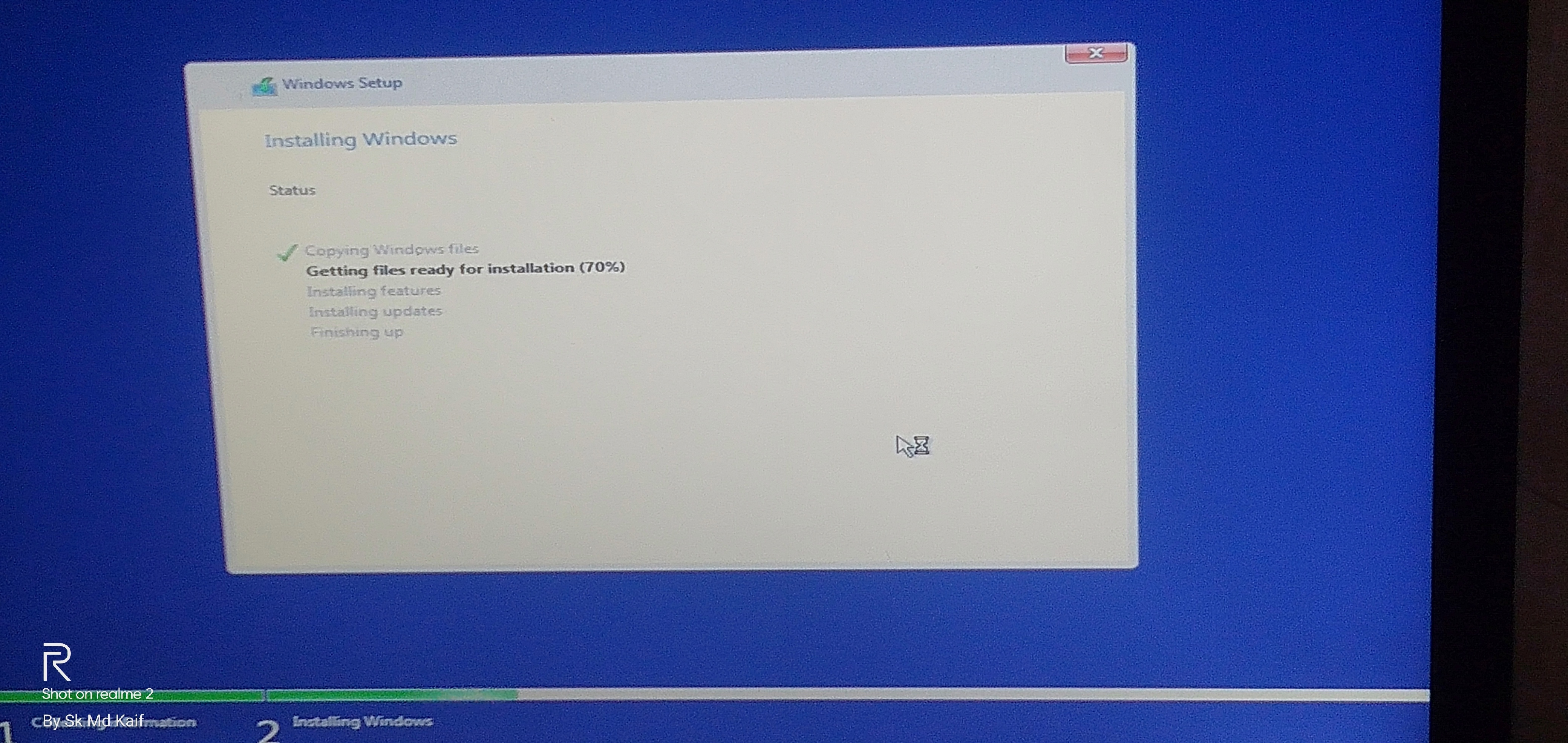
The setup restarts as soon as the “getting files ready” reaches to 70 percent. Please help. Now I have no OS in laptop. Please help.
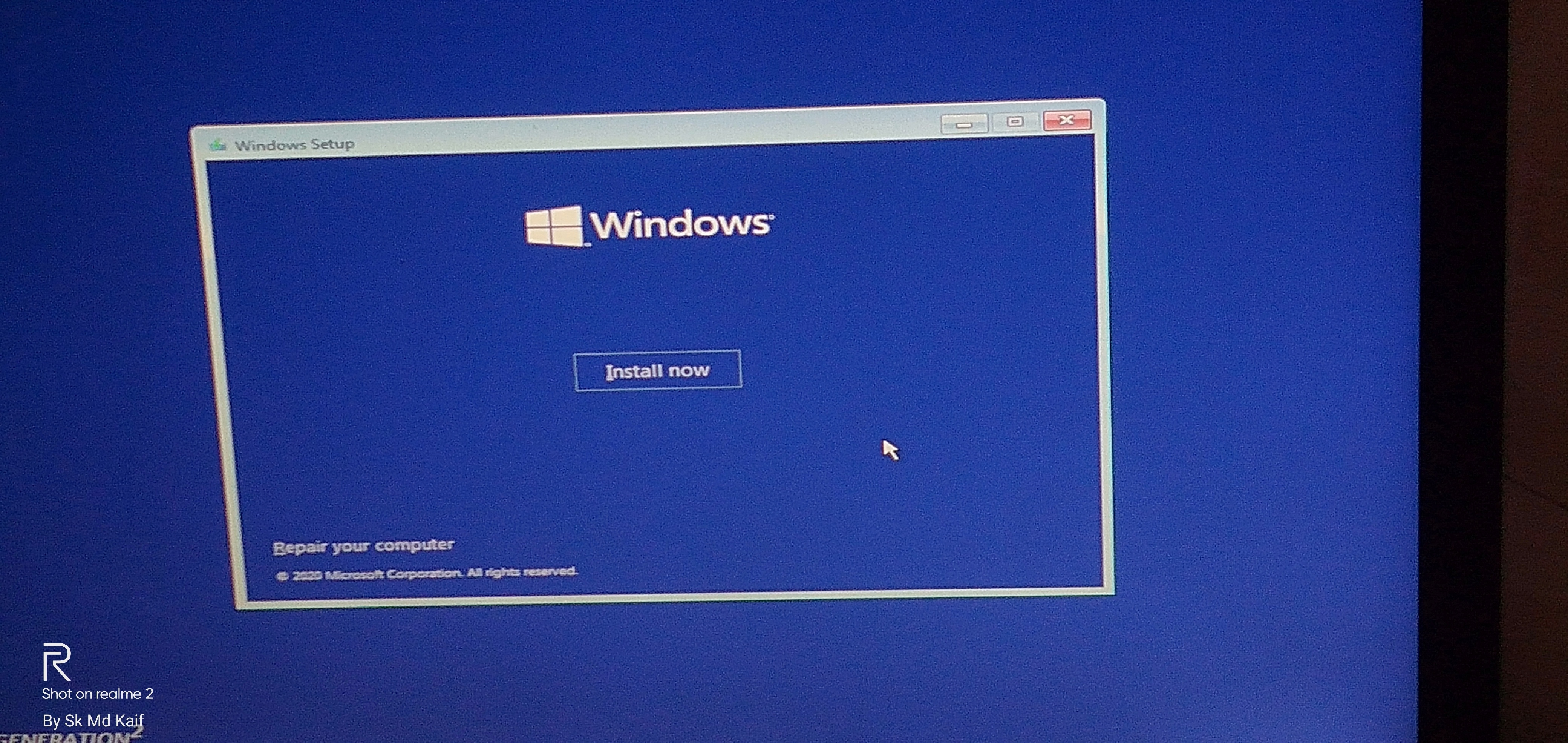
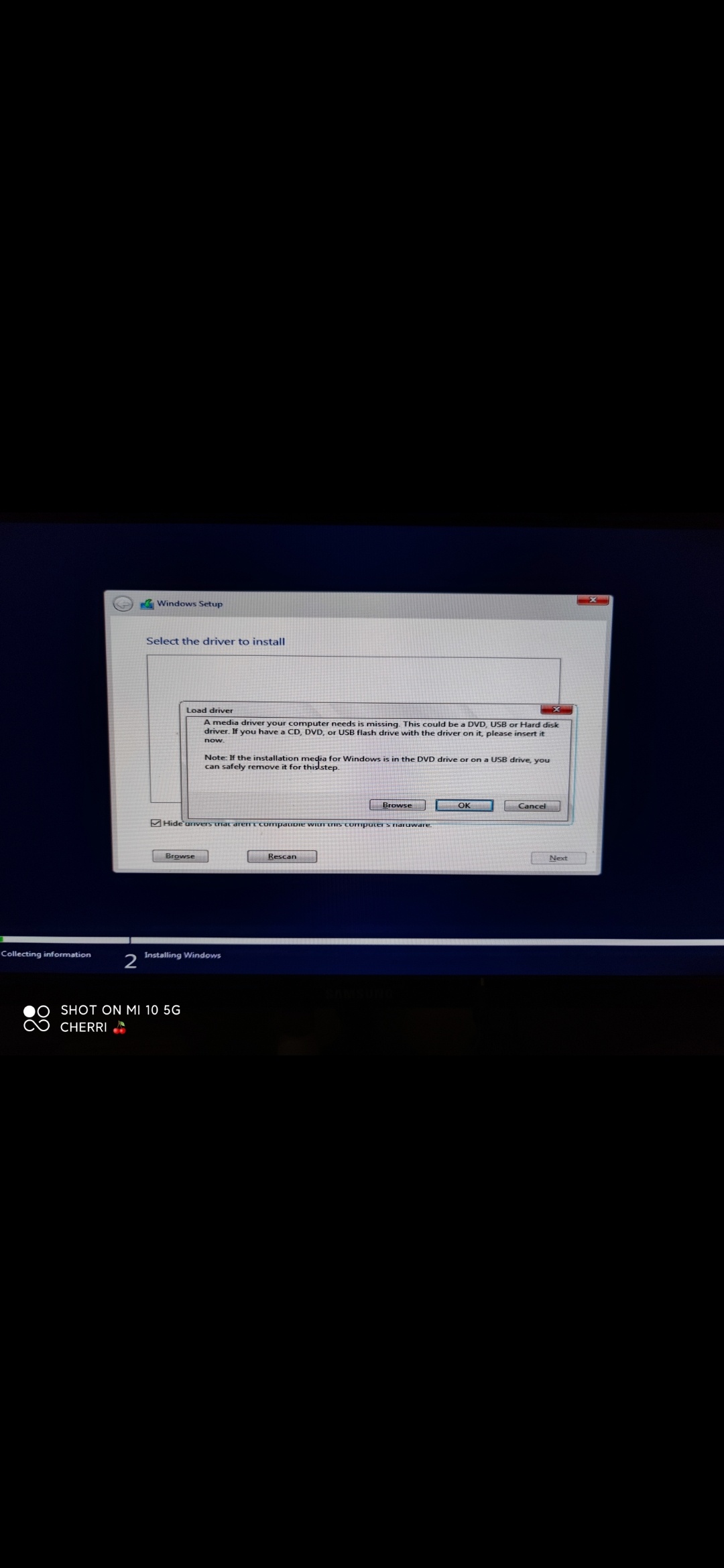
https://uploads.disquscdn.com/images/df35c9cba1f2326bdd4e81c952646ddaaf3f8a76dca38d8986d6eeb7795e50e9.jpg https://uploads.disquscdn.com/images/72a76222d3fb41aaddd53ec36030b064bcefd3feb66e36624fb4a3db82dc480a.jpg-
#221 written by Ashraf Adeyemi 6 years ago
It happened to me too and it couldn’t install only when I changed the USB drive and it’s now working perfectly. Anyways I haven’t finished all the settings but it’s really good. Just change the USB drive and burn the ISO file and install. If not installed again, just be changing the USB or check the way you burn the drive. And I used Power ISO to burn the file.
-
#222 written by C'x WhiteShadow 6 years ago
-
-
-
#231 written by Dev 6 years ago
-
-
-
-
-
#242 written by charan tej 6 years ago
Can you see this and suggest me what to do, i used Rufus latest only do to bootable pendrive and i have tried several usb ports also but still same issue and i don’t know what to do can you help plz regarding this
https://uploads.disquscdn.com/images/cdcb0eafb76085c4806854bbd6201ce0309c35896f38e08c6c510e655764ab78.jpg-
#244 written by Basil Benny 6 years ago
-
-
#248 written by Mohammed Moeez 6 years ago
-
-
#253 written by abdullah hesham 6 years ago
-
-
#258 written by zebub 6 years ago
-
#259 written by Prod. Saiyn 6 years ago
-
#261 written by Hoppn Bitcoin ATM 5 years ago
Agreed! All the Best Software – Amazing Variety – & 19 out of 20 Programs work perfectly! (Hard to find that with cracked programs!) As always, You Guys Rock!
For MAC they have Oceanofdmg.com
If you like Games… they have Oceanofgames.com and they even have Apps & Games for Android at OceanofAPK.com
Love you guys!
-
-
-
#264 written by Naga Durgarao Baddhi 6 years ago
-
#266 written by Basil Benny 6 years ago
-
#269 written by Pistons951 6 years ago
-
#271 written by Tramline 6 years ago
You need to use rufus and create bootable USB. You can’t run just setup.exe.
How to create rufus USB video credit goes to @windowssolutionexpert:disqus :
https://youtu.be/Xq_6azQ8zXI
-
#272 written by Vithu 6 years ago
-
-
-
#277 written by Sanjay Natta 6 years ago
-
-
#282 written by Tramline 6 years ago
Check this tutorial by @windowssolutionexpert:disqus on how to create Windows USB image with Rufus. make sure you are using a USB drive with 8GB or more.
https://youtu.be/Xq_6azQ8zXI
-
#283 written by samuel 6 years ago
-
#285 written by Richmond Cubilo 6 years ago
-
#287 written by Mahabrata Sengupta 6 years ago
-
-
-
#293 written by Tramline 6 years ago
Here are some tutorials on how to install by @windowssolutionexpert:disqus
How to create bootable USB drive with RUFUS:
https://youtu.be/Xq_6azQ8zXI
How to install Windows 10 similar installation for this version:
https://youtu.be/itxtSnndODw
-
-
#294 written by Ventisca 6 years ago
-
#295 written by Vibav Krishna 6 years ago
-
-
#297 written by JuanMan 6 years ago
-
-
#303 written by Muhammad Hamid 6 years ago
-
#304 written by Varun Chaurasia 6 years ago
-
#305 written by Basil Benny 6 years ago
This is actual windows 10. Only difference is that you will get it pre-activated and there is no need to pay for a product key. They are giving it for free because they know that there are many out there who don’t have enough money to buy a windows 10 installation media. Moreover when we click the download button, we are directed to a new page and there are some ads in those pages so they are making money also.
The most appreciatable part about this website is that they give as paid softwares for free and we can download it from high speed servers for free. Another major fact is that the download won’t make you angry by seeing all ads on the redirected page. If you download something by watching a youtube video an the by the provided link then you will surely have to go through a lot of ads.I really appreciate your work.
Getintopc.com is the best site.
-
-
#308 written by allen walker 6 years ago
-
-
-
#315 written by Md.Riyazul Islam Riyad 6 years ago
-
-
#317 written by Md.Riyazul Islam Riyad 6 years ago
-
-
-
#324 written by Murtaza Ali Khan 6 years ago
-
-
-
#331 written by Aniket Rattan 6 years ago
-
#333 written by ♡SHUU♡ 6 years ago
-
#339 written by Snail 's Sharma 6 years ago
-
#341 written by Lord Renz 6 years ago
-
#347 written by Looz Dreemur 6 years ago
-
#348 written by $@h!l 6 years ago
Use PowerISO for making bootable USB Drive. Use default setting of PowerISO. It will install windows in Pendive in NTFS file system. while making bootable USB. Shut down any antivirus and windows defender while making bootable windows in that PC.
i was facing the same problem at 70% since 4 hours, and with shuting down windows defender solved my problem and it got installed, the boot options should be set at legacy-
#349 written by Looz Dreemur 6 years ago
-
#351 written by shivali katoch 5 years ago
But sometimes Bootable USB with Power ISO may not work for some users in some cases. So the next best step is that when your Windows files installation stops at around 60 or 70%, then just restart the laptop and install the windows on same drive. Keep note that do not format the Partition drive which contains already 60-70% copied files, it will be stored as “old.windows”. Then it will start to copy files again and windows will be installed. feel free to share feedback
-
-
-
#353 written by Kyv's 6 years ago
-
-
-
#359 written by Chan Paumar 6 years ago
-
#361 written by Shreyansh Shukla 6 years ago
-
-
-
#365 written by alpha printers 5 years ago
-
-
-
#367 written by evil gamming 5 years ago
-
#368 written by evil gamming 5 years ago
-
#373 written by shivali katoch 5 years ago
2 solved Methods for windows not installing by Bootable USB drive
1
Use PowerISO for making bootable USB Drive. Use default setting of PowerISO. It will install windows in Pendive in NTFS file system. while making bootable USB. Shut down any antivirus and windows defender while making bootable windows in that PC.
i was facing the same problem at 70% since 4 hours, and with shutting down windows defender(in laptop where you were making Bootable USB Drive) solved my problem and it got installed, the boot options should be set at legacy2
But sometimes Bootable USB with Power ISO may not work for some users even after shutting Antivirus. So the next best step is that when your Windows files installation stops at around 60 or 70%, then just restart the laptop and install the windows on same drive. Keep note that do not format the Partition drive again which contains already 60-70% copied files(the drive in which you copied windows files), it will be stored as “old.windows”. Then it will start to copy files again and windows will be installed. feel free to share feedback -
#376 written by evil gamming 5 years ago
-
#379 written by evil gamming 5 years ago
-
#380 written by evil gamming 5 years ago
-
-
#382 written by evil gamming 5 years ago
-
-
#383 written by Ima Fixer C# 5 years ago
-
#385 written by Ima Fixer C# 5 years ago
-
-
#397 written by Basil Benny 6 years ago
Read this article. It might help.
https://answers.microsoft.com/en-us/insider/forum/all/getting-error-code-0xc1900101-0x2000c-when/fb688fd3-f6cb-463a-bbad-155459877c8f -
- Comment Feed for this Post



is this activated