Download Free Your Desired App
Home » Softwares » Operating Systems » Windows 10 Pro Updated Jan 2020 Free Download
Windows 10 Pro Updated Jan 2020 Free Download
Windows 10 Pro Updated Jan 2020 Free Download Latest OEM RTM version. It is Full Bootable ISO Image of Windows 10 Pro Updated Jan 2020.
Windows 10 Pro Updated Jan 2020 Overview
Windows 10 Pro is an operating system from Microsoft that has become popular among the masses due to it’s stability as well as security aspects. Windows was first developed more than 30 years ago and since then it has become the number one choice for most of the users all around the globe. Windows 10 is the latest offering and it has also come up in many different builds. The one we are reviewing is Windows 10 Pro Updated Jan 2020. You can also download Windows 10 Pro x64 Updated Oct 2019.

Windows 10 Pro Updated Jan 2020 has come up in many different enhancements and lots of bugs have also been fixed. The improvements has made this operating system more user friendly and will let you work with it efficiently. It has been equipped with .NET Framework 3.5 and 4.8. It has also been equipped with Microsoft Diagnostics and Recovery Toolset 10.0. You can also download Windows 10 Pro x64 Updated Sep 2019.
[ RELEASE INFO ]
- File: W10X64.PROVL.ENU.JAN2020.iso
- Size: 4,00GB
- Format: Bootable ISO
- CRC32: 094e105f
- MD5 : 33da55392c488b7873fe7cb6ea814065
- SHA-1: 3dfcc72ddeba6dc7e52413ef999803896ba29164
[ CONTENTS ]
- Integrated / Pre-installed:
- Servicing Stack Update:
- KB4528759
- CumulativeUpdate:
- KB4528760
- .NET Framework 3.5
- Cumulative Update for .NET Framework 3.5 and 4.8:
- KB4532938
- Flash Player Security Update:
- KB4516115 SetupComplete / Post-install:
- Defender Updates
- LANGUAGE: ENGLISH US
[ EDITIONS INCLUDED ]
- Windows 10 Pro – STD
- Windows 10 Pro – DLA
- Windows 10 Pro – OEM
- STD = Standard installation – For those with own License Key
- DLA = Digital License Activation (HWID)
- OEM – Will automatically activate if installing
Screenshots:


Features of Windows 10 Pro Updated Jan 2020
Below are some noticeable features which you’ll experience after Windows 10 Pro Updated Jan 2020 free download.
- Come up in many different enhancements.
- Lots of bugs have also been fixed.
- Equipped with .NET Framework 3.5 and 4.8.
- Equipped with Microsoft Diagnostics and Recovery Toolset 10.0.
Windows 10 Pro Updated Jan 2020 Technical Setup Details
- Software Full Name: Windows 10 Pro Updated Jan 2020
- Setup File Name: W10X64.PROVL.ENU.JAN2020.ISO
- Full Setup Size: 4.1 GB
- Setup Type: Offline Installer / Full Standalone Setup
- Compatibility Architecture: 64 Bit (x64)
- Latest Version Release Added On: 18th Jan 2020
- Developers: Windows
System Requirements For Windows 10 Pro Updated Jan 2020
Before you start Windows 10 Pro Updated Jan 2020 free download, make sure your PC meets minimum system requirements.
- Memory (RAM): 2 GB of RAM required.
- Hard Disk Space: 16 GB of free space required.
- Processor: 1 GHz Intel Pentium processor or later.
Windows 10 Pro Updated Jan 2020 Free Download
Click on below button to start Windows 10 Pro Updated Jan 2020 Free Download. This is complete offline installer and standalone setup for Windows 10 Pro Updated Jan 2020. This would be compatible with 64 bit windows.
Related posts:
This Post was Last Updated On: September 14, 2023
-
-
#3 written by ALEN SHAWI 6 years ago
-
#5 written by Shunno Hridoy 6 years ago
-
#10 written by Dinesh D 6 years ago
-
#14 written by Kixor_Zena 6 years ago
-
#18 written by Mehrab Hossain 6 years ago
-
#20 written by Shams Ulhaq 6 years ago
You probably downloaded a LBT version of the windows, which is for developers and enterprises which you can get from their official website for free. this includes the store as it is the orignal version but modified to activate the windows using such activation softwares like “Daz’s Windows Activator” or “KMSpico”. DO NOT DOWNLOAD THESE SOFTWARES FROM RANDOM WEBSITE… THEY HAVE VIRUSES. ONLY GETINTOPC PROVIDES AMAZING AND VIRUS FREE SOFTWARES.
-
#21 written by ItachiRaj 6 years ago
-
#23 written by Kenneth Aj 6 years ago
You Need Unused 8GB Flash Drive
then download rufus from this Link https://rufus.ie/
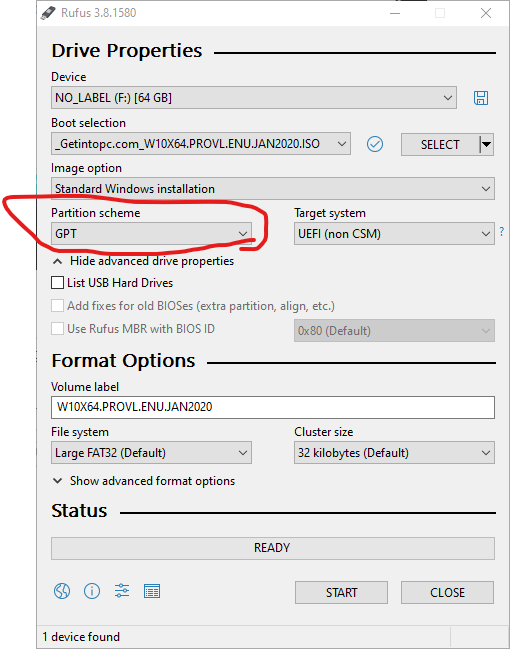
Select Your Installation iso Then Choose Partition scheme (depends on your hard drive) usually MBR
Plug your Flash Drive Then Press StartRestart Your PC
go to Boot Menu
If u Dunno What Button Your Boot Menu Is, Just Find it on Google (usually esc or f2 or f8 or f12)
Boot To Your Flash DrivePress Install > Agreement > Custom (if U want Fresh Install if u dont want it then press Upgrade) > Select Partition Then Proceed the Installation
Wait For The Installation Done
They Will Ask For Your PC Name
Then Date And Time Settings
Password
Etc Just Do As The InstructionsOpen your Driver Installer Apps
il Recommend Driverpack Easier Method (For Lazy People)
If u Dont have it u can download from this link
https://getintopc.com/softwares/driverpack-solution-full-offline-2019-free-download/
Then Press Automatically Install , It Will Install driver andd Programs too like Chrome, FIrefox, Adobe PDF, etc If u Dont want it just go to expert mode and select all the driver then Press InstallWait For it
it Takes bout half hourAfter The Installation done it will automatically Restart Your PC
Done
-
#24 written by prince 6 years ago
-
-
-
-
-
#37 written by Ahmed Tamer 6 years ago
-
#39 written by Kenneth Aj 6 years ago
this is original but not the lastest one,
if u want the original one u can download it on official windows site,
Drivers Depend on your computer brand,
If u Got HP laptop u can download Hp Support Assistant If u got Asus u Can Download ASUS Support Driver
they will give u Best Recommended Driver For Your PC,
Driverpack is Not Recomended unless u Lazy
Official Site like Intel and AMD were good but if your PC is outdated then your PC will be slowing down *even if u installed lastest Intel/AMD Driver
-
#42 written by Rehan Husain 6 years ago
I have two issues:
1. Those who have already installed your previous version of windows 10 do they need to install again this? or we can simply update from system updates?
2. My pc is crashing after installing windows 10 (from the setup which includes office 2019 also) i did clean installation via bootable USB pen drive. what to do in that case ??-
-
#46 written by Solomon Linus 6 years ago
-
#47 written by Shams Ulhaq 6 years ago
The thing is that, When you update from a non updated version of the Windows 10. It makes your pc slow as fck.. I suggest you getting it from here as it’ll help you and not slow down your pc. The Oldest version have a big hole which lets hackers easily hack into your computer and install some random shed.
-
-
-
#51 written by SICARIO 6 years ago
-
-
#60 written by Basant Singh 6 years ago
-
#62 written by Manash Ranjan Sarangi 6 years ago
-
-
#68 written by You Hack You Hack 6 years ago
-
#70 written by Ahmed Allam 6 years ago
-
#73 written by Leo Hardy 6 years ago
-
#74 written by WnXT 6 years ago
just try run setup.exe directly, and choose upgrade option. Don’t worry, it won’t remove your installed programs. I already try with clean install and it works, but you have to turn off internet connection first until finished. Skip all tutorial step. After that, turn on internet connection again and activated windows with Digital License Activator.
-
-
#75 written by wasim kasmani 6 years ago
-
#77 written by Mohan Lee 6 years ago
-
#80 written by Se Allinredap 6 years ago
-
#82 written by Ajoy Pal 6 years ago
-
#84 written by Jella Chand 6 years ago
-
#87 written by Lucky Jack 6 years ago
-
#88 written by Don 6 years ago
-
#89 written by Tramline 6 years ago
-
-
#91 written by Usman Ghani (Alone In Milions) 6 years ago
-
#93 written by Usman Ghani (Alone In Milions) 6 years ago
-
#94 written by Tramline 6 years ago
Try looking at this: https://www.minitool.com/news/fix-windows-10-upgrade-error-0xa0000400.html
-
-
#96 written by Oliver Apiakason 6 years ago
-
-
-
#103 written by Masroor Ahmad 6 years ago
-
#106 written by Bhagwati Sahu 6 years ago
-
#107 written by freakB 6 years ago
bro window 7 is officialy dead here is the last one :
https://getintopc.com/softwares/operating-systems/windows-7-x86-x64-aio-22in1-updated-nov-2019-download-5672609/
-
-
-
#110 written by Vikas Kumar 6 years ago
hey admin now u r providing quantity and quality.
i had download many iso file of windows and found that all of them is corrupted.
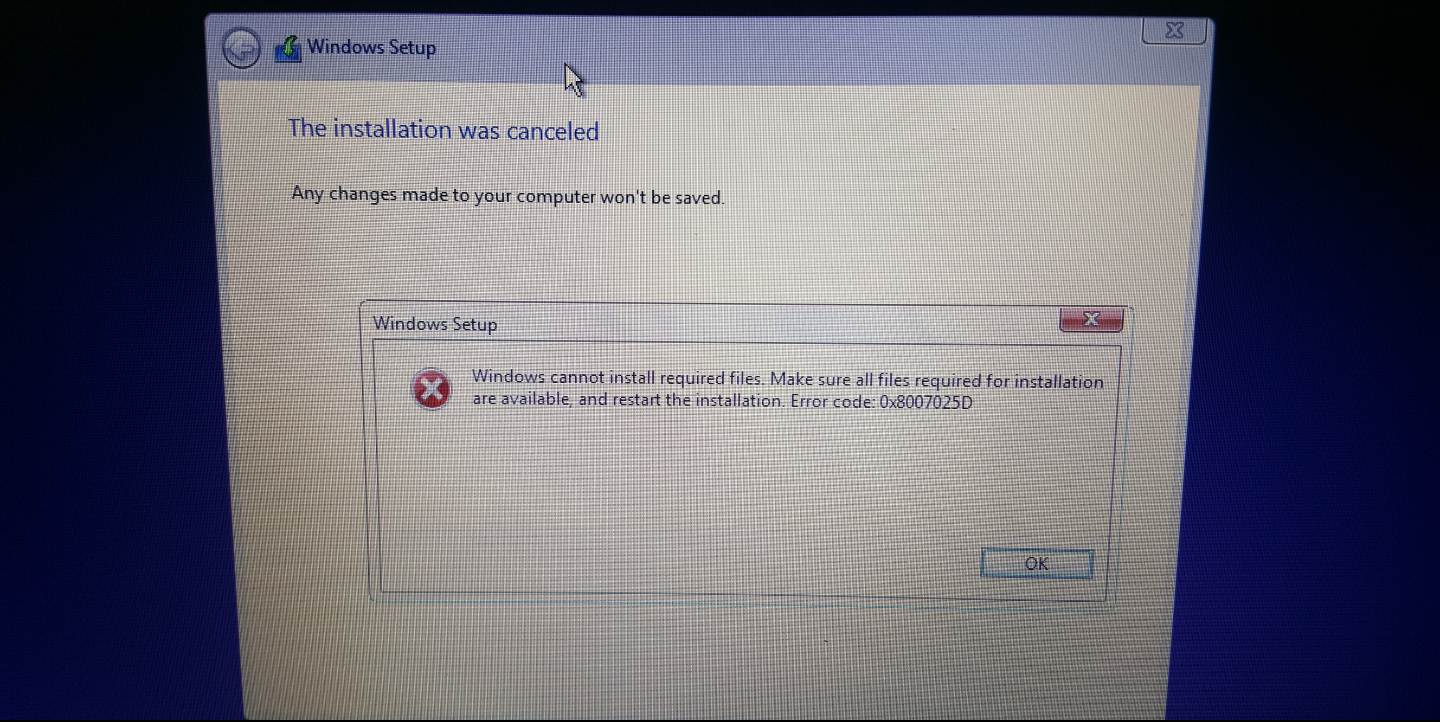
Recently i had download win 10 latest eddition from u site and found 0x8007025d(Windows Cannot Install Required Files).
i request u to plz provide quality not quantity for our respect to ur site -
#111 written by Vlademir Caños Saturday 6 years ago
-
#114 written by Edemi 6 years ago
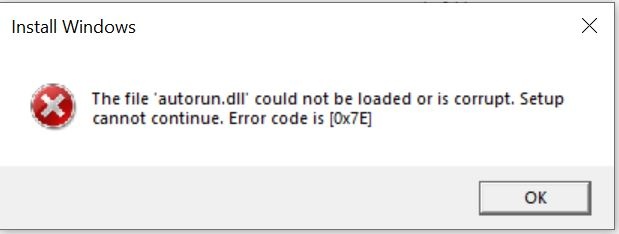
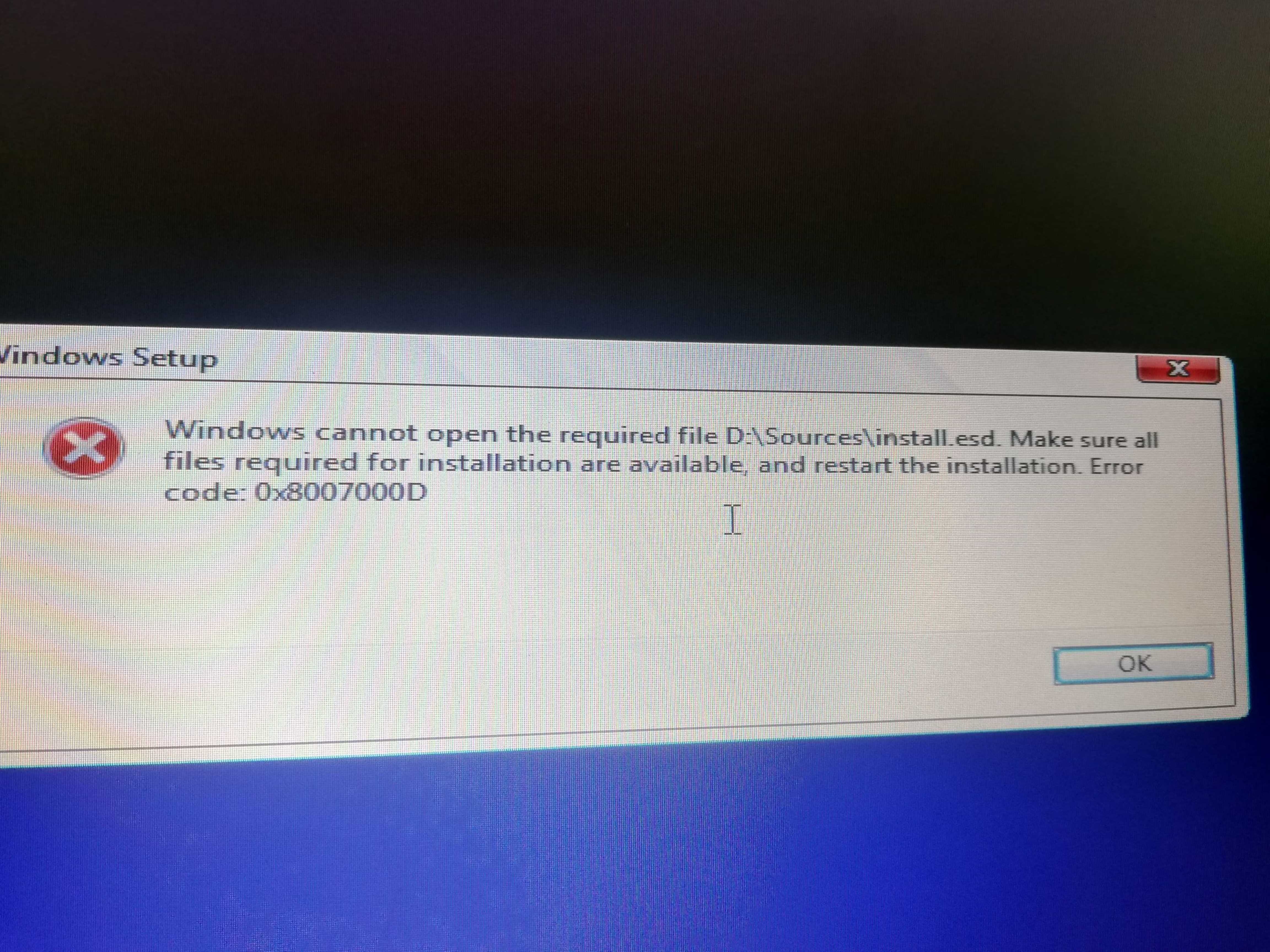
https://uploads.disquscdn.com/images/660749f03fa7f969add40589630716057e921e9d7416dd161c4b1cb64b5b41dc.jpg Hello Admin,
I tried installing this and i keep getting the following error message
-
#115 written by Edemi 6 years ago
Hello Admin,
I got this error while trying to install this. I also made a bootable usb but when i select the bootable usb from boot list, the screen just stayed blank with the cursor blinking for hours, no change. https://uploads.disquscdn.com/images/660749f03fa7f969add40589630716057e921e9d7416dd161c4b1cb64b5b41dc.jpg
-
#118 written by Jio Shop 6 years ago
-
-
#124 written by Cyborg Basumatary 6 years ago
-
-
#128 written by Arsalan khan 6 years ago
-
#129 written by Sintel 6 years ago
-
#131 written by Tramline 6 years ago
People are saying that Windows 10 will become just Windows. It will be a service where you keep updating it. Microsoft has called it a service, so it is likely what I said is true.
Watch this video:
https://www.youtube.com/watch?v=OYRFV2DfUdY
-
-
#133 written by Tramline 6 years ago
Not really. Microsoft has called Windows a service and it seems like and a platform that gets updates.
Here’s a video about it:
https://www.youtube.com/watch?v=OYRFV2DfUdY
-
-
-
#134 written by Test Me 6 years ago
Hi admin, I currently have a window 10 home on my computer. The issue is my computer is very slow when I am conducting simulations. I realised it will cost me £239 to upgrade to windows 10 pro for workstations from my current windows 10 home. As a student who is managing, I can’t afford it. I am curious if you know a way I can upgrade for free. If you have windows 10 Pro for workstations product key please send to this email “[email protected]”. Thank you in advance
-
#136 written by Cyborg Basumatary 6 years ago
You can pick it from this site at €4.40…
https://www.premiumcdkeys.com/products/microsoft-windows-10-professional-retail-key
-
#137 written by FESHD 6 years ago
-
-
-
#143 written by Jass 6 years ago
-
-
#146 written by Chandra Sekhar 6 years ago
-
-
-
-
-
-
#158 written by Teresa Hodge 6 years ago
-
#159 written by MrTipso Gaming 6 years ago
-
-
#164 written by Shrikant Sharma 6 years ago
-
#169 written by ArjuN 6 years ago
-
#171 written by DeathMarker 6 years ago
-
-
#173 written by Tramline 6 years ago
You can find many guides on YouTube bro.
Here is one by our man Charles:
https://www.youtube.com/watch?v=itxtSnndODw&t=9s
-
-
#175 written by Luar Rotech 6 years ago
-
-
-
-
#185 written by Nobody 6 years ago
-
-
#187 written by Nobody 6 years ago
https://uploads.disquscdn.com/images/a56ab842d7c4188ff37cbf603a80afa461c1a92e4faa394386af680b8bc031b6.jpg https://uploads.disquscdn.com/images/24ed0ba74be7c269d4713b301166e4fd8bd7fe49487cfda539e1ef03e575e758.jpg https://uploads.disquscdn.com/images/660cb29463d937907f6b2687ce6f8c642da74c40e80838ba6e12c2a6bb38f20d.jpg https://uploads.disquscdn.com/images/55241b08bdb53ccd9bc160e26694033fab316035c5c12ae0a00f2d3a39922f31.jpg
-
#188 written by Tramline 6 years ago
Here is an article on ways to fix these issues: https://www.makeuseof.com/tag/5-steps-fix-windows-10-taskbar-issues/
If you can upgrade RAM and use SSD, that would be good. Also install all drivers.
-
-
-
-
#189 written by Abdul Moeed 6 years ago
https://unraid.net/
Please please crack this OS! -
#193 written by Bin Adam 6 years ago
-
#195 written by Bin Adam 6 years ago
-
#201 written by Akram Ahsan 6 years ago
any one help me whan i make this window 10 by usb show me paroblem in sestam kindly give me info already i do every https://uploads.disquscdn.com/images/5af7985d9e9b43368032e3f8f3594900a6c32942ffe2da538e748e6d56af7213.jpg https://uploads.disquscdn.com/images/50ec635582f792f63140a2bfafb0985daf5eee8b1badf4e7c97f0fb6390cd9aa.jpg https://uploads.disquscdn.com/images/15a2ac3f427dccbde77fa4760217272b8c17800c0a3c270f767de5acec07506f.jpg https://uploads.disquscdn.com/images/bd0d26ed240c03d6db3eaa661613239736ed1230544cf70321e149882b250067.jpg https://uploads.disquscdn.com/images/9df705ce3a7ab31b5d6b9888532da960cde4985e1706ae8c8ef15ece8d5e200e.jpg https://uploads.disquscdn.com/images/6cfdcffb2b53253b2676bebe3e1c201c449292581a0d48d8f6bacf41fea5e654.jpg https://uploads.disquscdn.com/images/2d5ae097f1079e9e4f075d0e90eab3c72c08bc363b3dbcc9727323977141c9a4.jpg https://uploads.disquscdn.com/images/f2d5397e84bd323b4b060acf79fc8282ea36e4653499d71230b8a482991ac9b1.jpg think thanks
-
#202 written by Rain Haunzer 6 years ago
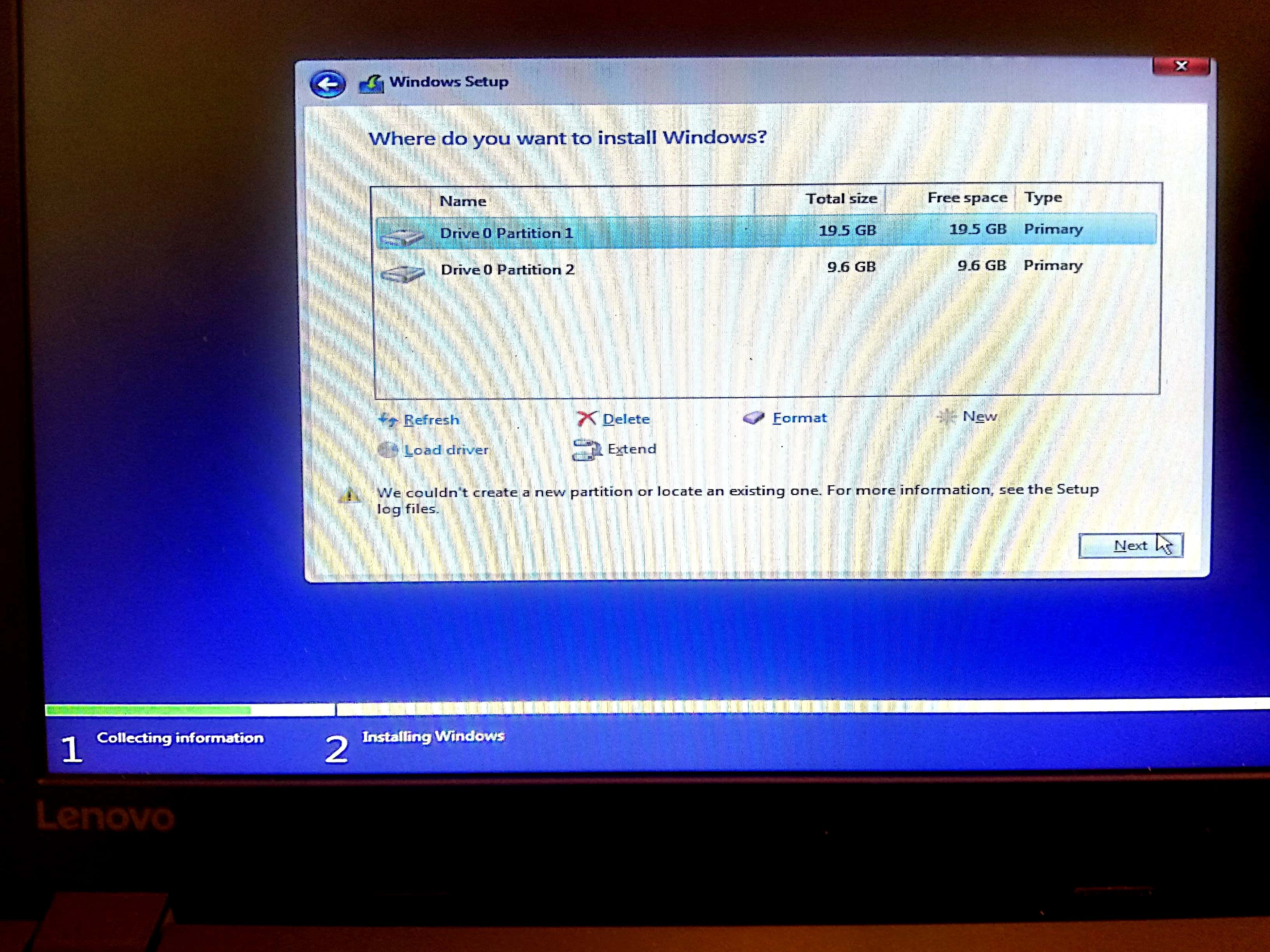
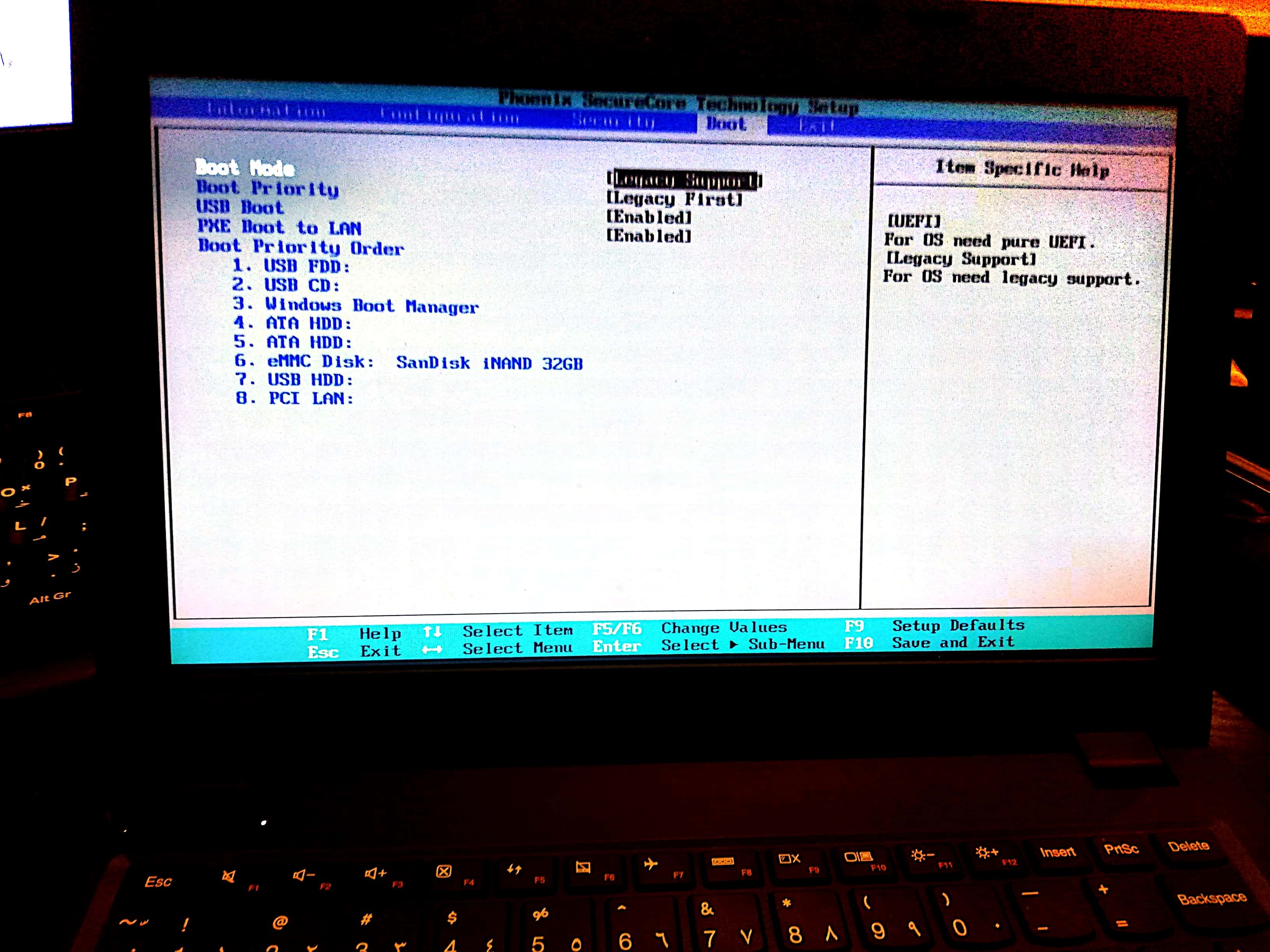
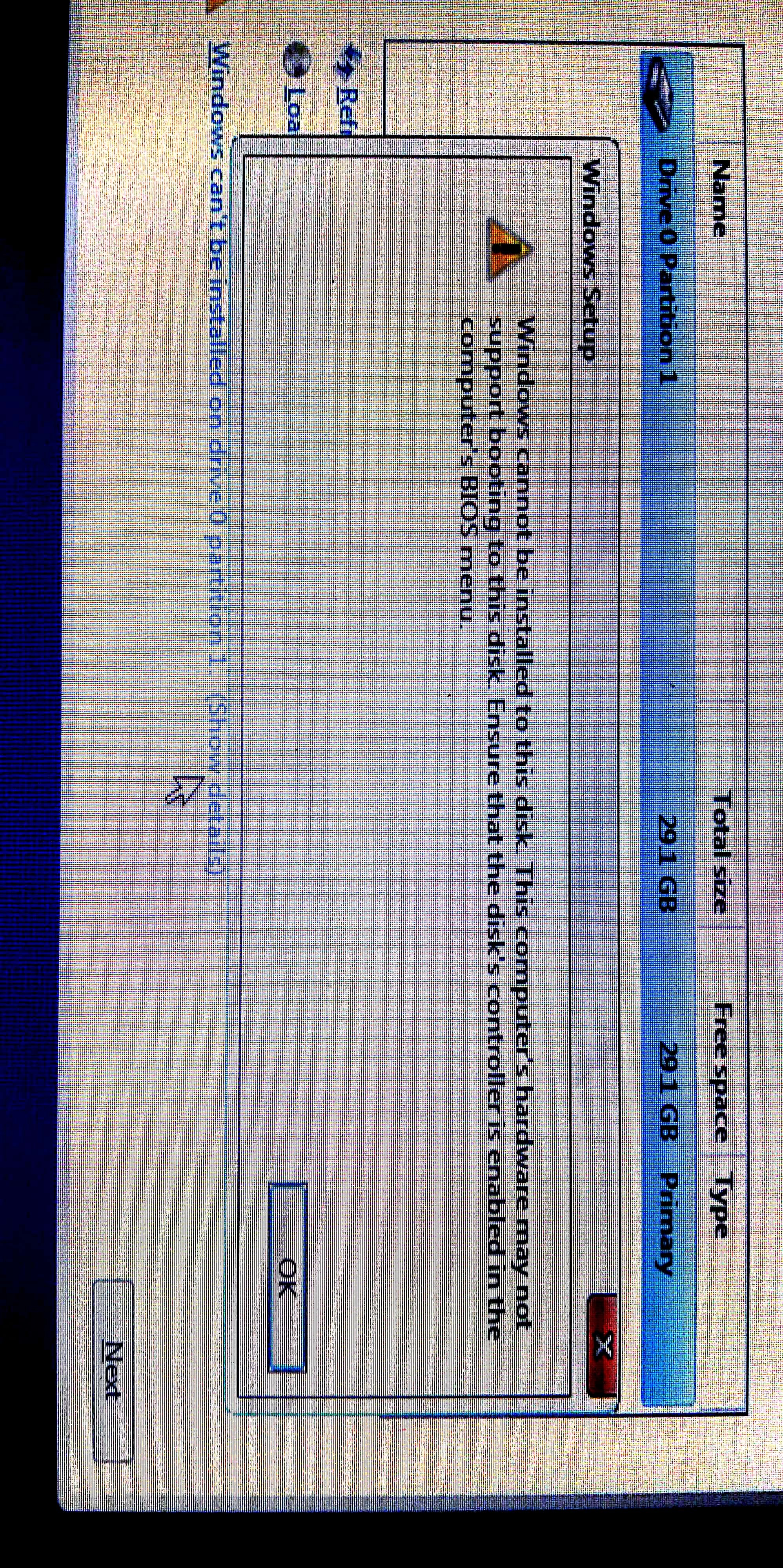
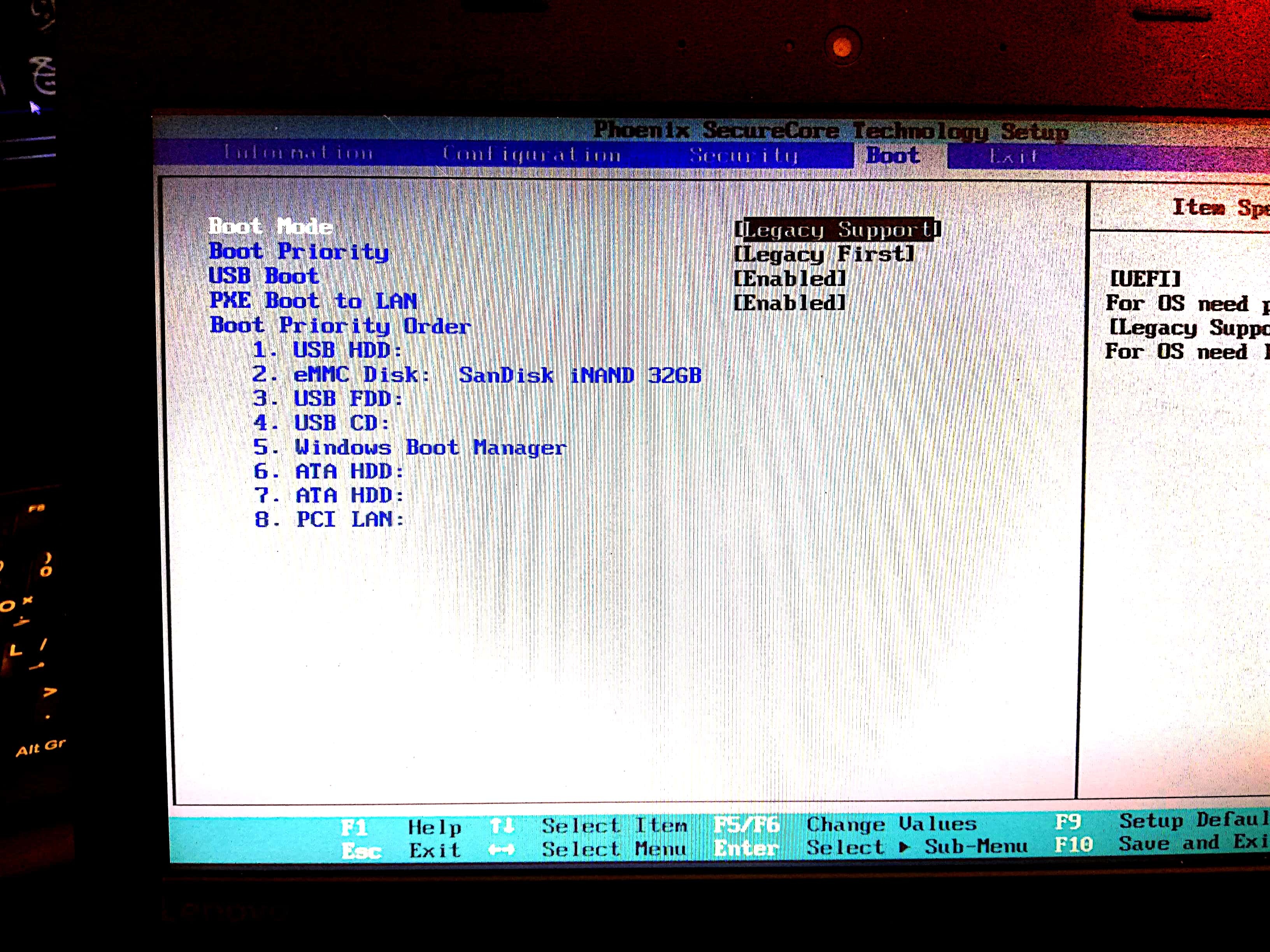
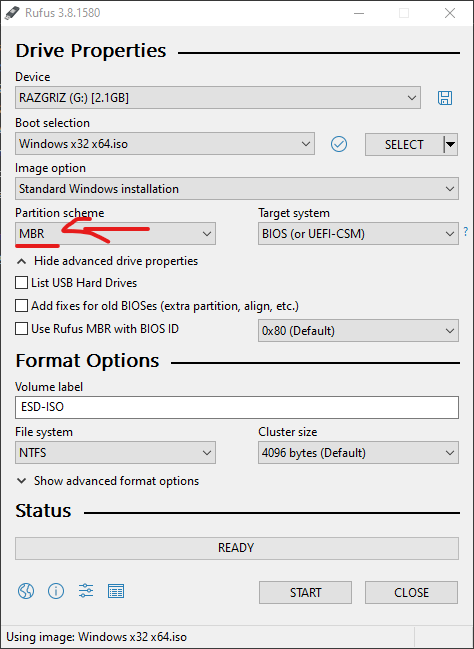
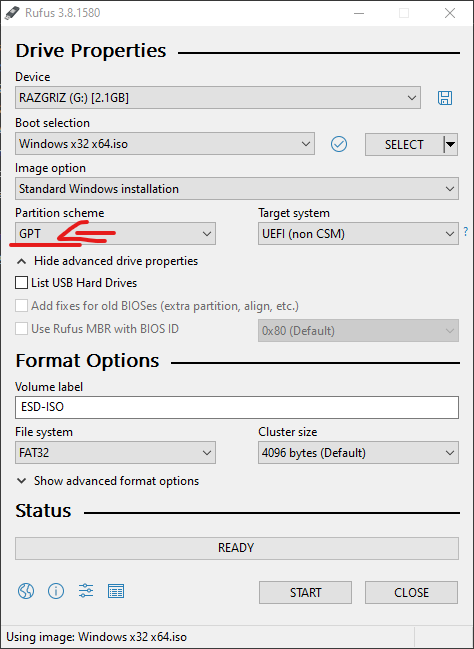
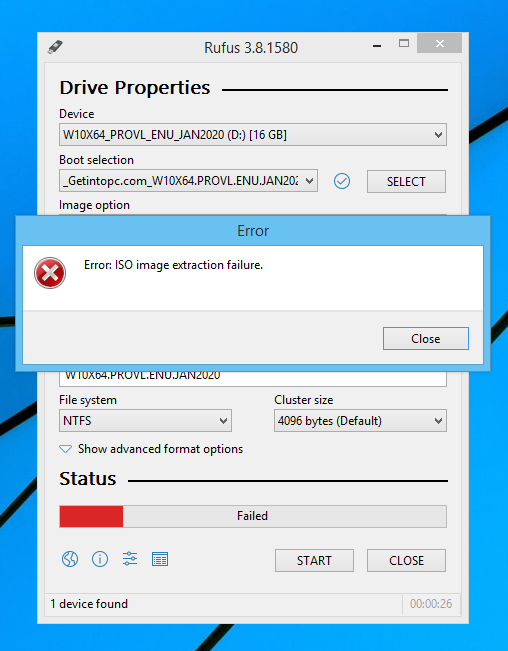
Ok if you use Rufus and this setting to GPT –> MBR your bios probably supports Legacy installation which is not UEFI https://uploads.disquscdn.com/images/5bcd8d77117f81556ee2aec64dbe2a2a3f9859d4cdcae15904a24b388fb49f65.png https://uploads.disquscdn.com/images/d9196a646ceec2569fa8b48c1aa02b0fb71eadc2b0e8cb6a7cd964d65c75cab2.png
-
#203 written by Rain Haunzer 6 years ago
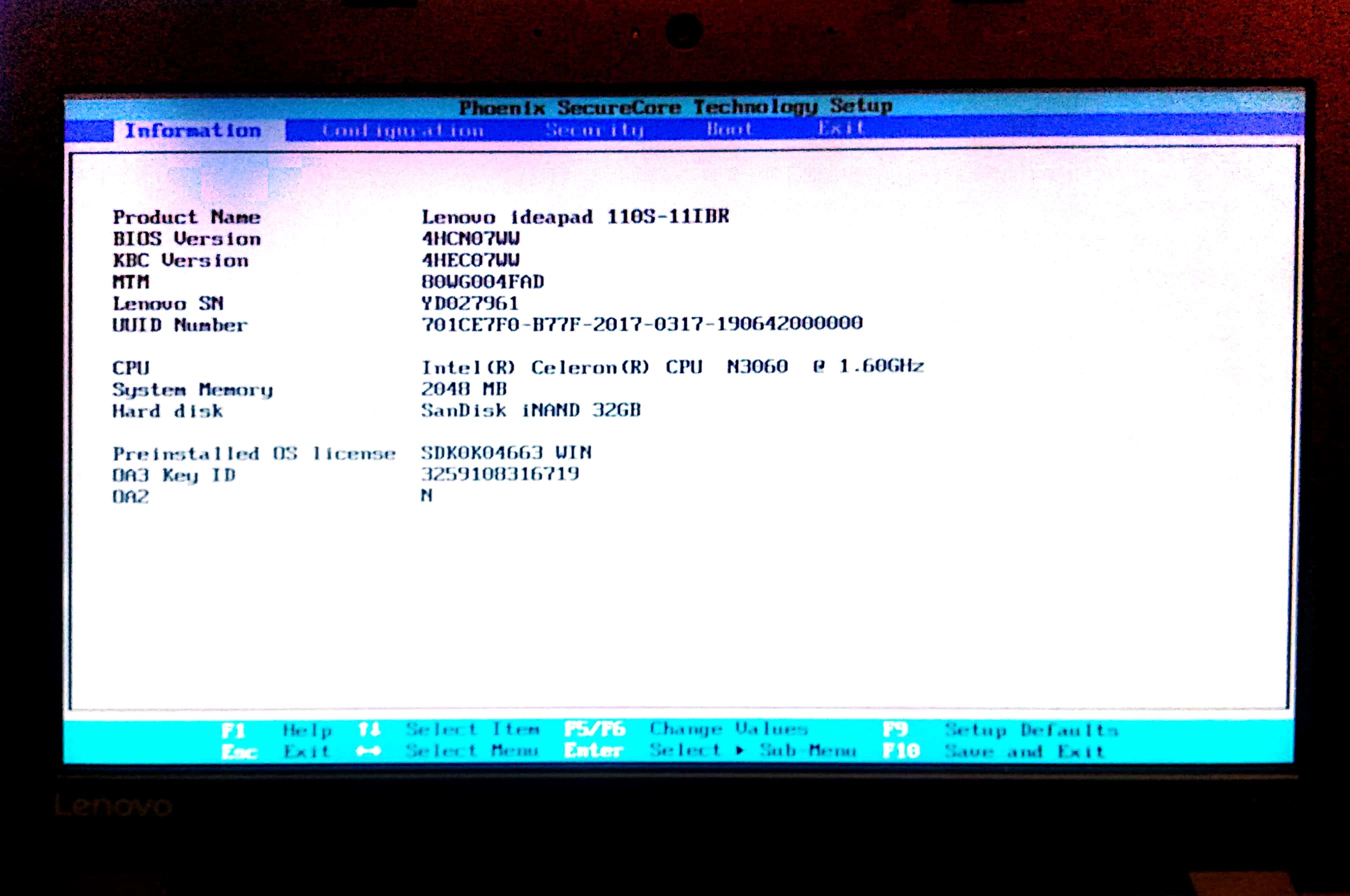
By default if you use Rufus to make a bootable device its stuck on GPT switch it to MBR if you use Legacy Support in your BIOS
or Switch Legacy Support to UEFI it will Boot since it only works with GPT Bootable Device
on the right side of the circle is what it can boot into it will change if you use MBR https://uploads.disquscdn.com/images/48330d96db2c52c7acf7ebed99f45163668d25225d5564a8f1d330a87f34a4ba.png
-
-
#205 written by kota munna 6 years ago
-
#206 written by Rain Haunzer 6 years ago
There is no 32Bit
i know if someone ask for what reason i need it? its for testing old hardware as well for hardware that is pathetically slow using 64bit
Why not use windows 7 or lower for the Cr**p hardware? its better to have everything the same than having other pc’s with different operating system… would you like to have a PC with linux installed within your group of PC’s?
-
#207 written by Robinsdale Negro 6 years ago
I need help.. I instllled OEM edition and now I want to reinstall and choose DLA instead.. but my problem is the 3 options which is the (STD,DLA,OEM) are no longer showing in the installing process after I installed the OEM… Please someone help me… It supposed to appear and let me choose among the 3 options just like my first try of installing windows 10 pro
-
#208 written by Robinsdale Negro 6 years ago
I need help.. I instllled OEM edition and now I want to reinstall and choose DLA instead.. but my problem is the 3 options which is the (STD,DLA,OEM) are no longer showing in the installing process after I installed the OEM… Please someone help me… It supposed to appear and let me choose among the 3 options just like my first try of installing windows 10 pro
-
#210 written by Lawrence 6 years ago
-
#212 written by Azizur Rahman 6 years ago
https://uploads.disquscdn.com/images/7c90a418f1084859b49e212f831aeb86254f3322c480f86e3105ccc5650e69de.png
what will doing now?
please suggest -
#213 written by Akash Aku 6 years ago
Hi im having a problem..
Blue screen error
Digital signature for the file couldn’t be verified
Error code oxc0000428
My space is
I3 9100f
Zotac gtx 970
Gigabyte h370 gaming wifi mobo
Corsair vs650w
Lit on m.2 128gb
Ram skhynix 8gb 2rx8 pc4-2400t
Problem is. After installing the os. It will work 10minits .thn suddenly blue screen error.
I installed the os 3times.. Having same problem .
Os installd in m. 2
.i did everything. Like changing the ram slots.
Didn’t workout. Anything. Please help me.
Is ram has any fault. R power supply ..can’t find the problem -
-
-
#217 written by Abu Hussam 6 years ago
-
-
#221 written by Chandra Sekhar 6 years ago
-
-
#229 written by Frank 6 years ago
-
#231 written by Chandra Sekhar 6 years ago
-
-
-
#235 written by Chandra Sekhar 6 years ago
-
-
-
-
#238 written by Simple George 6 years ago
I’m installing from USB flash drive and this keeps happening https://uploads.disquscdn.com/images/ad6a8cb83f3de6a83aa6d0acff97c0267a2154a24ff0b7662d4927aca1544357.png
-
#240 written by ModyT 6 years ago
-
-
#242 written by ModyT 6 years ago
-
-
-
#244 written by Franklin Isac Bú 6 years ago
-
-
#246 written by Franklin Isac Bú 6 years ago
thanks admin. it installed fine. i have a request to make. can you crack a few of the rocketstock.com softwares. such as the mp3/mp4 sound effects/video effects. anything related to video editing to use. i’m looking for mp3 sound effects to use for video editing. that would be lovely. thanks if possible.
-
I got plenty of them. Send me an email and I’ll share the magnet links with you.
https://getintopc.com/contact-us/
-
-
-
-
#249 written by Abdul Hannan 6 years ago
https://uploads.disquscdn.com/images/17e3c44dfde361ef809131ceeecf4746998afd1b097d890d317cbd12559f93f3.jpg i am having this problem while installing windows 10
-
#251 written by shees bin shahid 6 years ago
-
#253 written by abe 6 years ago
-
#255 written by sriyanshu dev 6 years ago
-
#257 written by Jaspal singh Chauhan 6 years ago
-
#259 written by dammar 6 years ago
-
-
You can download the multi Language from below link
https://getintopc.com/softwares/operating-systems/windows-10-pro-x64-redstone-5-multi-language-24-iso-download-2224742/
-
-
-
#266 written by Chandra Sekhar 6 years ago
-
-
-
#270 written by sum vanna 6 years ago
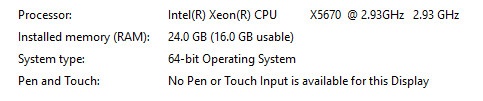
hallo sir . i help windows 7 Ram Usable https://uploads.disquscdn.com/images/f7a00abd3289feec4b9155e93e682848f4b2cef40fbddedc3810a02c2b6bcb9c.jpg
-
#272 written by devansh bansal 6 years ago
-
-
#279 written by Er Divyang Kateshiya 6 years ago
-
#280 written by freakB 6 years ago
-
-
#283 written by Zain Mehmood 6 years ago
-
-
#285 written by seishin 6 years ago
-
-
#287 written by Chandra Sekhar 6 years ago
-
#288 written by Chandra Sekhar 6 years ago
-
#290 written by VS Jacob John 6 years ago
-
-
-
#294 written by Vijay Pratap 6 years ago
-
You can try windows 10 *64 but I recommend you to try windows8.1 since windows 10 is advanced software which requires more pc resources to have good performance
If you use windows for normal browsing and word processing you can proceed with installation
If you use software like adobe Boris FX other VFX software recommend to upgrade your pc hardware to 16 GB ram or try windows 8.1
For better performance -
You can try windows 10 *64 but I recommend you to try windows8.1 since windows 10 is advanced software which requires more pc resources to have good performance
If you use windows for normal browsing and word processing you can proceed with installation
If you use software like adobe Boris FX other VFX software recommend to upgrade your pc hardware to 16 GB ram or try windows 8.1
For better performance -
You can try windows 10 *64 but I recommend you to try windows8.1 since windows 10 is advanced software which requires more pc resources to have good performance
If you use windows for normal browsing and word processing you can proceed with installation
If you use software like adobe Boris FX other VFX software recommend to upgrade your pc hardware to 16 GB ram or try windows 8.1
For better performance
-
-
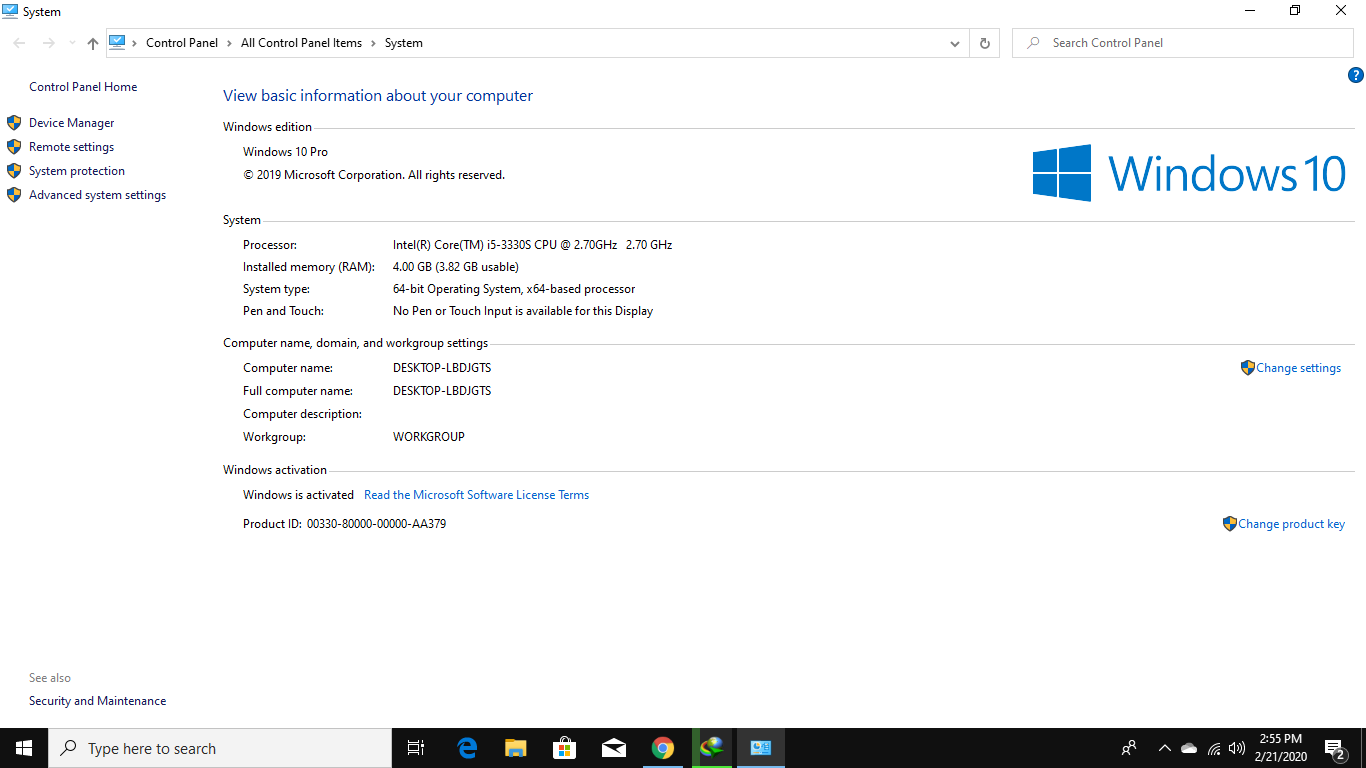
Thank you soo much, My Windows 10 Pro installed with activated Product Key without any errors. You are Great!
https://uploads.disquscdn.com/images/9c4879d918a764a28ad82f9d105b14a95ceea381238975de97e22ed882becaa6.png -
-
#306 written by AD 6 years ago
-
Your os iso got corrupted
Check with this
MD5 : 33da55392c488b7873fe7cb6ea814065
SHA-1: 3dfcc72ddeba6dc7e52413ef999803896ba29164
Using this software
https://getintopc.com/softwares/utilities/md5-checksum-free-download/
By placing above code and placing your download url address
-
-
#312 written by Anshuman Parasar 6 years ago
-
-
#318 written by Ric Farel 6 years ago
-
#319 written by Waseem Iqbal 6 years ago
-
-
#324 written by C0mmunity 6 years ago
https://uploads.disquscdn.com/images/ee4815543af21a06514fa249c49e87499fda507b710122152daad7823889abed.png Can anyone help me fix this i selected the OEM
-
#330 written by Derkan Efekan 6 years ago
-
-
#334 written by Tee Ban 6 years ago
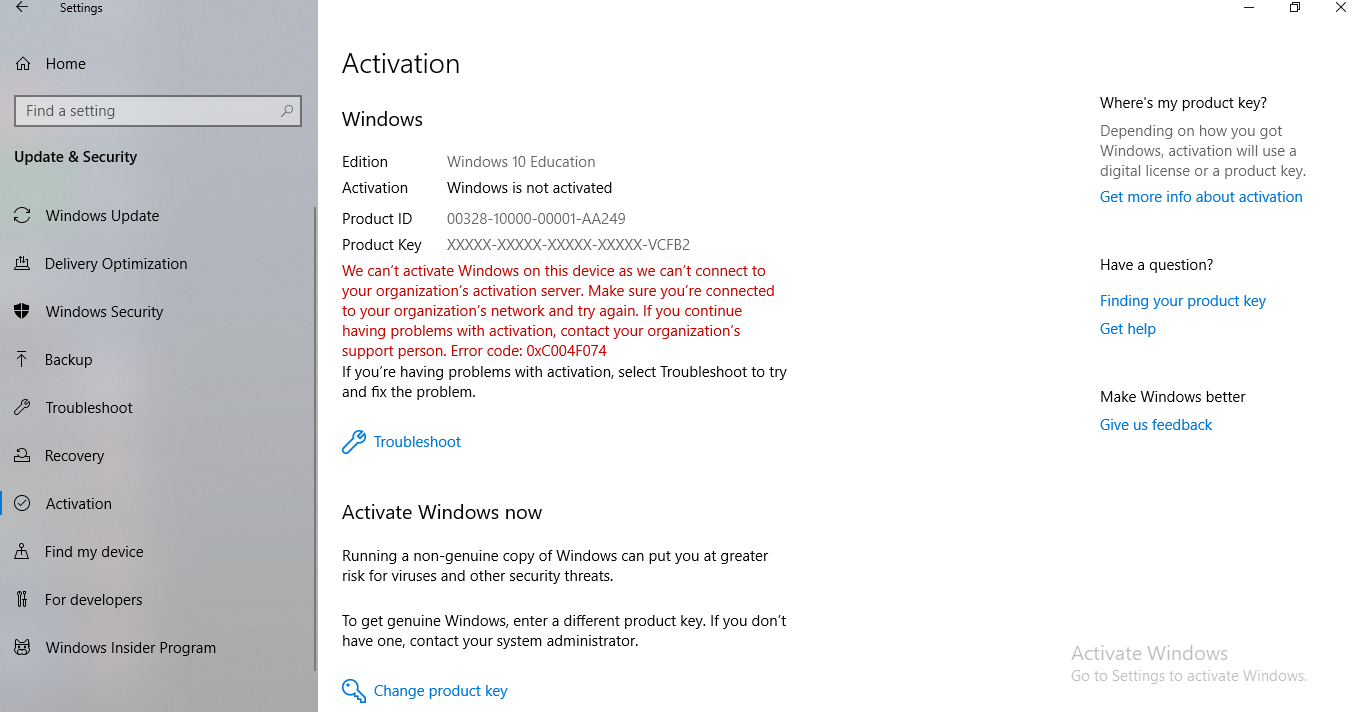
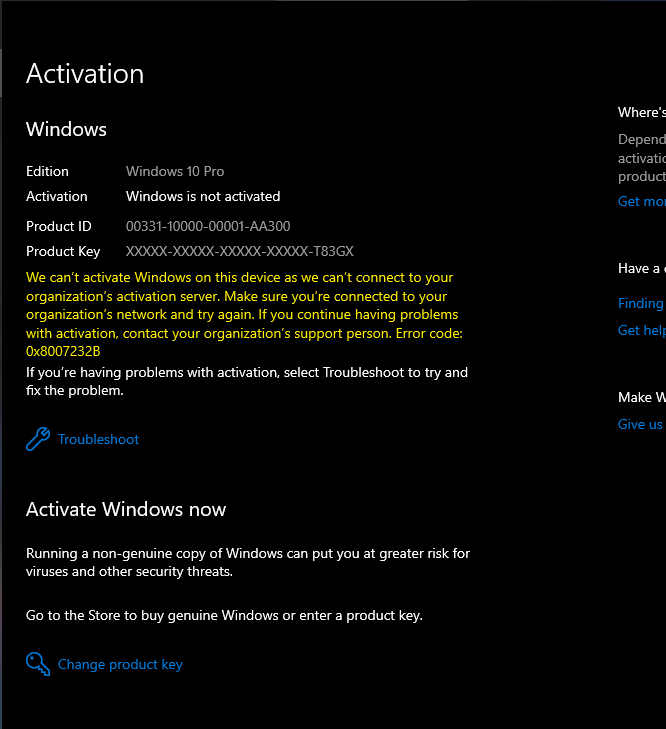
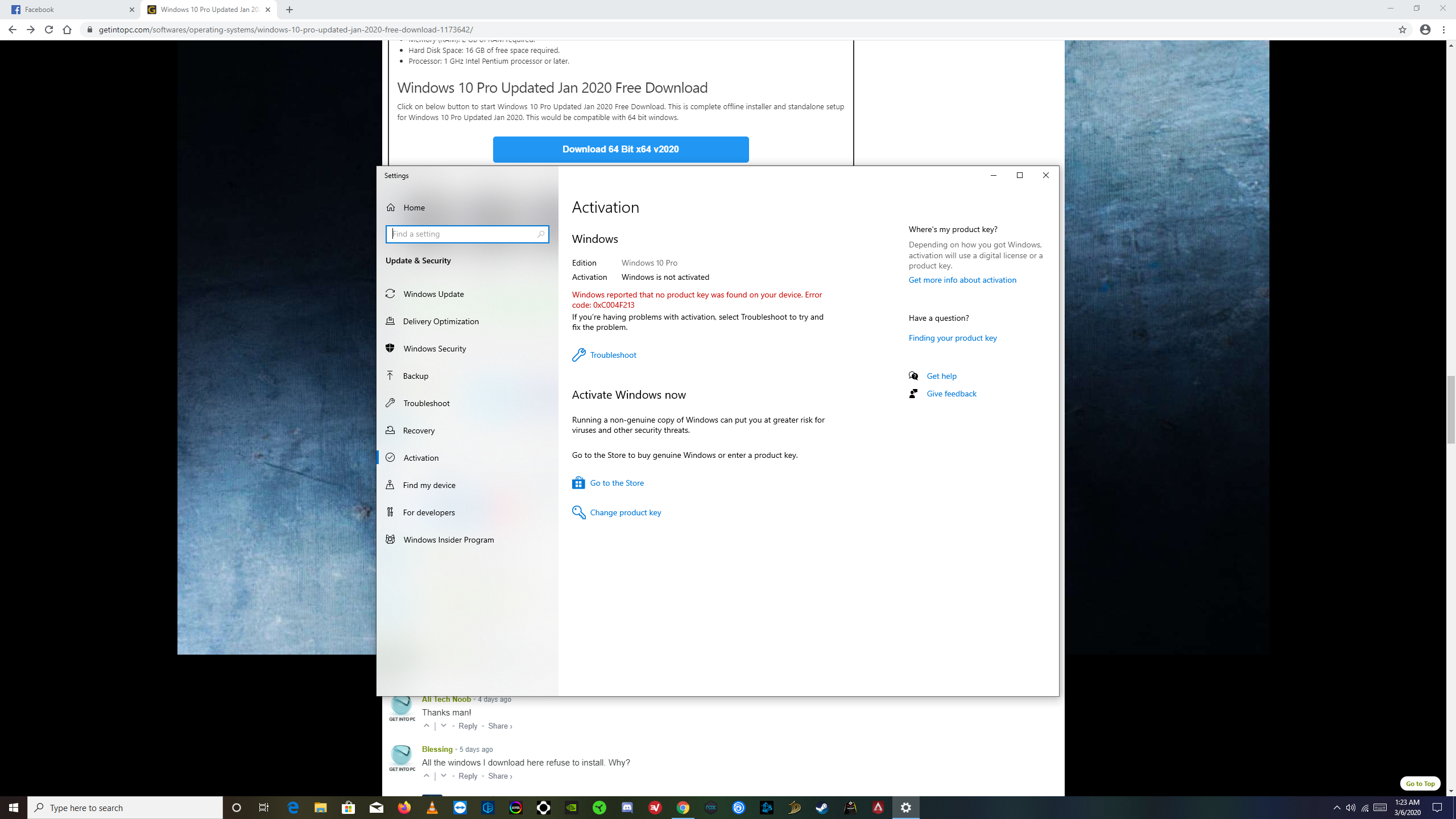
hi! i just downloaded this os and yes it works. but the thing is my windows is not activated yet. https://uploads.disquscdn.com/images/4142af83381a0837024d2fff129d31aa73881d360cec1750027fa4c9d45b0faa.png how can get the key ?
-
#337 written by Aryal Photo Studio 6 years ago
-
#340 written by Saurabh Yadav 6 years ago
-
#345 written by Mediapuck 6 years ago
One question about win 10 pro: I have currently win 10 home legal OEM installation. I would like to install the pro but I assume that I probably need to used the DLA no matter what. Should and or do I need to wipe the current version to be able to use the Jan 2020 Pro or can I simply overwrite my current installation of 10 home? – Appreciate any feedback. Thanks -:)
-
#353 written by Reb theVIRGIN 6 years ago
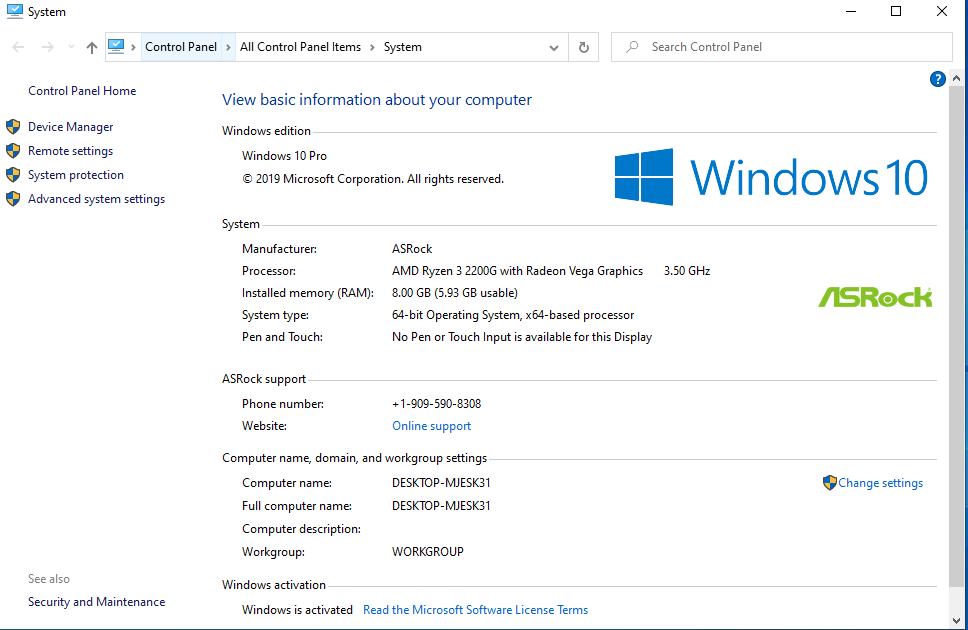
nice windows for may ashrock am4 very smooth ty https://uploads.disquscdn.com/images/4e7c22606cf38f23eddea5a6e4c0d5439f998a1762722ca25e0deacdb1589b65.png
-
#355 written by Daniel Oladimeji 6 years ago
Hello yesterday I downloaded the window pro for the website but I downloaded it straight into a removable drive after download was completed,I go a notification say the disk am using if full whilst there is still space on the removable drive…help me out, am I suppose to download it directly into my PC first
-
#356 written by prithiviraj venkatasan5440 6 years ago
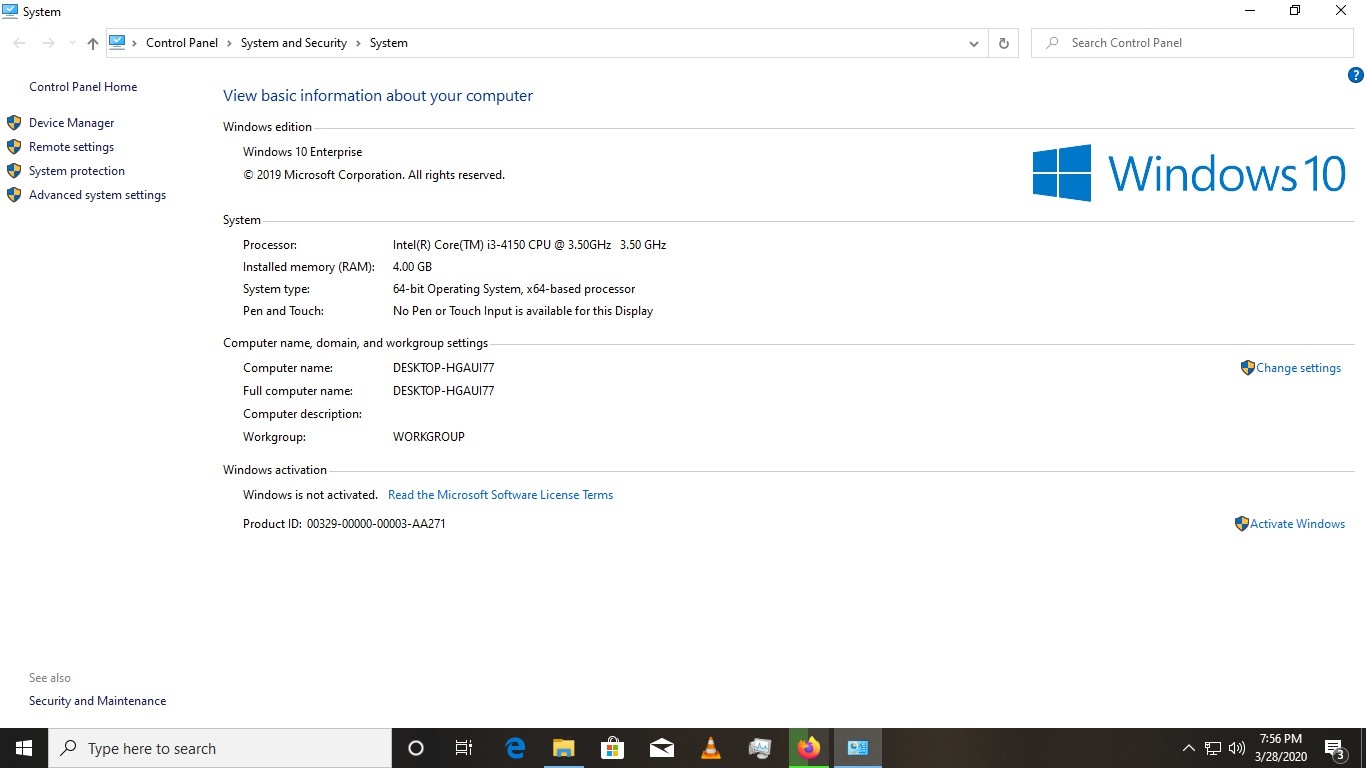
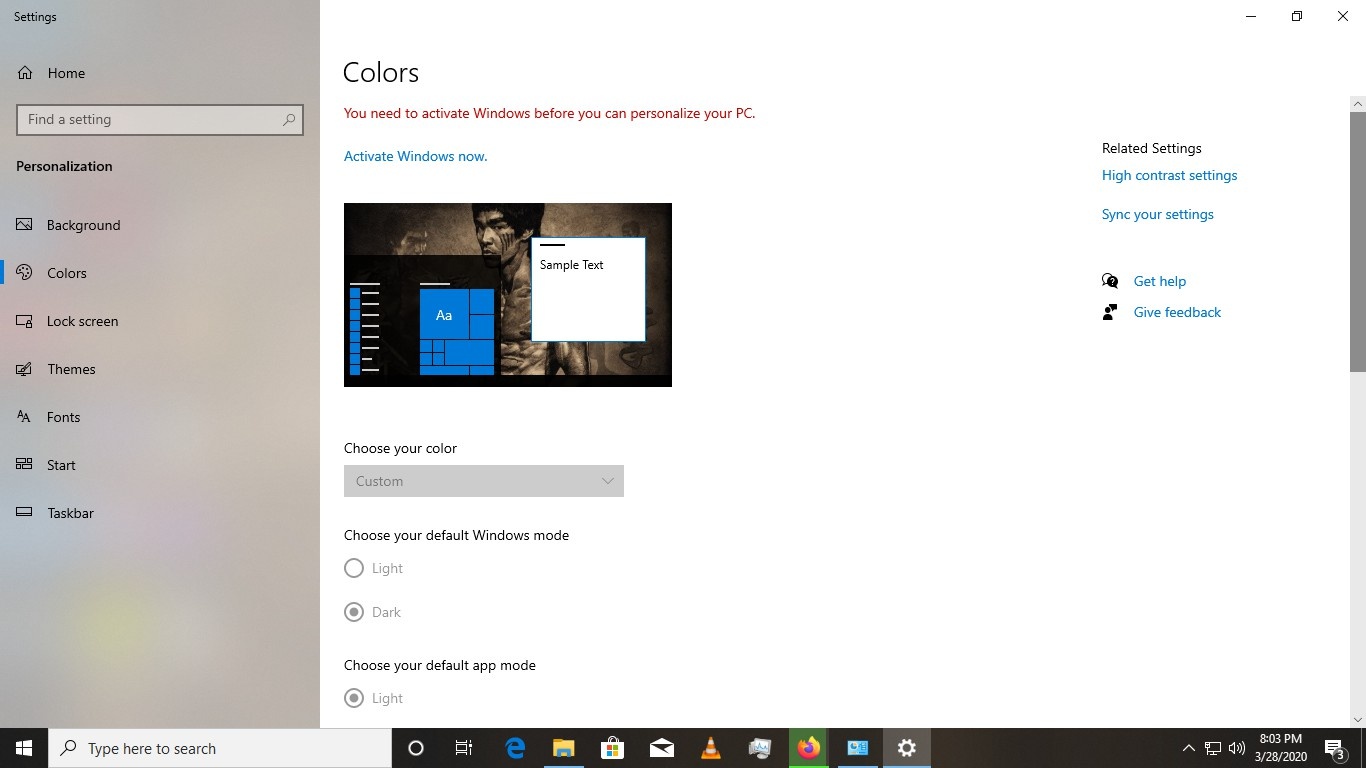
https://uploads.disquscdn.com/images/760611fcfdff5c8f72950353345bd02192760c38a16b8ca9c1702c53a6435b1b.jpg https://uploads.disquscdn.com/images/24c8cf0e49629025c4ec29fa6bf4327f7ed0f8cc6a59fdd41ba06524a79254c3.jpg hi bro im downloded and installed but how to activate windows some options are blocked in my pc
-
-
#364 written by Manish Don Pandey 6 years ago
-
#367 written by Muhammad Usman 6 years ago
I have installed windows 10 Enterprise and I want to install new window so which one is best for me (DLA, STD, OEM)
i want to install windows that is pre-activated? plzz tell me
and I have also downloaded adobe illustrator cc 2019 setup but unfortunately it was not run in my laptop due to windows so, tell me which one will be best for me? -
#369 written by Johnny george 6 years ago
-
#371 written by faya 6 years ago
-
-
#373 written by Dj Tunchy 6 years ago
-
-
-
-
#378 written by M.TARIQ KHAN 6 years ago
-
-
#380 written by jayden 6 years ago
-
-
-
#385 written by Mk Jones 6 years ago
-
-
-
#389 written by Jack Bolot 6 years ago
-
-
-
#392 written by SDR YT 6 years ago
-
#395 written by Denis Ralte 6 years ago
-
#401 written by Francis 6 years ago
Hello Admin
Please I suggest you should have included the windows file in the download
I only got the setup file and this setup file can’t be boot with Rufus and the other file, when setup file is runed it doesn’t give the full download to the PC
I think this is why most people are finding it difficult and there is no step by step on how to install this windows uploaded here please try to make tutorials on this
No ISO file all I saw was just a setup file which is not giving a full download
-
#403 written by luckycool106 6 years ago
-
#406 written by Keerthi Varman 6 years ago
-
#416 written by evil gamming 5 years ago
-
#417 written by Ima Fixer C# 5 years ago
-
#418 written by Premraj Kumar 5 years ago
-
#420 written by Suriya 5 years ago
-
-
#435 written by M.HARIKRISHNA REDDY 6 years ago
can u send me the magnet links to my email thanks dude.
[email protected] -
-
#442 written by Akshay 6 years ago
I also got black screen. Until login it work perfectly. But once i enter my pass to access pc then it shows black screen ☹️ https://uploads.disquscdn.com/images/e289d03716f042995a09fbad6cb6d2081f7e86997f1853701b3c22f958106d33.jpg please help
-
- Comment Feed for this Post



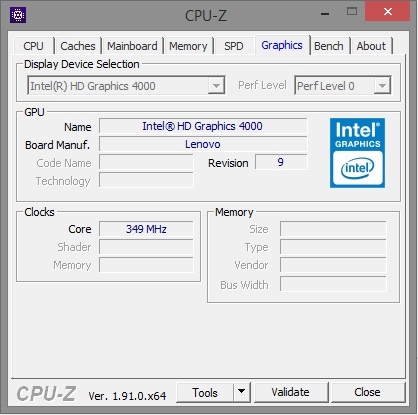
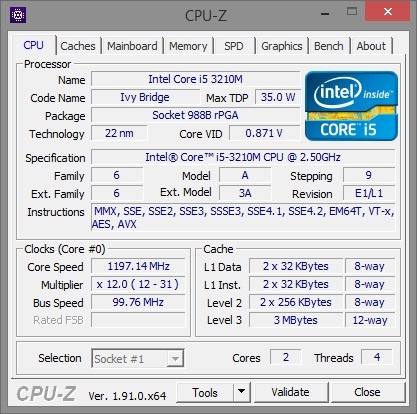
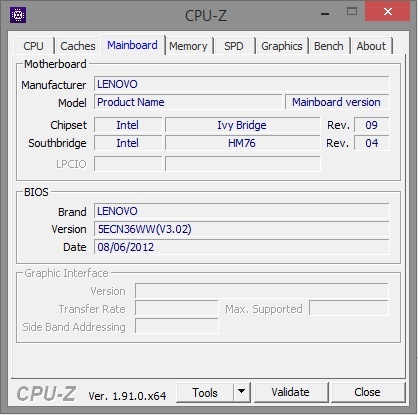
Good job Admin! keep doing great work.