Download Free Your Desired App
Home » Softwares » Operating Systems » Windows 10 Pro Updated May 2020 Free Download
Windows 10 Pro Updated May 2020 Free Download
Windows 10 Pro Updated May 2020 Free Download Latest OEM RTM version. It is Full Bootable ISO Image of Windows 10 Pro Updated May 2020.
Windows 10 Pro Updated May 2020 Overview
Windows 10 Pro is an impressive and handy operating system that has been developed by Microsoft which is a household name all around the globe due to it’s stability as well as security. This operating system was first introduced in mid 80s and since then it has become very popular and people are relying on it for there daily and official work due to it’s ease of use. You can also download Windows 10 Pro incl Office 2019 Mar 2020.

Windows 10 Pro Updated May 2020 has been equipped with .NET Framework 3.5 and for enhanced security it has also got Diagnostic and Recovery Toolset 10.0. It has also got Microsoft Edge for enhanced web browsing experience. It has also been made more user friendly and it allows you to work in a very efficient manner. You can also download Windows 10 Pro Incl Office 2019 Updated Jan 2020.
Screenshots:


[ CONTENTS ]
- Integrated / Pre-installed:
- CumulativeUpdate:
- KB4556803
- NET Framework 3.5
- SetupComplete / Post-install:
- Windows Defender Updates
[ EDITIONS INCLUDED ]
- Windows 10 Pro – STD
- Windows 10 Pro – DLA
- Windows 10 Pro – OEM
- STD = Standard installation – For those with own License Key
- DLA = Digital License Activation (HWID)
- OEM – Will automatically activate if installing same version on original equipment
[ FEATURES ]
- UEFI-ready
- install.wim splitted for UEFI support (FAT32)
- (Use attached Rufus USB-tool to make UEFI-bootable)
- Diagnostics and Recovery Toolset 10.0 (Microsoft DaRT)
Features of Windows 10 Pro Updated May 2020
Below are some noticeable features which you’ll experience after Windows 10 Pro Updated May 2020 free download.
- An imposing operating system that has been developed by Microsoft.
- Become a household name all over the world due to it’s stability and security.
- The operating system has been made more user friendly.
- Got Diagnostics and Recovery Toolset 10.
- Got .NET Framework 3.5 and 4.8.
Windows 10 Pro Updated May 2020 Technical Setup Details
- Software Full Name: Windows 10 Pro Updated May 2020
- Setup File Name: W10X64.2004.EN-US.iso
- Full Setup Size: 5.5 GB
- Setup Type: Offline Installer / Full Standalone Setup
- Compatibility Architecture: 64 Bit (x64)
- Latest Version Release Added On: 21th May 2020
- Developers: Windows
System Requirements For Windows 10 Pro Updated May 2020
Before you start Windows 10 Pro Updated May 2020 free download, make sure your PC meets minimum system requirements.
- Memory (RAM): 2 GB of RAM required.
- Hard Disk Space: 16 GB of free space required.
- Processor: 1 GHz Intel Pentium processor or later.
Windows 10 Pro Updated May 2020 Free Download
Click on below button to start Windows 10 Pro Updated May 2020 Free Download. This is complete offline installer and standalone setup for Windows 10 Pro Updated May 2020. This would be compatible with both 32 bit and 64 bit windows.
Related posts:
This Post was Last Updated On: September 14, 2023
-
#7 written by Justice Magoro 6 years ago
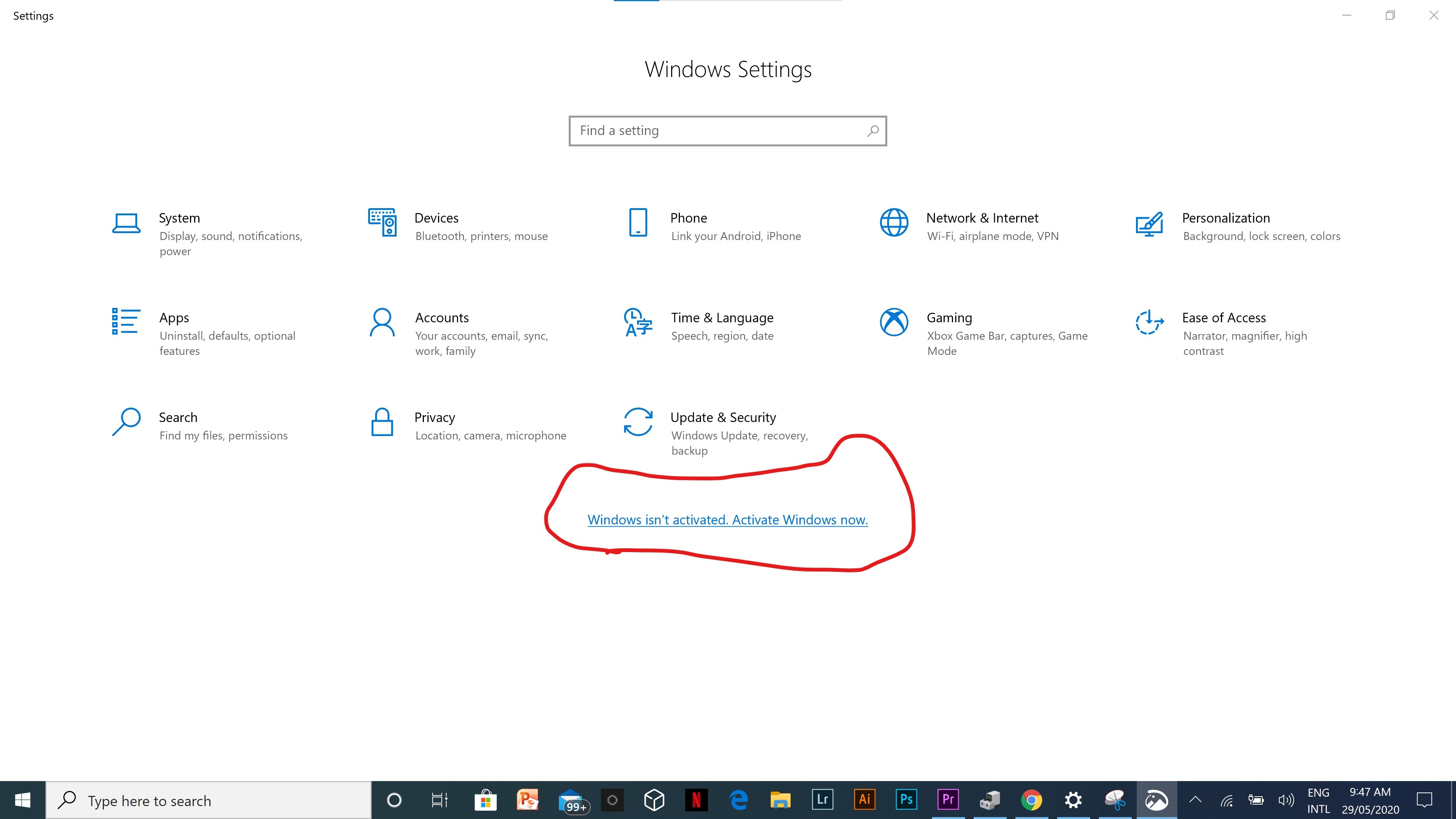
I’ll try it tomorrow even though I’m not sure that it’s gonna behave like the one i downloaded last year. At 1st it was registered but not it’s telling me to ACTIVATE windows. https://uploads.disquscdn.com/images/6da5caffcdb504dfacc1f7e41f7969615824b9bc3f599e89038aec4550075912.jpg
-
#13 written by black reader 6 years ago
-
-
#15 written by J.S Butran 6 years ago
-
#16 written by ahmed sheme 6 years ago
-
-
#23 written by Ronit Satapathy 6 years ago
-
#28 written by vinay rajpal 6 years ago
-
#36 written by honey 6 years ago
-
#45 written by evil gamming 6 years ago
-
How To ACTIVATE Windows 10 For FREE 2020 ( 100% Working )
https://www.youtube.com/watch?v=qeDuqlElKSA -
-
-
How To ACTIVATE Windows 10 For FREE 2020 ( 100% Working )
https://www.youtube.com/watch?v=qeDuqlElKSA -
-
#60 written by Shelomah 6 years ago
-
With MediaCreationTool2004 have x32 (x86)
https://go.microsoft.com/fwlink/?LinkId=691209
-
-
#69 written by Lakshaya Utreja 6 years ago
No windows comes activated
you have to do it yourself. Copy the below text in your notepad on your desktop and save it as windows10.cmd run as admin and it will activate@echo off
title Activate Windows 10 ALL versions for FREE!&cls&echo ============================================================================&echo #Project: Activating Microsoft software products for FREE without software&echo ============================================================================&echo.&echo #Supported products:&echo – Windows 10 Home&echo – Windows 10 Home N&echo – Windows 10 Home Single Language&echo – Windows 10 Home Country Specific&echo – Windows 10 Professional&echo – Windows 10 Professional N&echo – Windows 10 Education&echo – Windows 10 Education N&echo – Windows 10 Enterprise&echo – Windows 10 Enterprise N&echo – Windows 10 Enterprise LTSB&echo – Windows 10 Enterprise LTSB N&echo.&echo.&echo ============================================================================&echo Activating your Windows…&cscript //nologo slmgr.vbs /ckms >nul&cscript //nologo slmgr.vbs /upk >nul&cscript //nologo slmgr.vbs /cpky >nul&set i=1&wmic os | findstr /I “enterprise” >nul
if %errorlevel% EQU 0 (cscript //nologo slmgr.vbs /ipk NPPR9-FWDCX-D2C8J-H872K-2YT43 >nul&cscript //nologo slmgr.vbs /ipk DPH2V-TTNVB-4X9Q3-TJR4H-KHJW4 >nul&cscript //nologo slmgr.vbs /ipk WNMTR-4C88C-JK8YV-HQ7T2-76DF9 >nul&cscript //nologo slmgr.vbs /ipk 2F77B-TNFGY-69QQF-B8YKP-D69TJ >nul&cscript //nologo slmgr.vbs /ipk DCPHK-NFMTC-H88MJ-PFHPY-QJ4BJ >nul&cscript //nologo slmgr.vbs /ipk QFFDN-GRT3P-VKWWX-X7T3R-8B639 >nul&goto server) else wmic os | findstr /I “home” >nul
if %errorlevel% EQU 0 (cscript //nologo slmgr.vbs /ipk TX9XD-98N7V-6WMQ6-BX7FG-H8Q99 >nul&cscript //nologo slmgr.vbs /ipk 3KHY7-WNT83-DGQKR-F7HPR-844BM >nul&cscript //nologo slmgr.vbs /ipk 7HNRX-D7KGG-3K4RQ-4WPJ4-YTDFH >nul&cscript //nologo slmgr.vbs /ipk PVMJN-6DFY6-9CCP6-7BKTT-D3WVR >nul&goto server) else wmic os | findstr /I “education” >nul
if %errorlevel% EQU 0 (cscript //nologo slmgr.vbs /ipk NW6C2-QMPVW-D7KKK-3GKT6-VCFB2 >nul&cscript //nologo slmgr.vbs /ipk 2WH4N-8QGBV-H22JP-CT43Q-MDWWJ >nul&goto server) else wmic os | findstr /I “10 pro” >nul
if %errorlevel% EQU 0 (cscript //nologo slmgr.vbs /ipk W269N-WFGWX-YVC9B-4J6C9-T83GX >nul&cscript //nologo slmgr.vbs /ipk MH37W-N47XK-V7XM9-C7227-GCQG9 >nul&goto server) else (goto notsupported)
:server
if %i%==1 set KMS=kms7.MSGuides.com
if %i%==2 set KMS=kms8.MSGuides.com
if %i%==3 set KMS=kms9.MSGuides.com
if %i%==4 goto notsupported
cscript //nologo slmgr.vbs /skms %KMS%:1688 >nul&echo ============================================================================&echo.&echo.
cscript //nologo slmgr.vbs /ato | find /i “successfully” && (echo.&echo ============================================================================&echo.&echo #My official blog: MSGuides.com&echo.&echo #How it works: bit.ly/kms-server&echo.&echo #Please feel free to contact me at [email protected] if you have any questions or concerns.&echo.&echo #Please consider supporting this project: donate.msguides.com&echo #Your support is helping me keep my servers running everyday!&echo.&echo ============================================================================&choice /n /c YN /m “Would you like to visit my blog [Y,N]?” & if errorlevel 2 exit) || (echo The connection to my KMS server failed! Trying to connect to another one… & echo Please wait… & echo. & echo. & set /a i+=1 & goto server)
explorer “http://MSGuides.com”&goto halt
:notsupported
echo ============================================================================&echo.&echo Sorry! Your version is not supported.&echo.
:halt
pause >nul -
-
#75 written by Annum Yasser 6 years ago
-
#77 written by Siddhant 6 years ago
-
-
#83 written by Imtiyaz Siddique 6 years ago
Fatima ji Assalamwalekum .
Aapse ek question puchna tha..kya iss direct link download ka koi torrent link mil Jayega.filhaal mai ghar aaya hun .aur yahan wifi ki problem hai to Mobile data se large file download nai ho raha .islea aapse guzarish hai ki plz iska torrent link provide kijea .
Shukriya ☺️ -
-
#93 written by Talha Karim 6 years ago
hey, Please reply me
i complete my installation process . but its show not activated . even i use DLS process. what should i do know
?https://uploads.disquscdn.com/images/59f7460648b2604610ea6a30eeb9d5e25f849beedf469ea39b36163fe92b0f82.jpg-
ACTIVATE Windows 10 pro For FREE 2020 ( 100% Working )
https://www.youtube.com/watch?v=qeDuqlElKSA
-
#98 written by Talha Karim 6 years ago
please help me out admin . i use DLA process but still it show not activated . https://uploads.disquscdn.com/images/59f7460648b2604610ea6a30eeb9d5e25f849beedf469ea39b36163fe92b0f82.jpg
-
#102 written by Hack Hash 6 years ago
-
-
#113 written by Manoj Pradhan 6 years ago
-
#114 written by Manoj Pradhan 6 years ago
i have installed Windows 10 Pro 64 Bit 1909 ver with MS office 2019. But my PC is getting hanged and getting a blue dump error and need to restart the PC again again 3 -4 time in a day. I have done windows update & upgraded to windows 10 pro version 2004. Please give me a solution or shall I do re-installation.
-
#116 written by Cyborg Basumatary 6 years ago
Hi Admin, Request to provide: “UVK Ultra Virus Killer”…
https://www.carifred.com/uvk/ -
-
#119 written by Frank Meldrum 6 years ago
-
-
-
ACTIVATE Windows 10 pro For FREE 2020
https://www.youtube.com/watch?v=qeDuqlElKSA -
#130 written by Muhammad Nauman Mohmand 6 years ago
-
-
#137 written by Craftech Productions 6 years ago
-
#145 written by Perfect Cricket 6 years ago
-
#151 written by evil gamming 6 years ago
-
#153 written by Chris Maynard Ampon 6 years ago
-
#157 written by Riyaz Mahmud 6 years ago
-
-
#159 written by Riyaz Mahmud 6 years ago
-
-
-
#164 written by Dave Mads 6 years ago
-
if you’re using a USB or Flashdrive, insert the USB bootable then turn on your PC, while opening or booting hit F12 or Del key continuously until the boot list appear then choose the Flashdrive or USB you’re using, after that the User Interface of Windows 10 will appear, hit next until you see the 2 choices that is “Upgrade” and “Custom”, choose custom then you’ll be choosing from where to put your OS for (example: there’s Hard drive C: and Hard Drive D:), you can also delete the hard disk file by hitting Delete or Format, then finally hit the next button and it’ll install the OS
-
-
-
#170 written by evil gamming 5 years ago
-
-
#174 written by evil gamming 5 years ago
-
#176 written by evil gamming 5 years ago
-
#177 written by evil gamming 5 years ago
-
#178 written by evil gamming 5 years ago
-
#179 written by Ima Fixer C# 5 years ago
-
#181 written by Nesser256 5 years ago
-
#182 written by My Comment 5 years ago
-
-
#183 written by Sonamani Waikhom 5 years ago
-
#184 written by My Comment 5 years ago
-
-
#186 written by abdulhadi22 5 years ago
-
#188 written by Naldo Alden 6 years ago
-
- Comment Feed for this Post


This windows 10 Pro Microsoft office included or not.