Download Free Your Desired App
Home » Softwares » Operating Systems » Windows 10 Pro June 2021 Free Download
Windows 10 Pro June 2021 Free Download
Windows 10 Pro June 2021 Free Download Latest OEM RTM version. It is Full Bootable ISO Image of Windows 10 Pro June 2021.
Windows 10 Pro June Overview
Windows 10 Pro June 2021 is a widely used and popular OS with newly designed tools and features developed by Microsoft which is a very popular name all around the world because of it’s impressive security and stability. On the other hand, it will become easier to come up with loads of fixes and enhancements which have made it more user friendly. This application lets users work with different tools in which users can be equipped with .NET Framework 3.5 and 4.8. The security has also been enhanced with the inclusion of Windows Defender Updates. You can also download Windows 8.1 Pro MAY 2021.

Windows 10 Pro June 2021 has got new advancements through which it can now has also got Diagnostic and Recovery Toolset 10 which will improve the security to a great degree. It has also got Microsoft Edge which will improve the web browsing experience greatly. You can also download Windows Server 2019 Standard MAY 2021.

Features of Windows 10 Pro June
Below are some noticeable features which you’ll experience after Windows 10 Pro June free download.
- A very useful and imposing operating system that has been developed by Microsoft which is a very popular name all around the world because of it’s impressive security and stability.
- Come up with loads of fixes and enhancements which have made it more user friendly.
- Equipped with .NET Framework 3.5 and 4.8. The security has also been enhanced with the inclusion of Windows Defender Updates.
- Has also got Diagnostic and Recovery Toolset 10 which will improve the security to a great degree. It has also got Microsoft Edge which will improve the web browsing experience greatly.

Windows 10 Pro June Technical Setup Details
- Software Full Name: Windows 10 Pro June 2021
- Setup File Name: 21H1X64.PRO.ENU.JUNE2021.iso
- Full Setup Size: 4.3 GB
- Setup Type: Offline Installer / Full Standalone Setup
- Compatibility Architecture: 64 Bit (x64)
- Latest Version Release Added On: 15th Jun 2021
- Developers: Homepage

System Requirements For Windows 10 Pro June
Before you start Windows 10 Pro June free download, make sure your PC meets minimum system requirements.
- Memory (RAM): 1 GB of RAM required.
- Hard Disk Space: 5 GB of free space required.
- Processor: Intel Dual Core processor or later.
Windows 10 Pro June Free Download
Click on below button to start Windows 10 Pro June Download. This is complete offline installer and standalone setup for Windows 10 Pro June. This would be compatible with 64-bit windows.
Related posts:
This Post was Last Updated On: September 14, 2023
-
-
-
I have not created guide on windows 10 install because Microsoft has age restricted it but i can say that its very stright forward
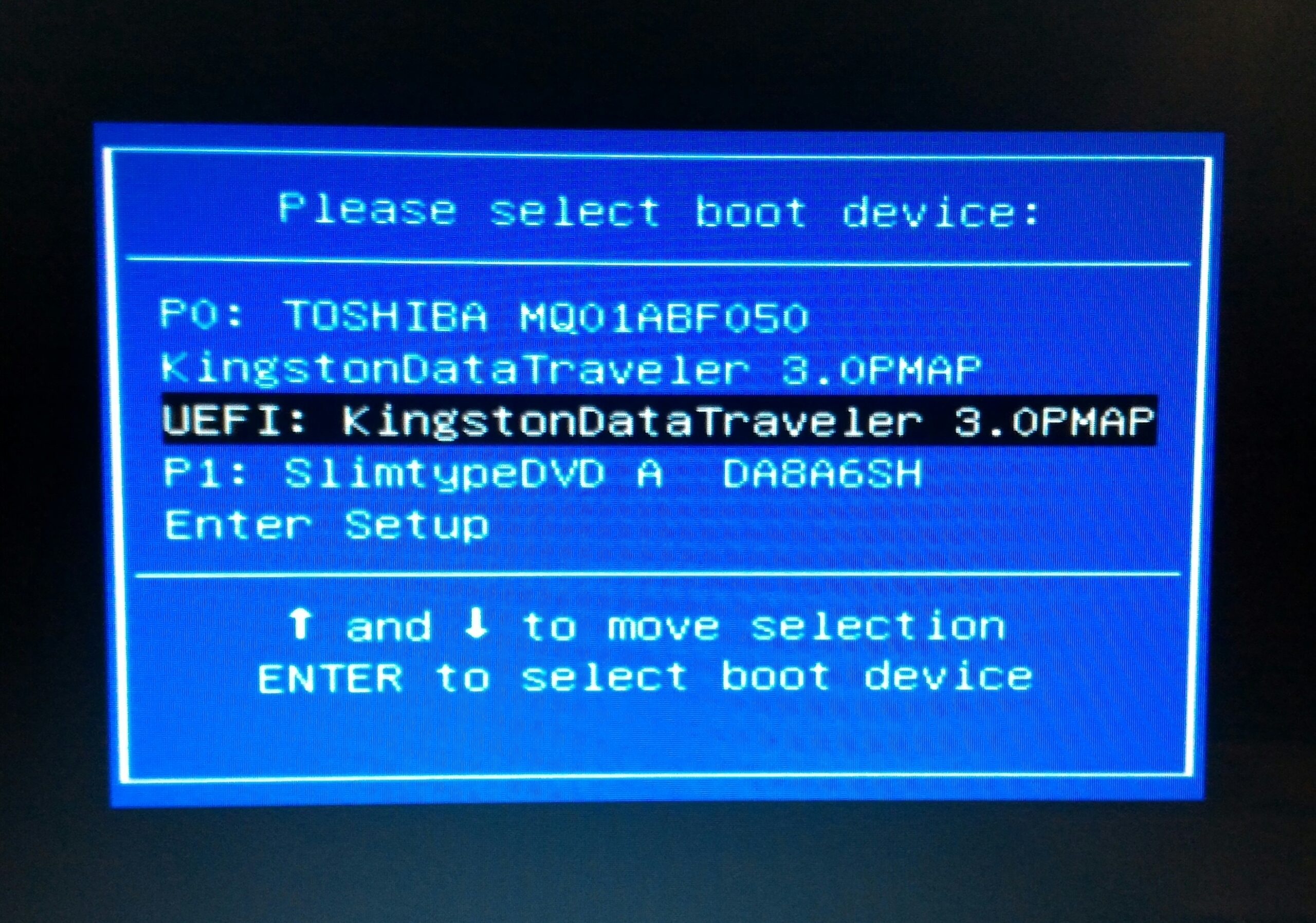
go to boot menu , choose pendrive from list https://uploads.disquscdn.com/images/568c088cc123fa7ef0d7b825bd0c0bf48ef405add9f2af1f3a50bd80db8fe742.jpg
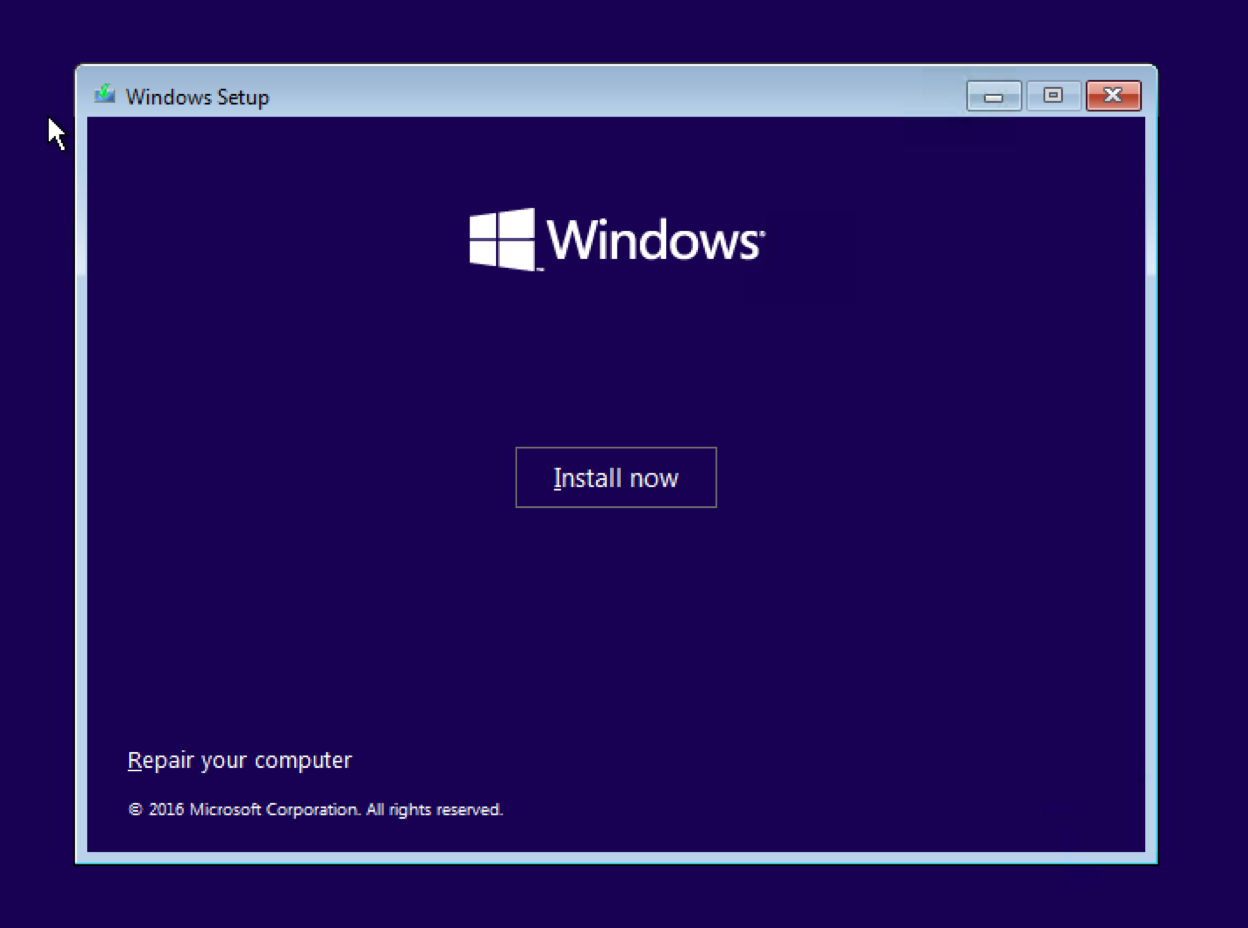
after that your windows 10 will be initiated.
https://uploads.disquscdn.com/images/59b46b7768db49f2b2e76353ae2aa3ec510901dabc4d781afd1d7a7d1cd7e97b.png
press the install button , agree the terms and condition.
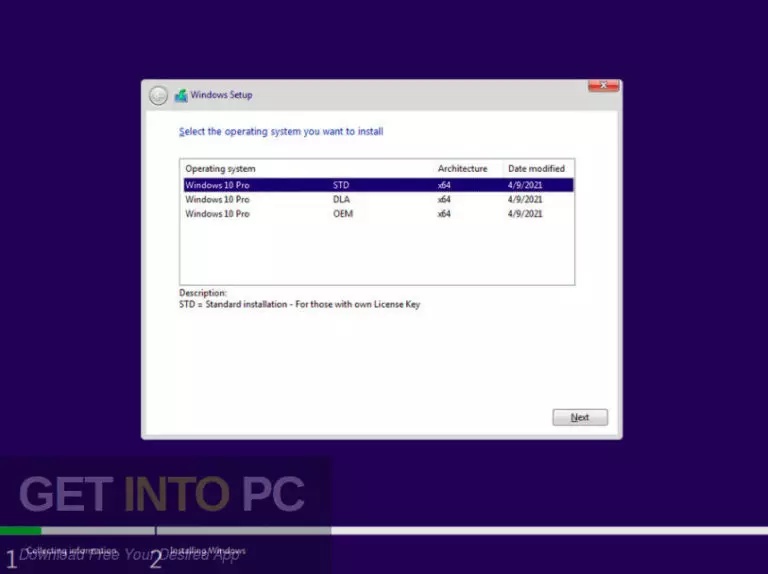
windows 10 provided by our getintopc show option to choose between STD, ,DLA,OEM versions
choose DLA version
https://uploads.disquscdn.com/images/da3f68ec6188ebe8438935c97106942317c76c34a890dea1f0192ed8ebb37ca2.jpg
after that , press installyour installation will begin wait till it complete then when it initaite for restart press f2 or del key go to bios mode then choose harddisk in place of pend rive and then follow the onscreen instructions
-
https://www.youtube.com/watch?v=Xq_6azQ8zXI
this guide is for booting windows in pendrive
-
-
-
-
#10 written by taye kasiye 5 years ago
-
-
-
#12 written by Sonamani Waikhom 5 years ago
-
STD its standard this does not have any key or code inbuild , you have to insert key manually
DLA : digital license , this is what you have to choose if you dont have key
OEM : original equipment manufacture : if your laptop or pc comes with windows your pc is OEM supported so you can choose only if you have oem and added that you should have not formatted your pc
-
-
-
#26 written by Kirubakaran M 5 years ago
-
-
-
-
-
-
-
-
-
#53 written by Himanshu Maurya 5 years ago
-
-
-
-
#57 written by Tuhin Khan 5 years ago
-
#58 written by Hybr1D YT 5 years ago
you can use Media Creation Tool from Microsoft if you wan’t to upgrade your OS from windows 8 to 10 without loosing anything.. but if you want a clean installation you can use this one. and you can also use this to install windows 10 without losing your files but it will wipe out all the application you install if you know how to..
-
-
#60 written by BLUEROAD Graphics 5 years ago
-
#63 written by BLUEROAD Graphics 5 years ago
-
#68 written by Sonamani Waikhom 5 years ago
-
#77 written by Tirtha Raj Shrestha 5 years ago
-
https://www.youtube.com/watch?v=usvNiWkDD4M
check your partition style so you can boot your windows in your pendrive accordingly -
#81 written by Ima Fixer C# 5 years ago
-
-
-
-
-
#90 written by YouTube Viewers 5 years ago
-
#92 written by mad 5 years ago
-
-
-
-
-
#108 written by zion joseph 5 years ago
-
-
-
-
#117 written by mad 5 years ago
32 bit not available in this download package sir , but you can request to this website owner .
You can contact this website owner by email :
[email protected]
-
-
#118 written by tamin raqman 5 years ago
-
#119 written by mad 5 years ago
Windows 11 actually need a TPM 2.0 sir , but I got a tutorial where you can bypass the hardware checking when installing Windows 11… you can refer to this link sir :
https://www.youtube.com/watch?v=NivpAiuh-s0 -
#120 written by Gana Pathy 5 years ago
-
-
#123 written by Muhammad Bilal 5 years ago
-
#125 written by Bunty 5 years ago
I have doubts,
1. If i install this, will I get updates normally like Win10Home? Also will this installation be normal for Microsoft?
2. Will this os activate permanently for my device/account without any virus or malware?
3. I want you opinion admin, should i go for this by leaving official activated windows 10 home?
BTW I have no words for your work. One more question, how did you inspired for this work? There must be you proper story behind this work, right? -
#127 written by Mentors and Mentees 5 years ago
-
https://www.youtube.com/watch?v=LHPJ3_0cDBs
new video tip guys hope this will be useful -
https://youtu.be/Xq3_rJHy9MY
this video shows on how to boost your windows 10 for faster performance -
-
-
#135 written by Ima Fixer 5 years ago
-
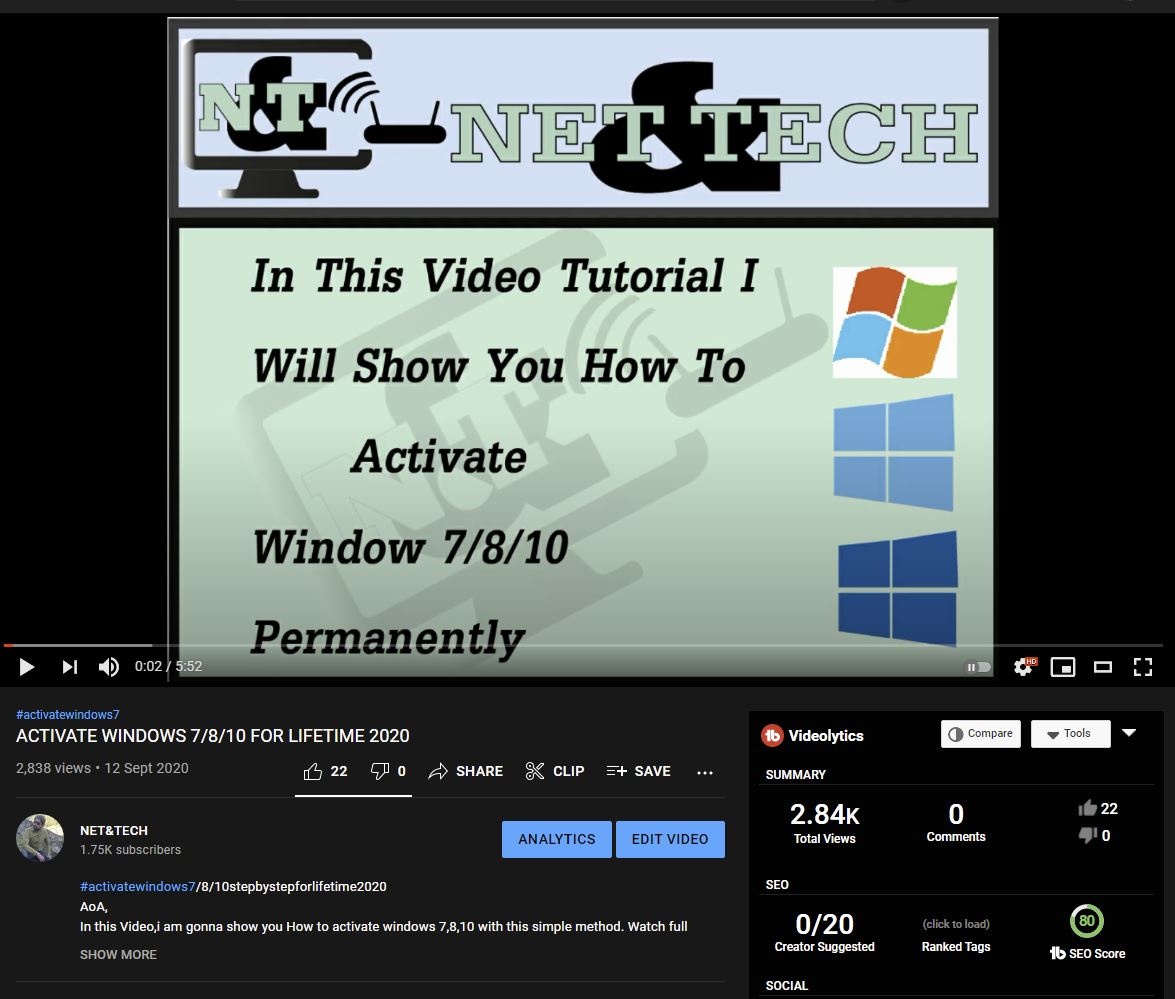
FOR MORE VIDEOSs https://uploads.disquscdn.com/images/850ec4be120230ea8152424863069142b4185f247a6106bebee4207a2cf63d5a.jpg
TUTORIALS ABOUT HOW TO ACTIVATE WINDOWS 7/8/10/11 visit my Channel
NET&TECH
-
#138 written by shahbaz khan 5 years ago
hERE IS HOW TO ACTIVATE 100% WORKING……………………..
https://www.youtube.com/watch?v=Soaxjm6wYr8 -
#144 written by Adil Riaz 3 years ago
-
- Comment Feed for this Post


Just what I wanted without that office bloat and legacy net framework integrated. If the install.wim is cut into pieces to stay below the fat32 4gb file limit to avoid turning off secure boot that would be an icing on the cake.