Download Free Your Desired App
Home » Softwares » Operating Systems » Windows 10 Pro Incl Office 2019 Updated Jan 2020 Download
Windows 10 Pro Incl Office 2019 Updated Jan 2020 Download
Windows 10 Pro Incl Office 2019 Updated Jan 2020 Download Latest OEM RTM version. It is Full Bootable ISO Image of Windows 10 Pro.
Windows 10 Pro Incl Office 2019 Updated Jan 2020 Overview
Windows 10 Pro is an imposing operating system from Microsoft that has become famous among the people and that is because of stability and security aspects. Windows OS was 1st developed more than 30 years ago and since than it has become a household name and is being used all around the globe. Windows has come up in many editions and Windows 10 is the latest one of them. You can also download Windows 10 Pro Updated Jan 2020.

Windows 10 Pro has been equipped with .NET Framework 3.5 and 4.8. it has got various improvements and loads of bugs have been fixed. The operating system has been made more user friendly and it will allow you to work efficiently. It has been equipped with Diagnostics and Recovery Toolset 10. You can also download Windows 10 Pro x64 Updated Sep 2019.
Sceenshots:


[ RELEASE INFO ]
- File: W10X64.OFF19.ENU.JAN2020.iso
- Size: 4,91GB
- Format: Bootable ISO
- CRC32: 9838c788
- MD5 : 1d46085db8e4e5632651543bdc09f6b4
- SHA-1: 8c832513f5a92c996521cebe08ed41ed9b4e1f8c
[ CONTENTS ]
Integrated / Pre-installed:
Servicing Stack Update:
- KB4524569
- CumulativeUpdate:
- KB4532695
- .NET Framework 3.5
- Cumulative Update for .NET Framework 3.5 and 4.8:
- KB4534132
- Flash Player Security Update:
- KB4516115
SetupComplete / Post-install:
- Defender Updates
- LANGUAGE: ENGLISH US
- [ EDITIONS INCLUDED ]
- Windows 10 Pro VL
- Office 2019 Pro Plus VL
- Activators: HWID and Online KMS
Features of Windows 10 Pro Incl Office 2019 Updated Jan 2020
Below are some noticeable features which you’ll experience after Windows 10 Pro Incl Office 2019 Updated Jan 2020 free download.
- Loads if enhancements have been made.
- Loads of different bugs have been fixed.
- Equipped with .NET Framework 3.5 and 4.8.
- Equipped with Microsoft Diagnostics and Recovery Toolset 10.0.
Windows 10 Pro Incl Office 2019 Updated Jan 2020 Technical Setup Details
- Software Full Name: Windows 10 Pro Incl Office 2019 Updated Jan 2020
- Setup File Name: W10X64.OFF19.ENU.JAN2020.ISO
- Full Setup Size: 5 GB
- Setup Type: Offline Installer / Full Standalone Setup
- Compatibility Architecture: 32 Bit (x86) / 64 Bit (x64)
- Latest Version Release Added On: 04th Jan 2020
- Developers: Windows
System Requirements For Windows 10 Pro Incl Office 2019 Updated Jan 2020
Before you start Windows 10 Pro Incl Office 2019 Updated Jan 2020 free download, make sure your PC meets minimum system requirements.
- Memory (RAM): 2 GB of RAM required.
- Hard Disk Space: 16 GB of free space required.
- Processor: 1 GHz Intel Pentium processor or later.
Windows 10 Pro Incl Office 2019 Updated Jan 2020 Free Download
Click on below button to start Windows 10 Pro Incl Office 2019 Updated Jan 2020 Free Download. This is complete offline installer and standalone setup for Windows 10 Pro Incl Office 2019 Updated Jan 2020. This would be compatible with both 32 bit and 64 bit windows.
Learn to Turn On Windows 10 PC WiFi Hotspot Using Command Line
Related posts:
This Post was Last Updated On: September 14, 2023
-
-
-
#15 written by Astra Vista 6 years ago
-
#16 written by Kaushal Nayi 6 years ago
-
-
-
#24 written by Tramline 6 years ago
-
-
#25 written by SANJAY KUMAR 6 years ago
-
#26 written by Tramline 6 years ago
main tumhaare lie ek mil gaya hai
Windows 7: https://getintopc.com/softwares/operating-systems/windows-7-all-in-one-28in1-updated-jan-2020-download-3750648/
Office: Try 2016 version https://getintopc.com/softwares/office-tools/office-2016-pro-plus-vl-december-2019-free-download-1422067/
-
-
#27 written by Syed Shehryar Imran 6 years ago
-
-
#31 written by Aymen Aymen 6 years ago
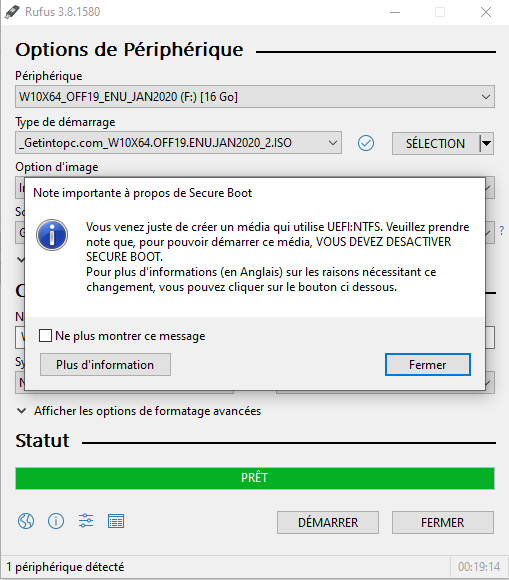
https://uploads.disquscdn.com/images/33ba4600d4d07c2ca0579538f83571451b39aad5b8450a0ea051458c2716b52d.png hi,when i put windows iso in rufus app he shows me this note ” you should desactivate scure boot” , and i don’t know how i will do that , any solution please?
i’m waiting for your answers -
#33 written by Dharmesh Chauhan 6 years ago
-
#35 written by rob mo 6 years ago
-
#38 written by rob mo 6 years ago
-
-
#40 written by rob mo 6 years ago
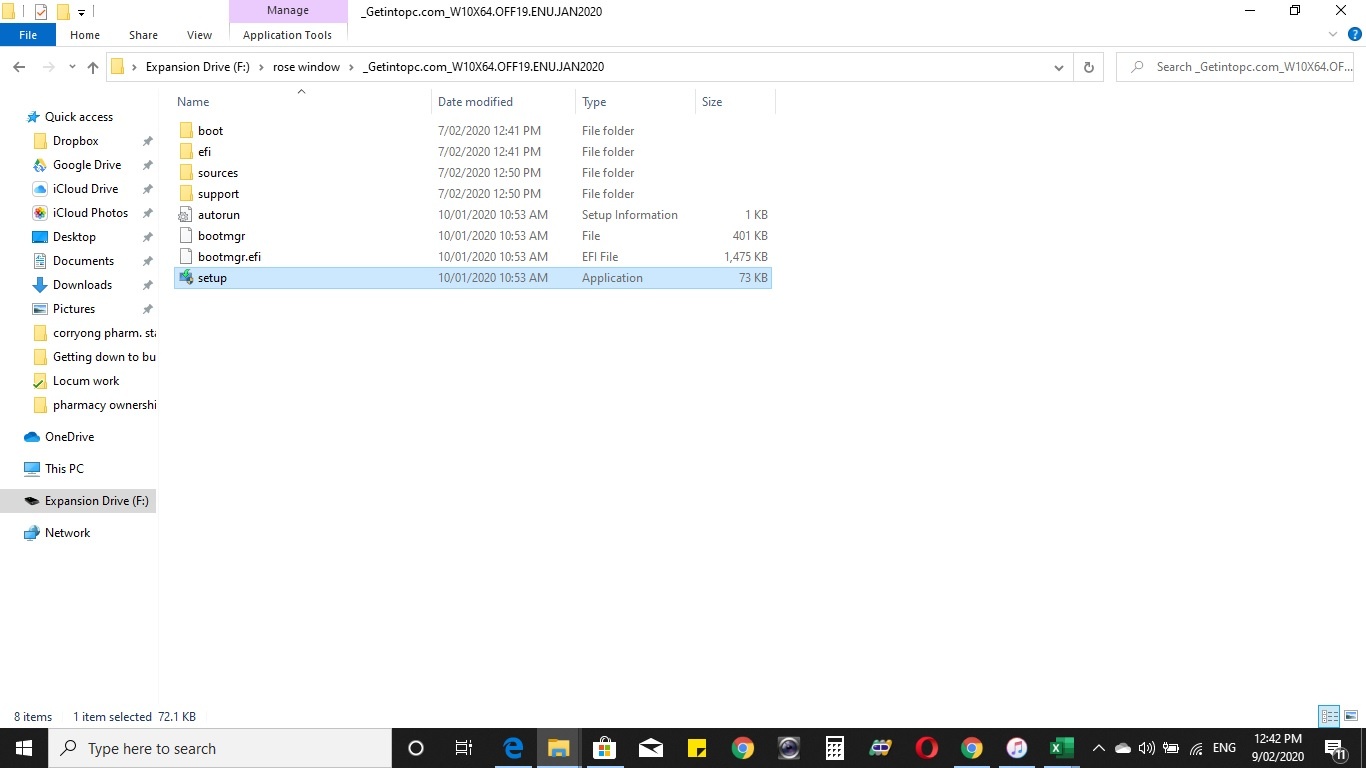
1. I saved the file on my hard drive
2. I clicked on setup and installation proceeded successfully
https://uploads.disquscdn.com/images/5e254c80f9e633d3deae7146d07010ea8b38a5bf75166921ab67a3c3f62c8d65.jpg
-
-
-
#44 written by Sohaib Gill 6 years ago
-
#46 written by Arnav 6 years ago
-
#47 written by UltimateBurntMARSHMALLOW 6 years ago
-
This includes Pro Plus 2019. I think Visio is now completely different app.
https://getintopc.com/softwares/office-tools/office-visio-professional-2019-free-download-9867821/
-
-
-
#53 written by Vimal Kumar 6 years ago
-
-
#58 written by M Ali 6 years ago
Hello Dear Admin !
Plz Plz Help Me After I Install Window Then I Have Face The Problem
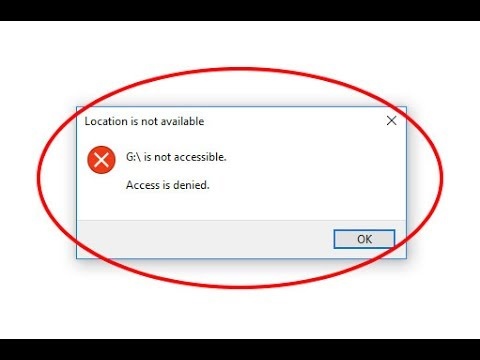
G / Drive Is Not Accessble Dear Admin I have lots Of Data In This harddrive
So What To Do?????
Dear Plz Provide Me Solution ! https://uploads.disquscdn.com/images/c079eb5cdc86c0f41398aadad2abf47b17e4c4ea04e8292bb72cec668c2f2da8.jpg-
-
Follow admin comment first by going to disk management you can type dgmgmt in run
If it does not work may be its permission issue . You have messed somewhere with permission Try method posted here
https://www.easeus.com/storage-media-recovery/fix-drive-is-not-accessible.htmlplease Don’t attempt to format drive
If none work last option is remove the harddisk from your pc and reinsert it . Logicially it’s not correct but technically your pc will search for disk 🙂 so give it a try
Else
Login to save mode and try to access the drive -
#63 written by Cor Wv 6 years ago
hi use another computer take your harrddrive that you want to use windows 10 on plug it into the other computer inside the case not external then use mini tool partition wizard on the other computer and delete all partitions then apply then dont format it just leave it blank then plug back into your pc then load windows but again dont create partition just load it and you will have a nice running pc if you dont come right contact me on [email protected]
i will assist -
#64 written by umair 6 years ago
-
-
#67 written by Alabi Samuel Levite 6 years ago
-
#69 written by Prabu KS 6 years ago
-
#71 written by Ahmed Tamer 6 years ago
-
-
#77 written by Thoiba Singh 6 years ago
-
-
-
#85 written by Miljan Cvetkovic 6 years ago
-
#86 written by Saksham Tiwari 6 years ago
Hi, Follow the following process to remove it:::
1) Press “windows + R” to open run
2) Type “Regedit” to open registry editor
3) Go to the following directory ::
ComputerHKEY_LOCAL_MACHINESOFTWAREClassesDesktopBackgroundShell4) Delete Activate Windows – Office key
The button will immediately get removed.
I have successfully removed it by this method so don’t worry!!
-
-
#87 written by Aicramier Dhale 6 years ago
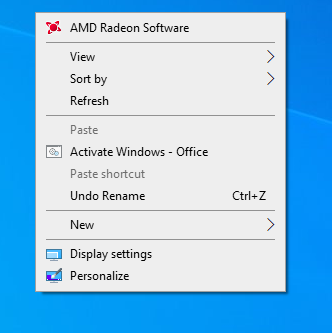
Admin can you please help us on how to remove the “Activate windows – office”? Pls
https://uploads.disquscdn.com/images/3dde764958e630d759be201abc5963ed9c6b38b4f2be3c87756f3a3d07811feb.png-
#88 written by Mts Chaudhry 6 years ago
-
#89 written by Lascotte 6 years ago
you can remove active windows on screen by activation.zip its both 32bit&64bit download on link below after download make sure you turn off firewalls and all antivirus on your computer and extract it then run as admistrator as your system type(32or64bit) and then proceed to active windows and also microsoft office
-
-
#90 written by Saksham Tiwari 6 years ago
Hi, Follow the following process to remove it:::
1) Press “windows + R” to open run
2) Type “Regedit” to open registry editor
3) Go to the following directory ::
ComputerHKEY_LOCAL_MACHINESOFTWAREClassesDesktopBackgroundShell4) Delete Activate Windows – Office key
The button will immediately get removed.
I have successfully removed it by this method so don’t worry!
-
-
#92 written by Owokel 6 years ago
-
#96 written by Mts Chaudhry 6 years ago
-
#98 written by Arnav 6 years ago
-
-
-
#106 written by Sarath Pathmasiri 6 years ago
-
#112 written by Jowzf 6 years ago
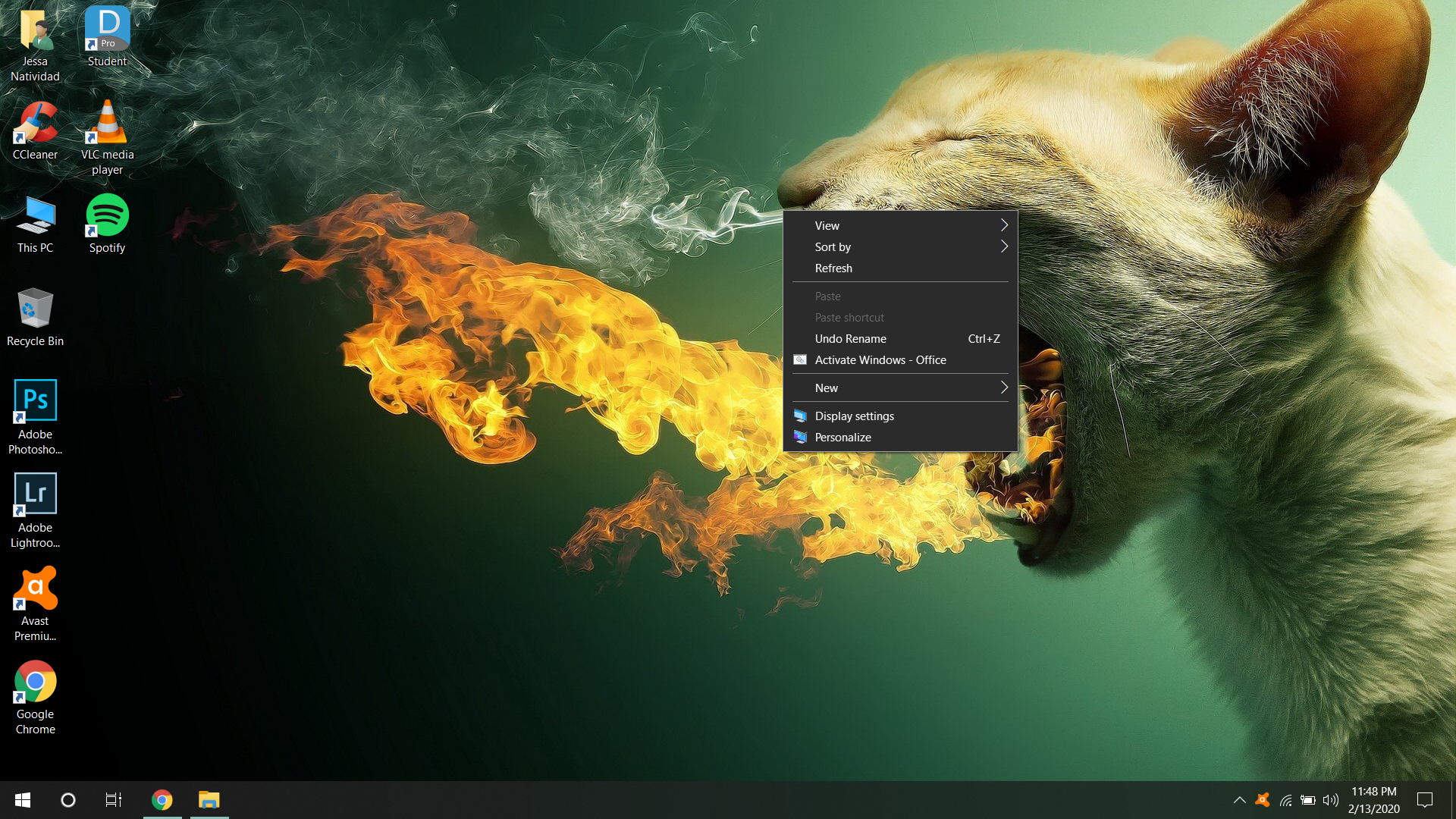
Hi Admin, thanks for the crack, but can you tell us how to remove the activate windows – office option in the right click menu, i included a picture for you to see it. for the windows installation process it didnt give me any option to choose KMS and it installed this version with the activate windows – office button on the right click menu.
how can i remove it please ?
ps : the windows is already activated i just want to remove that button from the right click menu !-
#113 written by Saksham Tiwari 6 years ago
Hi, Follow the following process to remove it:::
1) Press “windows + R” to open run
2) Type “Regedit” to open registry editor
3) Go to the following directory ::
ComputerHKEY_LOCAL_MACHINESOFTWAREClassesDesktopBackgroundShell4) Delete Activate Windows – Office key
The button will immediately get removed.
I have successfully removed it by this method so don’t worry!!! -
-
-
-
#120 written by sarksesful djet 6 years ago
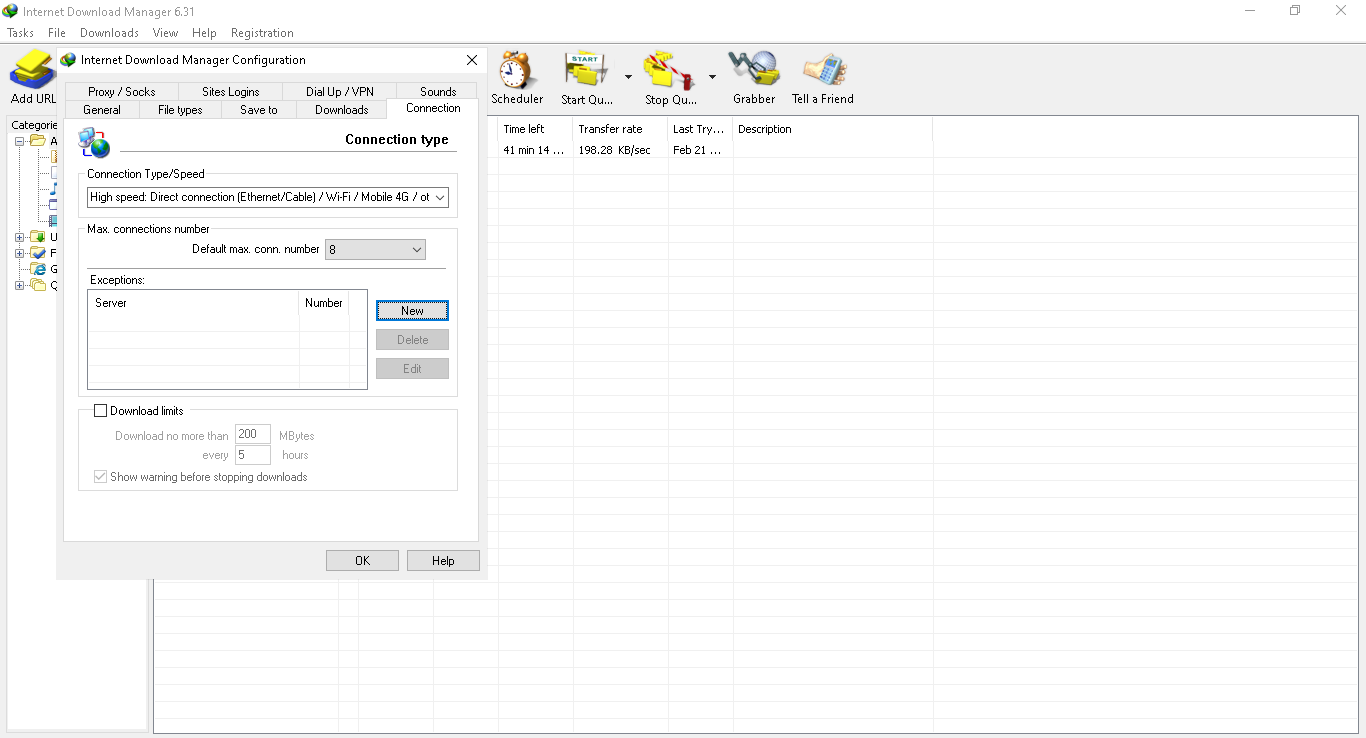
hi Admin, it seems download speed has reduced in this update. I’ve optimized my laptop for “Better Performance” in Control PanelSystem and SecuritySystem……in advanced options. I’m using idm3.6 and my laptop is a lenovo v130-151GM 4gb Ram HDD 500 intel N4000 single core. I’m using an ethernet cable as well, pls help. I’ve included a picture as well. https://uploads.disquscdn.com/images/2cadcde75b5dd721aeb6a5c522b402520ba40d5871fec339076166f828a5472b.png
-
-
-
#133 written by Aphrolinf 6 years ago
-
#135 written by Issam Dahmani 6 years ago
-
#137 written by herald flores 6 years ago
-
#141 written by Derkan Efekan 6 years ago
-
#144 written by Mansoor Jadoon 6 years ago
-
#146 written by Syed Mudassir Ali 6 years ago
Dear Admin, I have been using oceanofgames.com, and getintopc.com since very long ago and I love your great work.
I was using the OCT2019 ISO and was happy, but since I instaled this ISO, there are many problems, I cannot open MEGAsync, Adobe acrobat and many other useful softwares. So please upload a fixed ISO. -
#147 written by Arnav 6 years ago
Hello Admin,
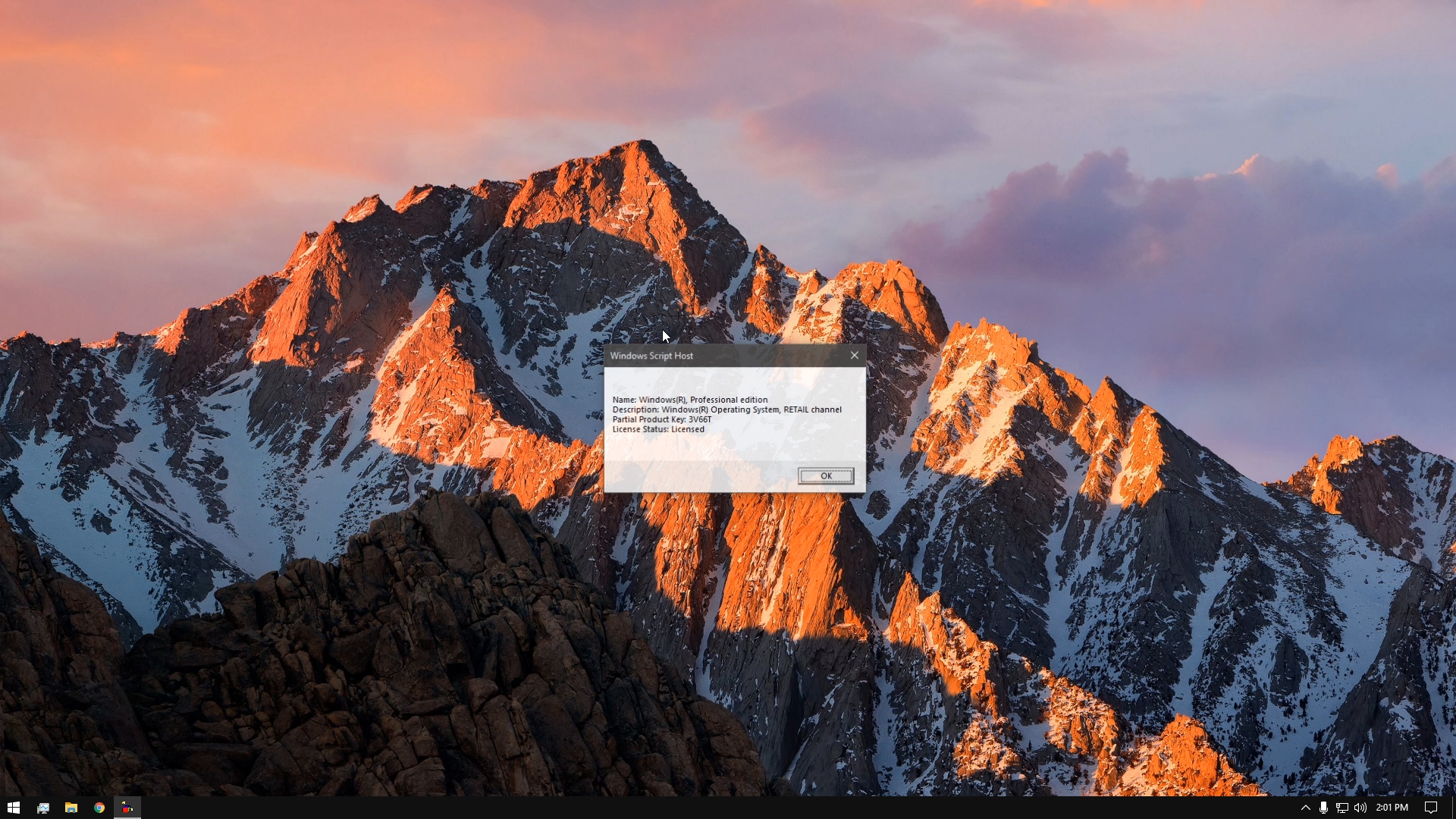
I Download the thing yesterday and installed it today….When I type Slmgr.vbs /dli in run box….
In this version it is showing retail channel (1909) Is This Version Really 200$ or Just A Pirated Version With Some Tweaks…
Because My Friends Windows Is Genuine And Mine Is From Your Site And Both show The Retal Channel and partial product key…. https://uploads.disquscdn.com/images/a73de5106d3645fbde505c4277f0ccffa54c4d64970c484c6580f9b5de27b80a.png -
#148 written by Arnav 6 years ago
Hi, Follow This Steps To Remove The Activate Microsoft Office Watermark:>
1) Press “windows + R” to open run
2) Type “Regedit” to open registry editor
3) Go to the following directory ::
ComputerHKEY_LOCAL_MACHINESOFTWAREClassesDesktopBackgroundShell4) Delete Activate Windows – Office key
The button will immediately get removed.
I have successfully removed it by this method so don’t worry!!!-
-
#150 written by Mark Lawrenz Ramos Seriosa 6 years ago
-
-
-
#160 written by Hezbon Otieno 6 years ago
-
#166 written by Rishab sonkar 6 years ago
-
#167 written by kidsgamingby ayyan 6 years ago
-
#170 written by Temporary Video Making 6 years ago
-
#177 written by evil gamming 5 years ago
-
#179 written by Ima Fixer C# 5 years ago
-
#184 written by Kalyan Das 6 years ago
can i use rufus to creat bootable iso including win 10 and office with the help of rufus latest and any tool is there to activate both or it is preactivated? any way i think if only win 10 is there rufus can detect whether it is is mbr or gpt( i am guessing just). as in case of gpt in rufus u can not set mbr
-
- Comment Feed for this Post



Nice it instantly got the newest update