Download Free Your Desired App
Home » Softwares » Multimedia » Adobe Media Encoder CC 2020 Free Download
Adobe Media Encoder CC 2020 Free Download
Adobe Media Encoder CC 2020 Free Download Latest Version. Full offline installer standalone setup of Adobe Media Encoder CC 2020 v14.3.0.39.
Adobe Media Encoder CC 2020 Overview
Adobe Media Encoder CC 2020 is an adobe designed and developed codec application which lets users convert video formats to other required format. As we know Adobe is a big family, which includes different Photo, Video, Image editing application and users may require to convert their media into other format and without operating any 3rd party applications. For that, this application comes handy and does the job without losing quality or resolution. You can also download Adobe Bridge CC 2020.

Adobe Media Encoder CC 2020 is a simple solution with a professional working environment and fast processing functions which save users time and make it more reliable and efficient. It converts the media accurately and quickly. It lets users edit and manipulate Frame rate, resolution, Tv Standards, and much more to achieve the desired results and output. It is equipped with advanced settings and rendering options for more enhanced productivity. It supports Dolby Digital and Dolby Digital Plus for 5.1 and 7.1 surround sound and JPEG 2000 MXF. You can also download Avidemux 2.7.5 x64.

Features of Adobe Media Encoder CC 2020
Below are some noticeable features which you’ll experience after Adobe Media Encoder CC 2020 free download.
- Convert formats in one other.
- Simple, fast, and accurate.
- Quick and fast processing.
- Automatic volume adjustments.
- Adjust and manipulate settings and options.
- Quicktime anchoring.

Adobe Media Encoder CC 2020 Technical Setup Details
- Software Full Name: Adobe Media Encoder CC 2020
- Setup File Name: Adobe_Media_Encoder_2020_v14.3.0.39×64.rar
- Full Setup Size: 974 MB
- Setup Type: Offline Installer / Full Standalone Setup
- Compatibility Architecture: 64 Bit (x64)
- Latest Version Release Added On: 03rd July 2020
- Developers: Abode

System Requirements For Adobe Media Encoder CC 2020
Before you start Adobe Media Encoder CC 2020 free download, make sure your PC meets minimum system requirements.
- Operating System: Microsoft Windows 10 (64-bit), version 1803 or later (required)
- Memory (RAM): 8 GB of RAM required.
- Hard Disk Space: 4 GB of free space required.
- Processor: Intel 6th Gen or newer CPU
- Monitor resolution 1280 x 800 display resolution
Adobe Media Encoder CC 2020 Free Download
Click on below button to start Adobe Media Encoder CC 2020 Free Download. This is complete offline installer and standalone setup for Adobe Media Encoder CC 2020. This would be compatible with 64 bit windows.
Before Installing Software You Must Watch This Installation Guide Video

Password 123
Related posts:
This Post was Last Updated On: September 24, 2022
-
-
#3 written by disqus_3RTw8znjGV 6 years ago
-
#5 written by Shreyash Meshram 6 years ago
-
#8 written by Software Guide 6 years ago
-
#10 written by Aman Bairwal 6 years ago
-
-
#13 written by Adil Qatine 6 years ago
NEW
Media Encoder 2020 v14.0.1.70 Pre-Activated
https://mega.nz/#!JhgXgQqb!v1Ya-Pw_MdrlW9zR_H0pTiEyf26yO7Yz6QiGdJMRFGo
-
-
-
#18 written by Bismillaah Adebanjo Dono Nee-c 6 years ago
-
#20 written by Tech 6 years ago
-
#21 written by Tramline 6 years ago
I suggest sending an email to Admin from the address here: https://getintopc.com/contact-us/
-
-
-
#25 written by TheeVeteran 6 years ago
-
#26 written by Tramline 6 years ago
I am not an Admin, but you should contact Admin with the email address posted on this page: https://getintopc.com/contact-us/
-
-
-
-
no it only work with same version ie 2020 version of aftereffect
if you want encoder for 2019 try
https://getintopc.com/softwares/graphic-design/adobe-media-encoder-cc-2019-free-download-3696160/ -
no it only work with same version ie 2020 version of aftereffect
if you want encoder for 2019 try
https://getintopc.com/softwares/graphic-design/adobe-media-encoder-cc-2019-free-download-3696160/
-
-
-
#34 written by Tramline 6 years ago
The latest version from our partner site is 2019
http://oceanofdmg.com/download-adobe-media-encoder-cc-2019-for-mac-os-x/
-
-
#37 written by Louejin Aboy 6 years ago
-
#38 written by Tramline 6 years ago
There’s a video tutorial posted: https://unique-tutorials.info/how-to-install-adobe-media-encoder-cc-2020-without-errors-2/
-
-
#41 written by Jave Gil 6 years ago
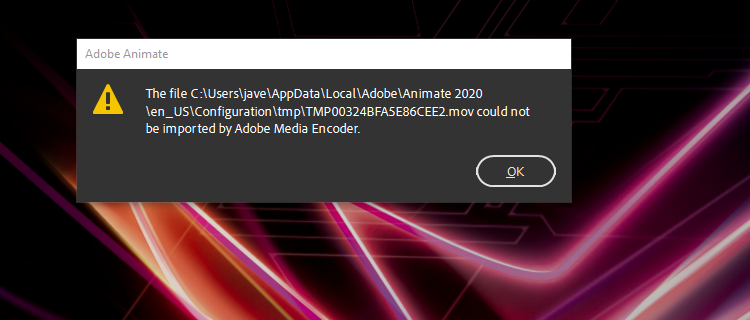
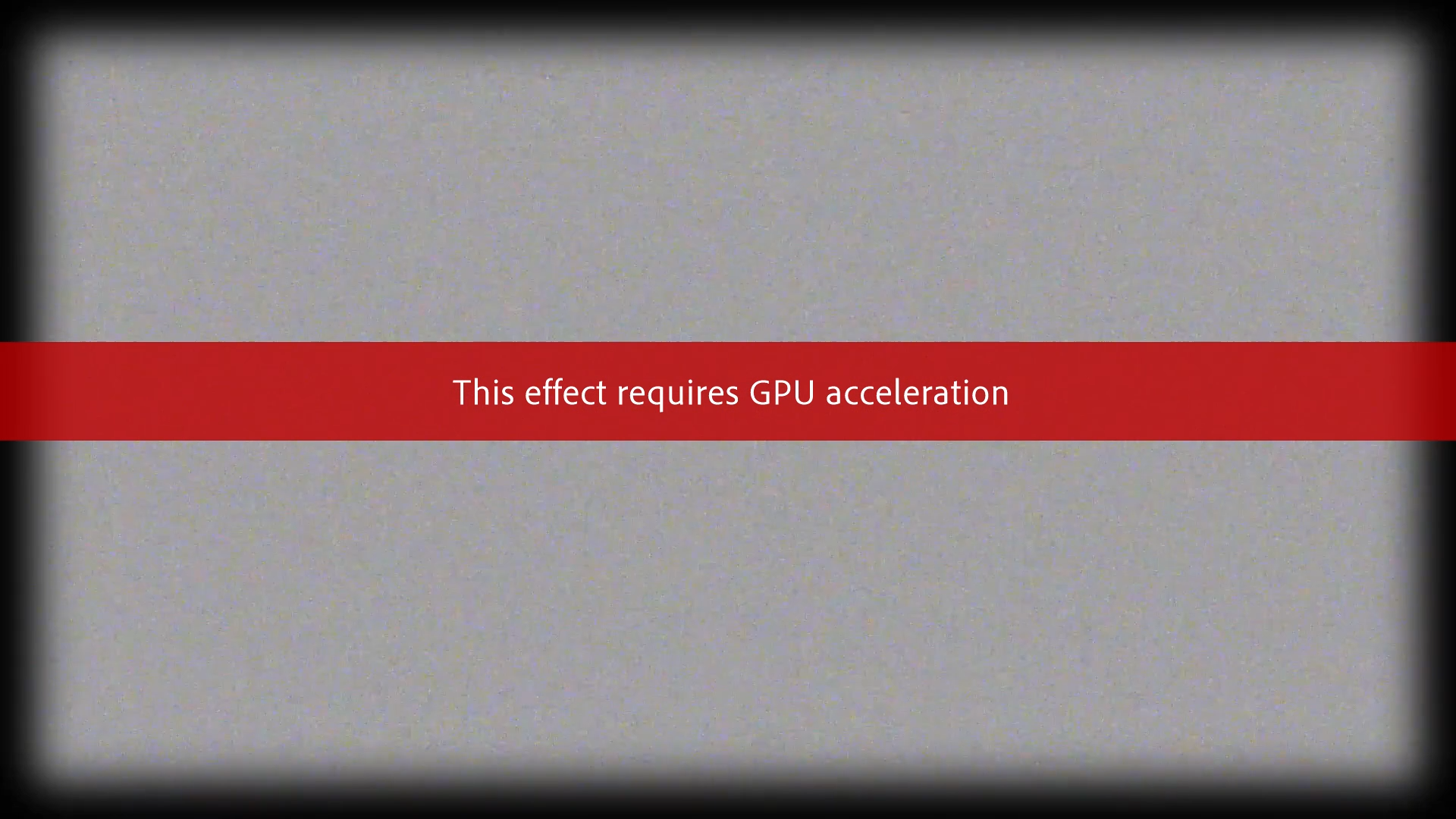
why i cant export in animate?this shows/..can u help me pls..https://uploads.disquscdn.com/images/41ab872baa31f37775742f8b63e45779fa5242ea245cd22da8552347cbceb638.png
-
#43 written by Bibin 6 years ago
-
#44 written by Dev 6 years ago
Hello, i have been using IDM for downloads. This particular download says its corrupt. I get error and when the item stops downloading I hit open folder and when I click on that I do not have the ‘packages’ folder. I have tried this several times. I have downloaded a few other items off this site without any issues. I thought it was on my end, that’s why I tried several times.
-
#52 written by Akshat Shah 6 years ago
-
-
-
-
-
-
-
-
#62 written by Mark Spencer 6 years ago
-
-
#64 written by Musa Hlela 6 years ago
Hi admin, I have raised request to you, for uploading adobe bracket app for website development, you Never replied eve to massages before this, you never replied, i am now having a issue with the fruity loop software, where is requires me to buy for the project I have created, it either I buy or I fill in the passing word with email, as I am aware of password 123, and email [email protected], I have tried these and gave the the notification of incorrect. Can you find out what must I do, the fruity loop is 2020 version.
-
#65 written by Rifqi Ghazali 6 years ago
-
-
-
-
-
#71 written by Ahmed 6 years ago
Is it possible to add https://paladin.ac/
-
-
-
-
-
-
#79 written by shangaranaarayanan ramakrishna 6 years ago
-
-
#81 written by kaspery sky 6 years ago
HELLO SIR,
PLEASE PROVIDE REALLUSION ICLONE PLUGGINS.
CHECK THIS ONE = https://www.reallusion.com/ContentStore/Character-Creator/Pack/3D-Toon-Figures/default.html
-
-
-
-
-
#92 written by Taran Kumar 6 years ago
-
-
-
#97 written by Kussh Aggarwal 6 years ago
-
#99 written by Arani Ray 6 years ago
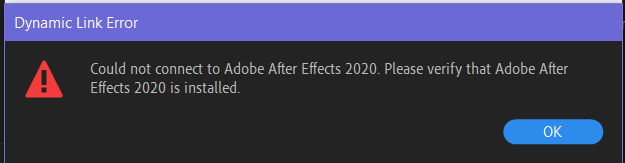
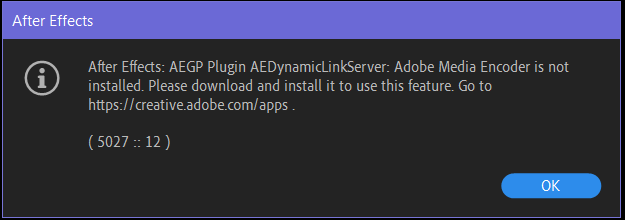
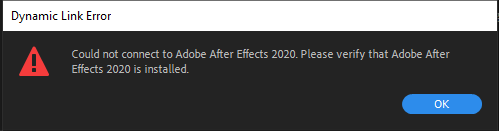
I can’t export from After Effects to Media Encoder or import .aep file in Media Encoder (I have both installed from getintopc.com and their latest versions). It shows dynamic link error. How to fix it? https://uploads.disquscdn.com/images/1e7a1b53dbb0481a79062a0453e587804514f578644a7bfe309c09d6a0f80680.png https://uploads.disquscdn.com/images/c33913a9405cfe6983930d78bc4702b6417456cf3c85d3329e9f60a34ca75f41.png
-
-
#102 written by Aryan Ahuja 6 years ago
-
-
-
#107 written by Priya Dokane 6 years ago
-
#108 written by Tramline 6 years ago
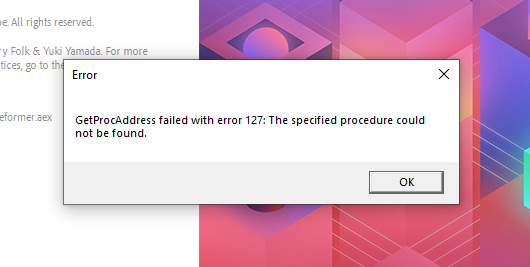
Take a look at this forum post: https://community.adobe.com/t5/download-install/error-code-127/td-p/8896725?page=1
-
-
#109 written by Uwu 6 years ago
someone help i activated everything
any alternative site???
https://uploads.disquscdn.com/images/f06035963dc74f8fca43d2da3ec044eada5a98e5607d188bf918cb7196bfc9dc.png -
-
#113 written by Raza Khan 6 years ago
https://youtu.be/UNsiH_u_FX0
Video Guide Step by step -
-
-
-
-
#123 written by mahnoor 6 years ago
-
-
-
#130 written by MA 6 years ago
-
-
#134 written by itachi 6 years ago
Hi admin, can’t import AE file, I have AE version 16.1.2 (Build 55). Do I have to use the older version? Thanks in advance. https://uploads.disquscdn.com/images/3d417598eaa03525fd435f4d0f15a2c1c5ccf1e3c072263be5bc63e723d0be23.png
-
Installation Guide
https://youtu.be/NhVlEm5PHDo -
#137 written by Sofiane Yamaguchi 6 years ago
-
#140 written by Aravind 6 years ago
e:software_getintopc.com_adobe_media_encoder_2020_v14.3.0.39×64.rar: checksum error in the encrypted file adobe_media_encoder_2020_v14.3.0.39x64adobe_media_encoder_2020_v14.3.0.39x64productsameadobemediaencoder14alltrial1.zip. corrupt file or wrong password. — i got this error when extracting the rar file
-
#142 written by Karthi Krishnamurthi 6 years ago
-
#144 written by ParaNoya 6 years ago
-
-
#148 written by Angel 6 years ago
-
-
-
-
#157 written by Princess 5 years ago
-
#159 written by Aurafyyy 5 years ago
-
-
-
#166 written by PakistaniGmR 4 years ago
-
-
#177 written by Tramline 6 years ago
Hi @grm5:disqus,
Thank you for your reply and the offer to join your Discord server. Let me explain what was happening. Admin has been away recently so I have been helping @Admin with replying to comments, that’s why Admin added me to the auto approval whitelist. I have been helping users who had questions about the software. Since moderation has been quite low, I have giving heads ups to people who might not know Admin’s usual guidelines. Usually, she does not like people to post videos that are off topic because they fill up the comments section when users are trying to look for a solution to there software. I understand that you want people to join your discord server so they can get help with tech problems. I think this is good, just make sure you mention what the topic is of a video. -
- Comment Feed for this Post


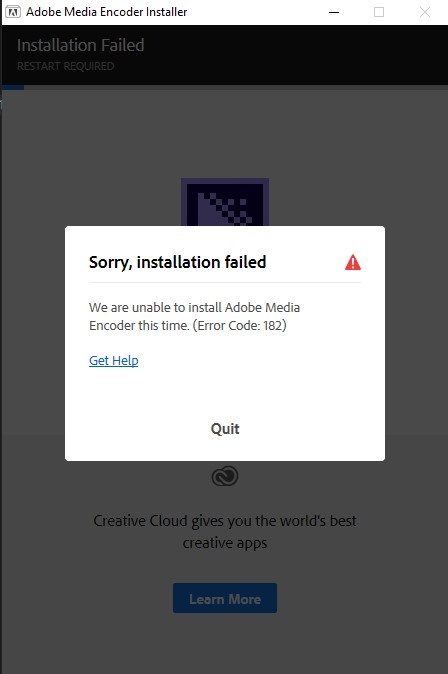
can’t install