Download Free Your Desired App
Home » Softwares » Graphic Design » CorelDRAW Graphics Suite 2019 Repack Free Download
CorelDRAW Graphics Suite 2019 Repack Free Download
CorelDRAW Graphics Suite 2019 Repack Free Download. It is full offline installer standalone setup of CorelDRAW Graphics Suite 2019 Repack.
CorelDRAW Graphics Suite 2019 Repack Overview
CorelDRAW Graphics Suite 2019 Repack is an advanced and useful graphic design application that helped professionals and beginners to improve their workflow and enhance their graphic skills. This is a wide package which includes all tools and application designed and developed by Corel Draw. It brings new features, LiveSketch tool, capabilities, functions, and more to provide users with the best user experience. You can also download Clip Studio Paint EX 2019 v1.9.4 + Materials.

CorelDRAW Graphics Suite 2019 Repack is a simple solution for a graphic designer to work in a platform which is equipped with all tools, and required features. It offers users to work with efficiency and allow them to unravel their creativity with powerful and limitless functions and modules. Create Logo Projects, Photo Projects, Graphics Projects, Website Projects, or any kind of project in any field, the suite got all covered. The suite supports English and Russian language when installing the application after the installation users can change the language with their native languages. It has new control over the objects, layers, and pages. Improved pixel workflow for pixel performed documents. You can also download Movavi Photo Manager.

Features of CorelDRAW Graphics Suite 2019 Repack
Below are some noticeable features which you’ll experience after CorelDRAW Graphics Suite 2019 Repack free download.
- Graphic design application.
- Improve with new tools and controls.
- Create logos, brochures, billboards, and more.
- Includes all tools designed by Corel Draw.
- 7000 images, clipart templates.
- Unravel creativity.
- Enhance user interface.

CorelDRAW Graphics Suite 2019 Repack Technical Setup Details
- Software Full Name: CorelDRAW Graphics Suite 2019 Repack
- Setup File Name: CorelDRAW.GraphicsSuite.2019.x64.en-ru.UP.2.rar
- Full Setup Size: 846 MB
- Setup Type: Offline Installer / Full Standalone Setup
- Compatibility Architecture: 64 Bit (x64)
- Latest Version Release Added On: 01st Oct 2019
- Developers: CorelDRAW

System Requirements For CorelDRAW Graphics Suite 2019 Repack
Before you start CorelDRAW Graphics Suite 2019 Repack free download, make sure your PC meets minimum system requirements.
- Operating System: Windows 7/8/8.1/10.
- Memory (RAM): 2 GB of RAM required.
- Hard Disk Space: 2.5 GB of free space required.
- Processor: Intel Core i3 / 5/7 or AMD Athlon 64
- Mouse, tablet or multi-touch monitor
- Monitor resolution: 1280 x 720 at 100% (96 dpi)
- Microsoft Internet Explorer 11 or higher
- Microsoft .NET Framework 4.7
CorelDRAW Graphics Suite 2019 Repack Free Download
Click on below button to start CorelDRAW Graphics Suite 2019 Repack Free Download. This is complete offline installer and standalone setup for CorelDRAW Graphics Suite 2019 Repack. This would be compatible with 64 bit windows.
Before Installing Software You Must Watch This Installation Guide Video

Password 123
Related posts:
- CreativeMarket – Hello Spring [PNG, JPG, PSD] Free Download
- CreativeMarket – New Year’s Party Clipart [PNG] Free Download
- Evermotion – Archmodels Vol. 124 (*.max, V-Ray) [ plants ] Free Download
- Logo Design Studio Pro Vector Edition 2023 Free Download
- Envato Elements – Black Friday Instagram Story Feed Templates Free Download
This Post was Last Updated On: November 17, 2020
-
-
#3 written by Azizul Ibrahim 6 years ago
-
-
#7 written by RIDER89 6 years ago
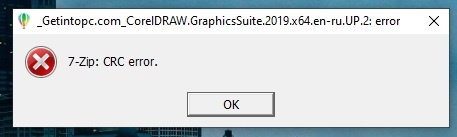
https://uploads.disquscdn.com/images/112416a268d1c4bfe842a19d35726cff95a2c1d1b56233c745e81471efeebe62.png Hai admin I am getting this error… help me to solve this
-
#12 written by Shubham Pandey 6 years ago
-
#14 written by Roms Tech 6 years ago
Here’s the video Guide!!
https://youtu.be/8UNu76r8EX4 -
-
-
#19 written by Kunal Kataria 6 years ago
-
-
-
#21 written by Daniel Akinde 6 years ago
-
#25 written by Suneel Upadhyay 6 years ago
-
-
#33 written by DeathXExM 6 years ago
For those who stuck at no installer show up after clicking Yes for START.exe, use WinRAR to extract the exe you downloaded into a folder (the exe file you just extracted from the downloaded zip file is also a sfx archive which can be further extract its contents), and instead of running START.exe, run Setup.exe instead, and the installer should show up as usual, then you can start following the video guide above.
-
#35 written by Admin G 6 years ago
Here are the full steps from video:
1st Step : uninstall previous version of corelDRAW ( In my case I installed 2019 same version of CD ) completely and remove it’s connected leftover files with CCleaner Professional. ( Clean Registry, Custom Clean “Select All” ) Uninstall and then search “Corel Corporation” this will shows the all installed applications )
2nd Step : download this version.
3rd Step : now close/disable your internet connection before and while installation.
4th Step : do install and after installation don’t open the CorelDRAW.
5th Step : now go to your Firewall settings and click on advance firewall settings and create a inbound and outbound rule and disable the internet connection of installed corelDRAW. In mycase the path is
(c:Program FilesCorelCorelDRAW Graphics Suite 2019Programs64CorelDrw.exe)
6th Step : now edit your windows hosts file as administrator in ” C:WindowsSystem32driversetchosts ” and add following lines,
# Corel Corporation licensing blocking
127.0.0.1 apps.corel.com
127.0.0.1 mc.corel.com
127.0.0.1 origin-mc.corel.com
127.0.0.1 iws.corel.com
127.0.0.1 ipm.corel.com
127.0.0.1 sws.corel.com
127.0.0.1 redirect.corel.com
127.0.0.1 dam.corel.com
and save it.7th Step : enable your internet connection and ENJOY 😀 😉
after this corelDRAW doesn’t shows you the login screen.
CorelDraw 2019 Guide.txt
Displaying CorelDraw 2019 Guide.txt. -
-
-
-
-
-
#54 written by Waleed Tariq 6 years ago
-
#59 written by Alfred Adinortey Amesimeku 6 years ago
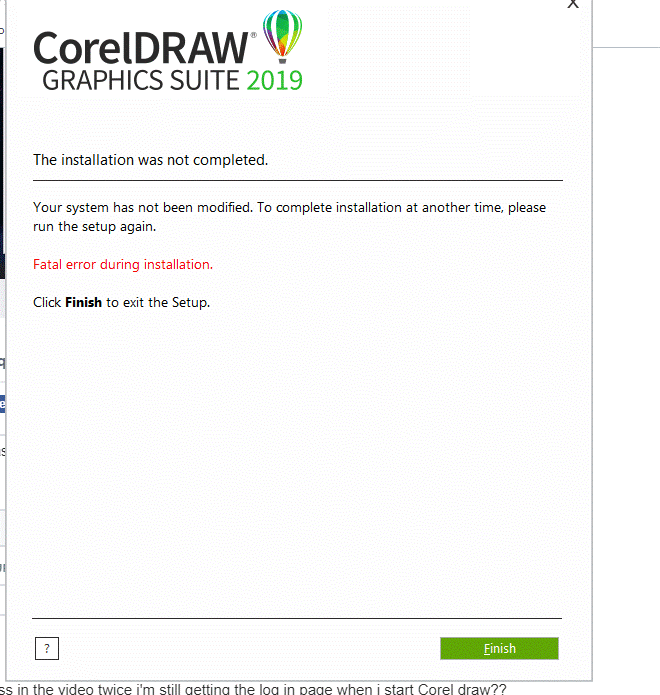
fatal error during installation. please help me https://uploads.disquscdn.com/images/529c92afab589e79254042896228b9fd6891334014bd2592ae9573e66123b482.gif
-
-
-
-
#67 written by محمد زكي أحمد 6 years ago
-
-
-
-
-
#76 written by k35hi house 6 years ago
-
#78 written by ragunath A 6 years ago
-
#83 written by Amit Sareen 6 years ago
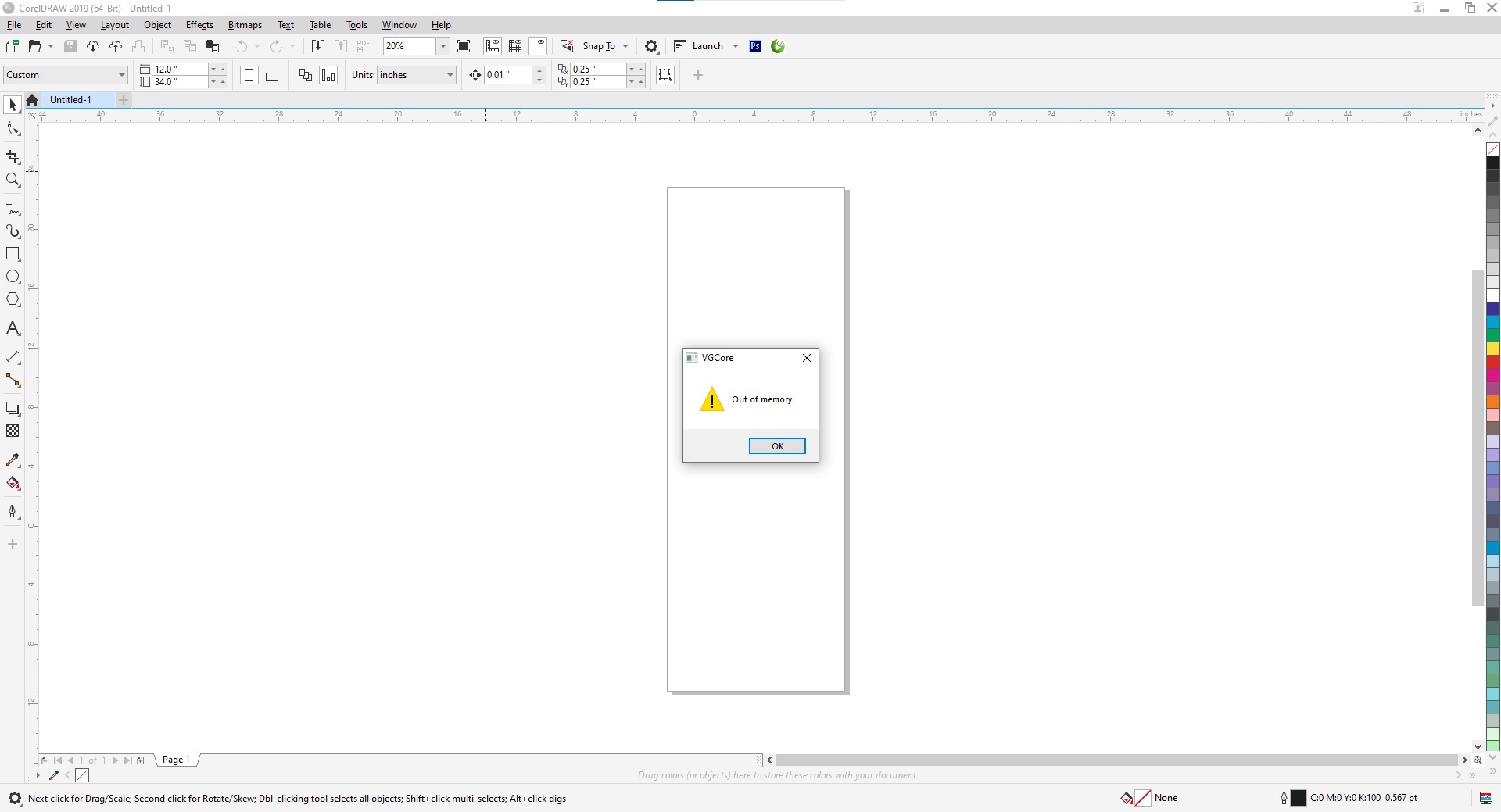
“OUT OF MEMORY” ERROR while making QR code.
But making of Bar Code is working fine. https://uploads.disquscdn.com/images/156b89e2c71b454ea6a3aa1401c3e720dc4e9d85838b3b2cf101e1f6f9ea69c0.jpg -
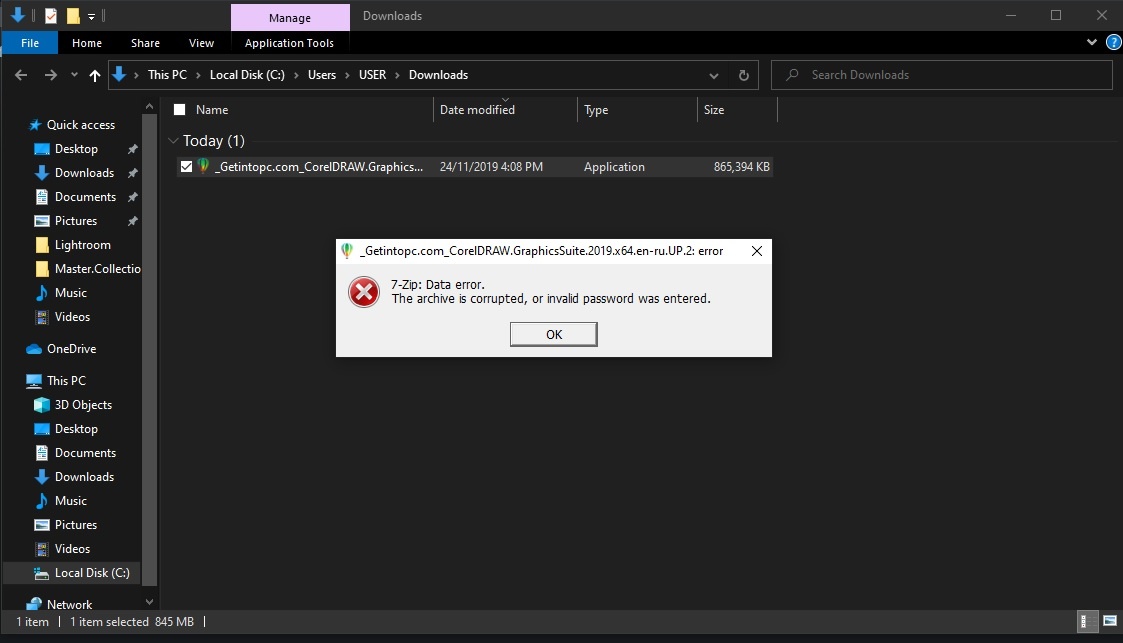
I am getting these errors when i try to extract the files with WINRAR
! C:UsersinfoDocumentsResourcesCorel Draw_Getintopc.com_CorelDRAW.GraphicsSuite.2019.x64.en-ru.UP.2.rar: Checksum error in the encrypted file C:UsersinfoDocumentsResourcesCorel Draw_Getintopc.com_CorelDRAW.GraphicsSuite.2019.x64.en-ru.UP.2.rar. Corrupt file or wrong password.
! C:UsersinfoDocumentsResourcesCorel Draw_Getintopc.com_CorelDRAW.GraphicsSuite.2019.x64.en-ru.UP.2.rar: No files to extract
-
-
#90 written by Pious Okoro 5 years ago
-
#91 written by Oloruntoba Ifeoluwa 5 years ago
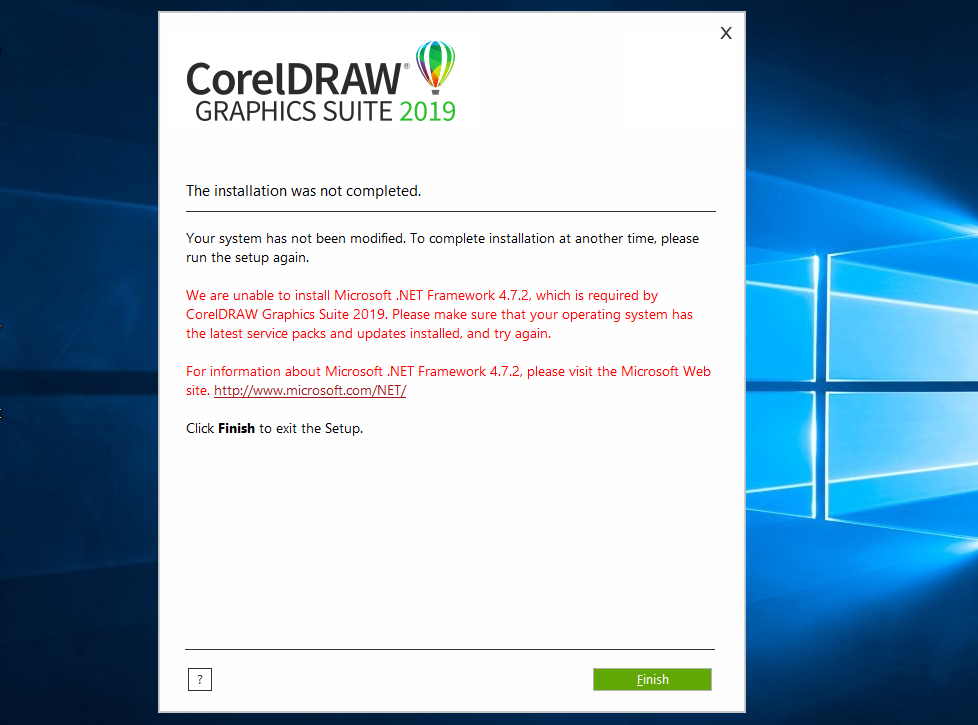
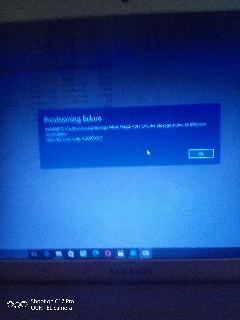
When I was done downloading this software and try to install it, this is what is showing me on my system https://uploads.disquscdn.com/images/bd7a211ef424f9d620fbaf7816660ddf5d58d189b07105b59676119c2dafb6ef.jpg
-
#92 written by Oloruntoba Ifeoluwa 5 years ago
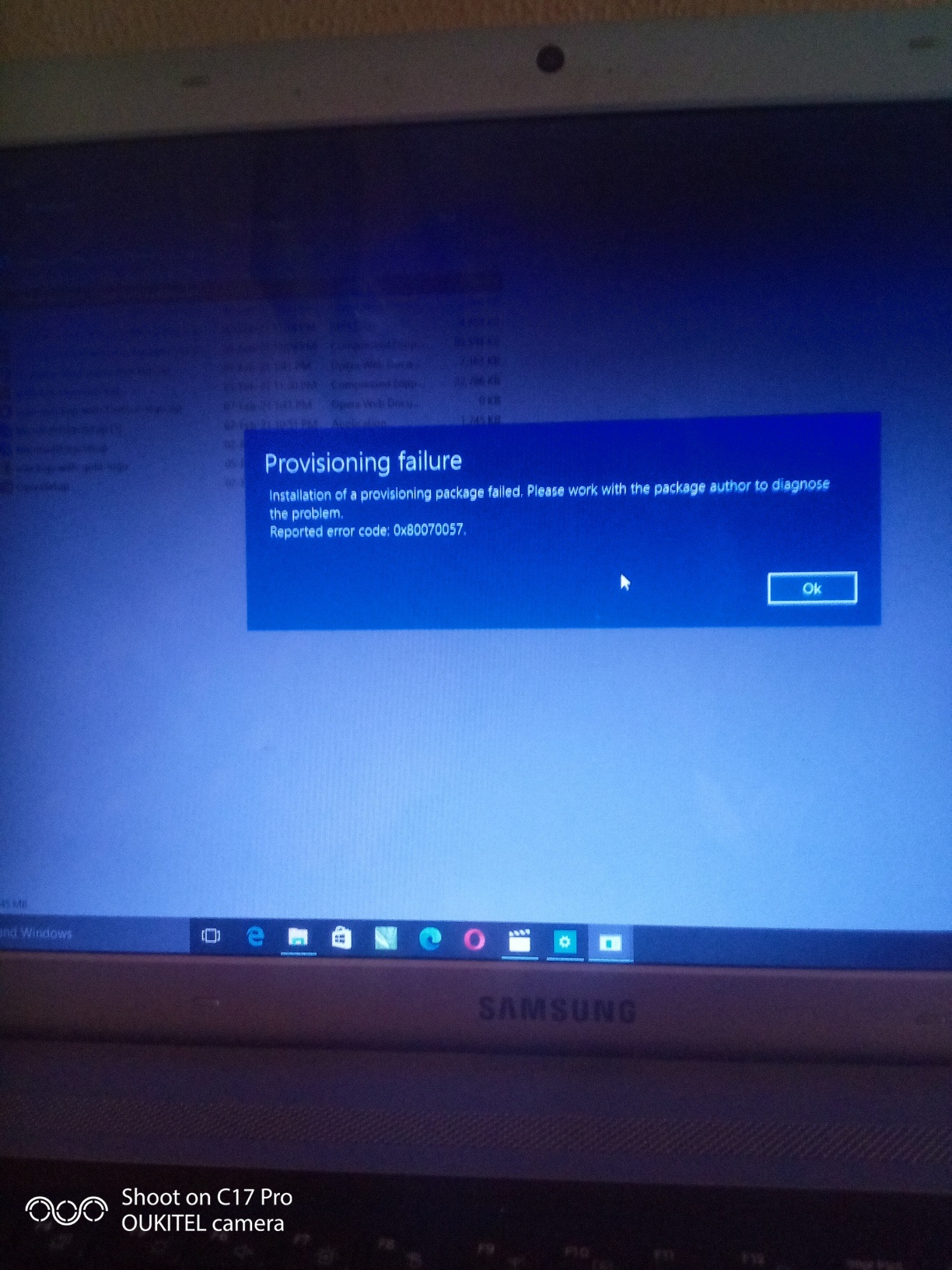
This is what it’s showing me when I want to install it, how can I fix it pls
https://uploads.disquscdn.com/images/069fa388f4ec1d065edf6f84e75f047ac27a61770ce692959387617fa7579937.jpg -
- Comment Feed for this Post


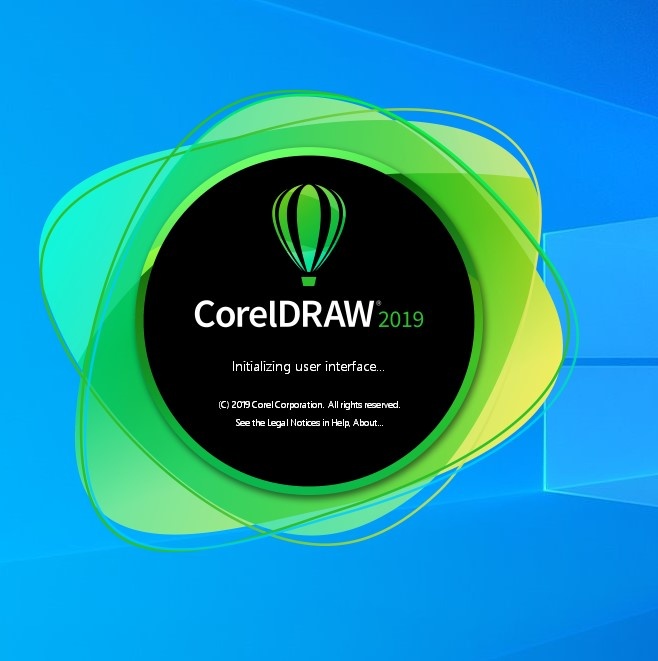
Unable to load VGCore. Error Code 127
What should I do now?