Download Free Your Desired App
Home » Softwares » 3D CAD » AutoCAD 2016 Free Download
AutoCAD 2016 Free Download
AutoCAD 2016 Free Download ISO 32 Bit 64 bit. It is full offline installer standalone setup of AutoCAD 2016 ISO for Windows 32 bit 64 bit PC.
AutoCAD 2016 Overview
AutoCAD is a design and drafting software used by the engineers and architectures worldwide. It has become a standard in 2D and 3D designing and drafting. With AutoCAD the job of engineers and architects have been made very easy. AutoCAD is around for a while now and today we are reviewing AutoCAD 2016. You can also download AutoCAD 2015

Let’s explore what’s new AutoCAD has to offer in its 2016 release. There is a new Text frame property has been included to Mtext objects in order to create a border all around your text. Text wrapping feature is also included and now text will be wrapped automatically in the dimension fields. There is a new Modify option included which will let you draw new revision cloud segment. The interface for AutoCAD 2016 is very intuitive and is helpful for all the users to access all the tools easily. The New Tab drawing file tab has been renamed as Start. The Status bar has also been enabled to automatically wrap onto two rows when there are number of icons which can’t be fit into a single row. AutoCAD 2016 has got a comprehensive Help file which will guide you at each and every step. You may also like to download AutoCAD 2010 for older machines.

Features of AutoCAD 2016
Below are some noticeable features which you’ll experience after AutoCAD 2016 free download.
- Can create 2D and 3D drawings.
- Intuitive interface.
- New Text frame property included.
- Text wrapping feature included.
- Status bar has been enabled to wrap automatically.
- Comprehensive help included.

AutoCAD 2016 Technical Setup Details
- Software Full Name: AutoCAD 2016 x86 x64
- Setup File Name: acad2016_x32.iso, acad2016_x64.iso
- Full Setup Size: 3.4 GB, 4.88 GB
- Setup Type: Offline Installer / Full Standalone Setup:
- Compatibility Architecture: 32 Bit (x86) / 64 Bit (x64)
- Latest Version Release Added On:
- Developers: AutoCAD

System Requirements For AutoCAD 2016
Before you start AutoCAD 2016 free download, make sure your PC meets minimum system requirements.
- Operating System: Windows 7/8/8.1
- Memory (RAM): 2GB
- Hard Disk Space: 6GB
- Processor: 3GHz Intel Core 2 Duo or later.
AutoCAD 2016 Free Download
Click on below button to start AutoCAD 2016 Free Download. This is complete offline installer and standalone setup for AutoCAD 2016. This would be compatible with both 32 bit and 64 bit windows.
Before Installing Software You Must Watch This Installation Guide Video

32 Bit
64 Bit
Related posts:
This Post was Last Updated On: October 12, 2023
-
-
-
#4 written by Neil Justin Kasilag Orense 11 years ago
-
-
-
-
-
-
-
-
#17 written by Firdaus Haris 11 years ago
i think it works on 2013. just change the resolution in this website
http://superuser.com/questions/506792/how-to-increase-the-screen-resolution-from-1024×600-to-1024×768-on-hp-mini-210-4
you can also try the 2016 version by yourself but i recommended the 2013 version on any netbook. hope it help -
-
-
-
-
-
#25 written by Vikram 6 years ago
-
#27 written by time w us 6 years ago
-
-
#31 written by Ankur Kumar 6 years ago
Follow This video step by step….
https://www.youtube.com/watch?v=R-I0tQg6jvQ -
#32 written by Ankur Kumar 6 years ago
-
-
#47 written by Rabbiya Naseer 5 years ago
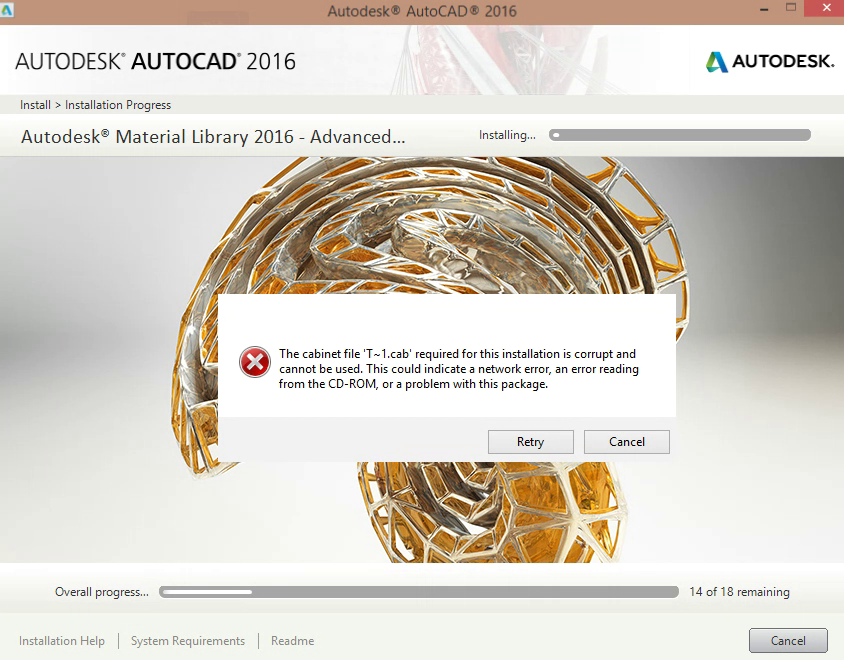
https://uploads.disquscdn.com/images/0ac3d1ae587ba7273a53aa8650e9aa267d9a9bda5b4bf3d47275052de2629f17.png WHY DOES IT SAYS THIS?HOW TO SOLVE THIS PROBLEM?
-
#48 written by Rabbiya Naseer 5 years ago
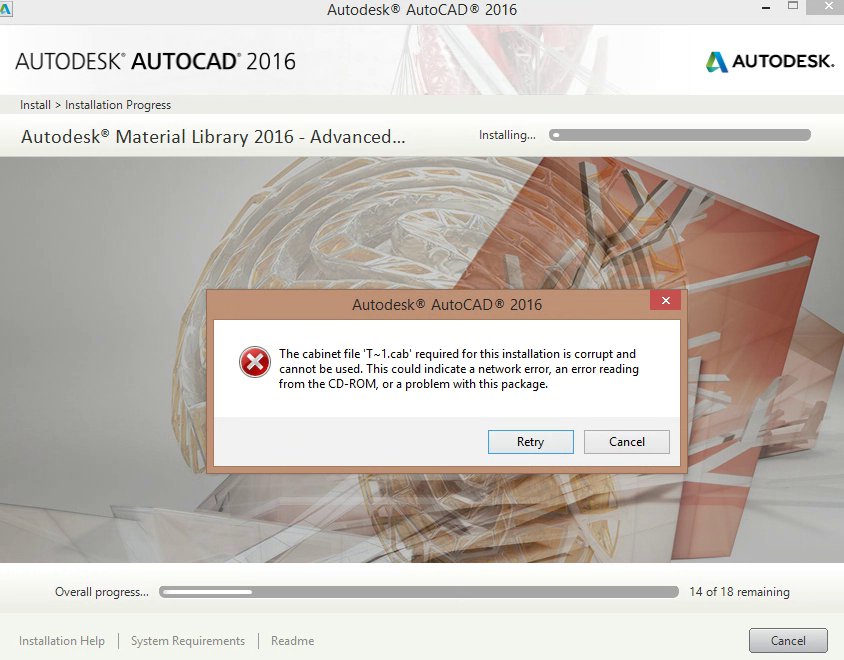
https://uploads.disquscdn.com/images/fd00baf38eda74748128fb09cb299d51cd4500c7233302d61da4976565f0c008.png WHY DOES IT SAY THIS? HOW TO SOLVE THIS PROBLEM?
-
#49 written by Rabbiya Naseer 5 years ago
@Admin help me with this problem please why is it occuring and how to solve this issue? https://uploads.disquscdn.com/images/fd00baf38eda74748128fb09cb299d51cd4500c7233302d61da4976565f0c008.png
-
#50 written by Dipak Varsani 4 years ago
Hi! This is showing that the file you have downloaded is corrupt but same file is working for other it means the problem is the downloading. May be you had very slow speed , you may have paused while downloading, downloading may have paused automatically due to poor speed or you were downloading this file while downloading something else.
-
-
#52 written by Robel Cruz 5 years ago
-
-
#60 written by Kayani Kayani Cod 3 years ago
last day ago I am downlod/install autocad 2016 32bit in my PC window 7 32bit core i5 its install smoothly no error find run 100% fine
its fully software with built in framework, c++ ,Dll every things need to install for software include in this
with crack and xforce fully licensed no need for trailespecially Thnx getintopc Team
-
#63 written by Lakhan 3 years ago
-
#66 written by Johan's Sister 3 years ago
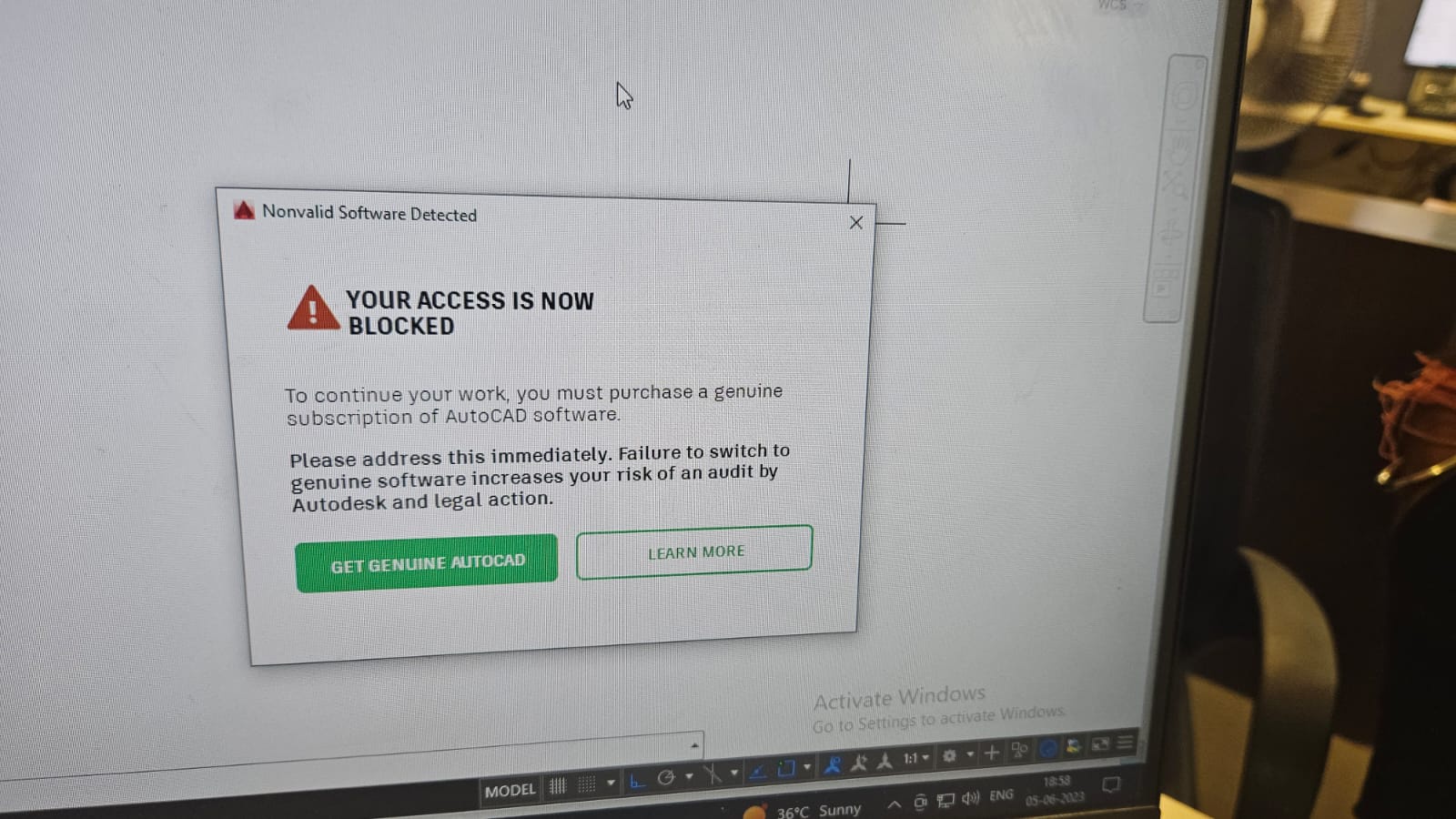
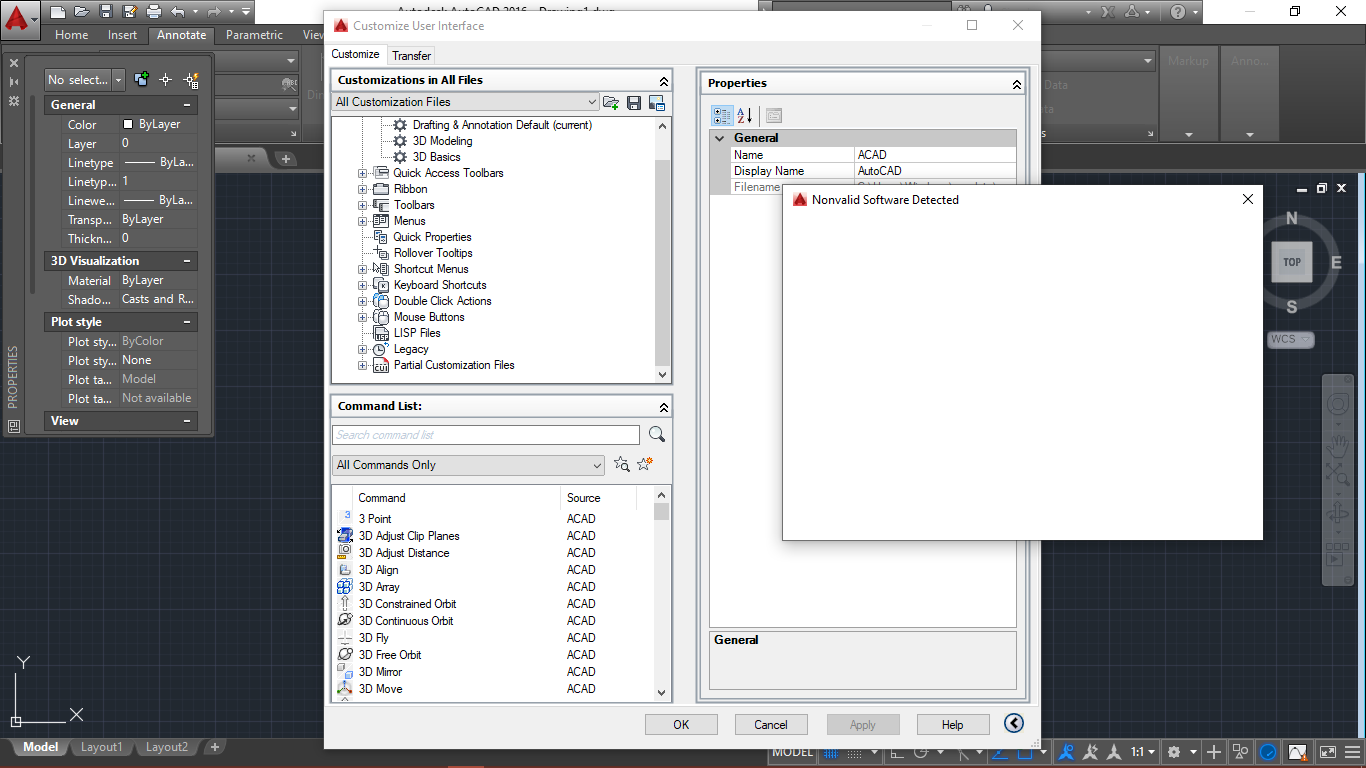
there are issue, namely a small tab stating nonvalid software detected… I have closed the tab but it always appears and the cad performance cannot be used :(… Please what can i do to fix it? https://uploads.disquscdn.com/images/058317530874edd0e9dc1e61cc497bd50772250718f62b369d07b9c14299529e.png
-
-
#68 written by z4f4n 7 months ago
1. Extract the crack folder first before extracting/installing the software.
2. Put the crack folder on the exclusion list
3. Disable all internet access
4. Install the software
5. Install the crack
6. Restart the computer while making sure that all internet is blocked
7. Block all outgoing and ingoing network connections to the autodesk folderBelow, I have an example of the batch code you can use. Just replace the folder name in the set folder variable :
REM Set the folder containing the .exe files
set “folder_path=C:\Program Files\Autodesk\AdODIS\V1\Setup”REM Rule configuration
set “action=block” REM Action to block
set “protocol=any” REM Protocol: TCP, UDP, or anyecho Starting to block connections for .exe files in %folder_path%.
echo ==========================================================REM Loop through .exe files in the specified folder
for %%F in (“%folder_path%\*.exe”) do (
REM Extract the file name without path
set “file_name=%%~nF”
echo Blocking inbound connections for %%F…
netsh advfirewall firewall add rule name=”%%~nF-Inbound-Block” dir=in action=%action% program=”%%F” enable=yes protocol=%protocol% profile=any
echo Blocking outbound connections for %%F…
netsh advfirewall firewall add rule name=”%%~nF-Outbound-Block” dir=out action=%action% program=”%%F” enable=yes protocol=%protocol% profile=any
)echo ==========================================================
echo All .exe files in the folder have been blocked for inbound and outbound connections.
pauseThe best way that I found to find the files that are connecting to the internet is using a program that lets you see the services that are getting connected, like netlimiter, you find the folder, you put the name of the folder in the script and you run the script.
You do that while the internet is disconnected, and you restart the computer as many times to see which autodesk service connect to the internet automatically and block it using the script.
After you are satisfied that all autodesk services have been blocked, you can activate internet and enjoy your program with no problem.
-
-
#69 written by $@! 7 months ago
-
#70 written by z4f4n 7 months ago
1. Extract the crack folder first before extracting/installing the software.
2. Put the crack folder on the exclusion list
3. Disable all internet access
4. Install the software
5. Install the crack
6. Restart the computer while making sure that all internet is blocked
7. Block all outgoing and ingoing network connections to the autodesk folderBelow, I have an example of the batch code you can use. Just replace the folder name in the set folder variable :
REM Set the folder containing the .exe files
set “folder_path=C:\Program Files\Autodesk\AdODIS\V1\Setup”REM Rule configuration
set “action=block” REM Action to block
set “protocol=any” REM Protocol: TCP, UDP, or anyecho Starting to block connections for .exe files in %folder_path%.
echo ==========================================================REM Loop through .exe files in the specified folder
for %%F in (“%folder_path%\*.exe”) do (
REM Extract the file name without path
set “file_name=%%~nF”
echo Blocking inbound connections for %%F…
netsh advfirewall firewall add rule name=”%%~nF-Inbound-Block” dir=in action=%action% program=”%%F” enable=yes protocol=%protocol% profile=any
echo Blocking outbound connections for %%F…
netsh advfirewall firewall add rule name=”%%~nF-Outbound-Block” dir=out action=%action% program=”%%F” enable=yes protocol=%protocol% profile=any
)echo ==========================================================
echo All .exe files in the folder have been blocked for inbound and outbound connections.
pauseThe best way that I found to find the files that are connecting to the internet is using a program that lets you see the services that are getting connected, like netlimiter, you find the folder, you put the name of the folder in the script and you run the script.
You do that while the internet is disconnected, and you restart the computer as many times to see which autodesk service connect to the internet automatically and block it using the script.
After you are satisfied that all autodesk services have been blocked, you can activate internet and enjoy your program with no problem.
-
-
#71 written by Marko 6 months ago
-
#75 written by Anonymous 4 months ago
-
#77 written by Anonymous 4 months ago
-
-
#81 written by Luciano 1 month ago
-
#82 written by z4f4n 3 weeks ago
-
-
- Comment Feed for this Post


The Link is fixed.